News
Abstract
IBM Navigator for i is a secure web-based interface for managing and monitoring one or more IBM i instances from a single location. This modern user interface can be accessed from default ports http://hostname:2002 (or 2001). If running under TLS https://hostname:2003 (or 2010).
This new IBM Navigator was initially release in Sept 2021. It is a redesigned framework and user interface that replaces the heritage IBM Navigator for i. This IBM Navigator for i runs under the ADMIN1 server and by default listens on port 2002. The URL for the new Navigator is http://hostname:2002/Navigator. The latest PTFs are available in the HTTP group for IBM i 7.6, IBM i 7.5, and IBM i 7.4.
Content
|
|---|
Note Important updates and changes to IBM Navigator▼ The web truststore is no longer dependent on Master Key 1 being set. For the webtruststore change to be handled correctly, before applying this PTF, a user with *ALLOBJ authority should turn off TLS for their connection to the GUI node (Serviceability > Connection Properties then TLS Connection table), then apply the PTF. That user should then sign in and turn TLS back on. This will allow the conversion of the truststore to be handled correctly. Authority changes from slip-install causes *USER profiles to get blank screen Fall 2023: After updating release from IBM i 7.3 or IBM i 7.4 moving to IBM i 7.4 or IBM i 7.5, existing user profiles which used IBM Navigator for i before upgrade, may receive a blank screen when logging into IBM Navigator for i. This is caused from incorrect authority changes in the install process for the preferences folders used by Navigator. Users with *ALLOBJ authority do not have any problems. New users created after upgrade do not have this problem. The fix for this is provided with the HTTP group level updated 17 October 2023 (Q3+ PTFs listed on PTF page released Oct 2023). This fix requires that a user with *ALLOBJ authority logs into IBM Navigator for i after the PTFs are applied to perform the authority corrections. If not done, the *USER profiles will continue to have issues with IBM Navigator for i. The circumvention choices to resolve this issue are:
Access to lazy-load tables through NEWNAV in QNEWNAVSRV ends with April 2024 PTF - started Spring 2023 IBM Navigator for i will use a lazy-load function to provide large lists of data more efficiently to the user. The lazy-load service uses the NEWNAV procedure which has moved from QUSRSYS library to library QNEWNAVSRV. This process changed in the June 2022 PTFs. When the lazy load function is first set up, the user logged-in during the setup is required to have enough authority for the NEWNAV service program to be set up in QNEWNAVSRV library. This is a requirement for Navigator. |
|---|
Navigator can now be run with QSECOFR disabled. There are, however some limitations in some function when QSECOFR is disabled:
- For configuration, a user will need to log in to Navigator one time with high authority profile to set up tables for Navigator SQL, Monitors, ARE, and Web Admin
- If QSECOFR is disabled, Monitors will NOT be started automatically. A user will need to manually go to the Monitors table and start the Monitor Server
- A user without ALLOBJ authority will not be able to use Authentication Method 3 (saving passwords in encrypted file with Master Key 1) when QSECOFR is disabled. This option will be unselected for that user when a basic user signs in.
- To start the System Debugger > Debug Service, for IBM i 7.5 and earlier, QSECOFR (QSECOFR_NC on IBM i 7.6) cannot be disabled (and password not expired). The QDBGSRV user profile is used to start the debug service, not the user profile logged in to Navigator. Master Key must be set as well.
Getting started with IBM Navigator for i:
Navigator for i is redesigned, leveraging the latest in web and IBM i data retrieval technology to create a user-centric, high-performing interface for monitoring and managing one or more IBM i systems in a highly secure manner.
To open the new Navigator after installing the latest PTFs, use the URL: http://hostname:2002/Navigator or http://hostname:2001.
If running with TLS, use the default URLs: https://hostname:2010 OR https://hostname:2003/Navigator.
Once logged in, select the endpoint node to work with by double-clicking the system tile to gain access to all features. See "Dashboard" link for more features of the Dashboard.
Note: the "/Navigator" text is required and case-sensitive.
Note: If you previously secured some of the ADMIN servers (disabling HTTP in the process), the new Navigator (and the new DCM) does not work out of the box insecurely at the default http://hostname:2002/ address. You have to configure TLS.
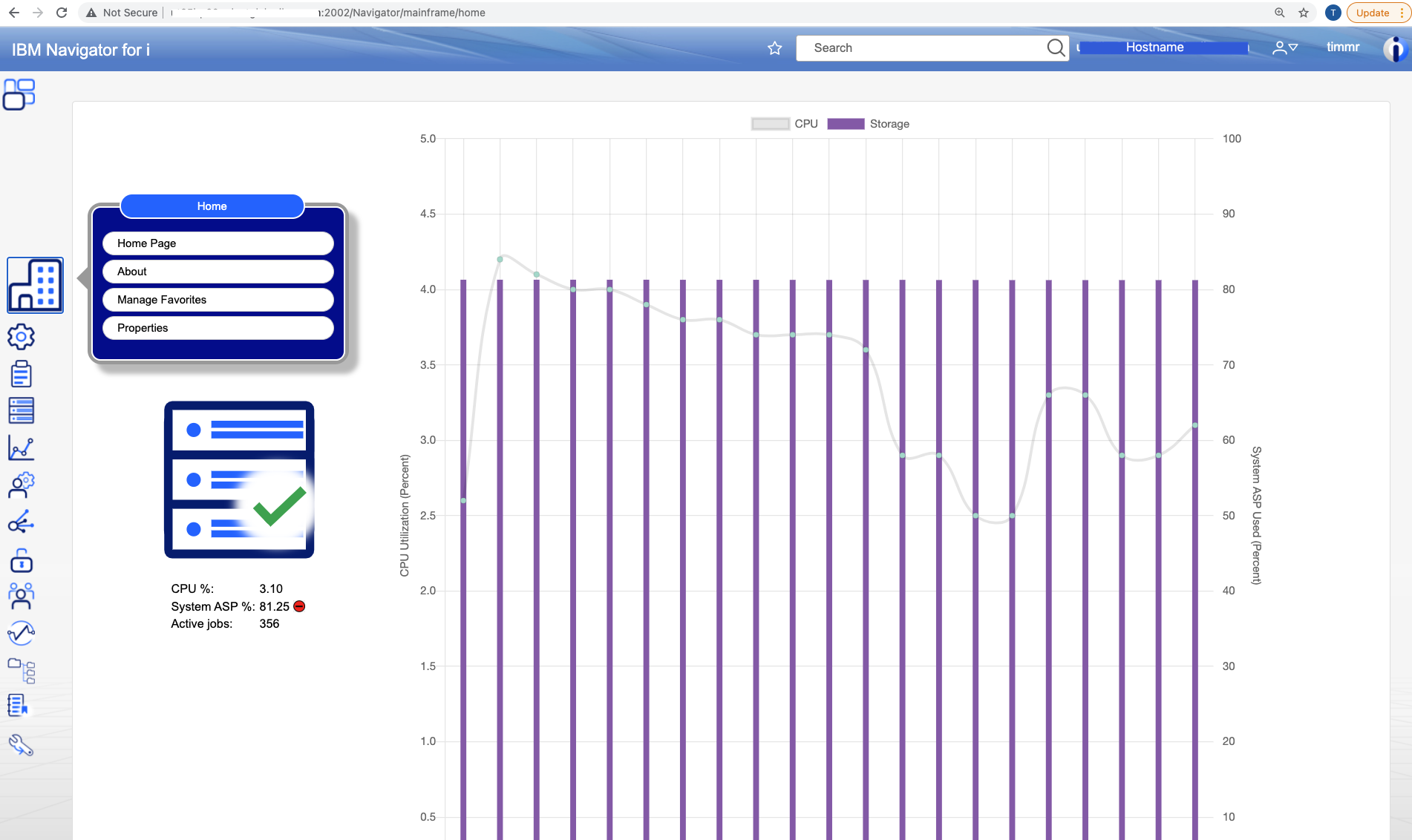
Install, Service, and Reference links:
- Using IBM Navigator for i to Manage MFA
- Navigator for i PTFs
- Product Install Requirements - Navigator on IBM i 7.6 requires Java 17
- Service Availability and troubleshooting : solve particular errors and view general tips
- Future function enhancements list
- Browser support information & tips
Service Level Requirement:
IBM Navigator is installed as part of the IBM i operating system. It is part of SS1 option 3. The actual PTF is delivered as part of the HTTP PTF Group.
In addition, there are a number of other groups that are needed to ensure that all parts of the navigator interface function properly. For a list of these groups, see Product Install Requirements.
- Systems management: https://www.ibm.com/docs/en/i/7.6?topic=sys-navigator-i
- Connecting to your system > IBM Navigator for i: https://www.ibm.com/docs/en/i/7.6?topic=system-navigator-i
- Performance tools > PDI: https://www.ibm.com/docs/en/i/7.6?topic=data-navigator-i
Heritage Navigator
|
|---|
Was this topic helpful?
Document Information
Modified date:
31 March 2026
UID
ibm16483299