News
Abstract
IBM i 7.6 - TR1 Software Enhancements
Content
| IBM i 7.6 - Enhancements timed with Technology Refresh 1 (TR1) |
|
Note: The announcement materials for IBM i 7.6 TR1 can be found here.
The remainder of this landing page intends to make it easy to see the supporting detail for these enhancements.
|
Db2 for i Enhancements
Note: The following Db2 for i enhancements are delivered by Db2 for i PTF Group SF99960 Level 2
|
 |
Db2 for i - Database Engineer (DBE) enhancement
IBM i Services (new)
- QSYS2.CERTIFICATE_USAGE_INFO
- QSYS2.JOURNAL_CODE_INFO
- QSYS2.PROGRAM_RESOLVED_ACTIVATIONS()
- QSYS2.SFP_TRANSCEIVER_INFO
- SYSTOOLS.AUDIT_JOURNAL_RP()
- SYSTOOLS.AUDIT_JOURNAL_VO()
- SYSTOOLS.OVERRIDE_INFO
- SYSTOOLS.PROBLEM_INFO
- SYSTOOLS.USER_DRDA_AUTHENTICATION_ENTRIES
IBM i Services (enhanced)
- Authority collection views
- QSYS2.CHANGE_DISK_PATHS
- QSYS2.GROUP_PTF_INFO
- QSYS2.OBJECT_LOCK_INFO
- QSYS2.RECORD_LOCK_INFO
- QSYS2.SEND_MESSAGE()
- QSYS2.SERVER_SHARE_INFO
- SYSTOOLS.GENERATE_SPREADSHEET()
- SYSTOOLS.GROUP_PTF_CURRENCY
Db2 for i - Services (new)
Db2 for i - Services (enhanced)
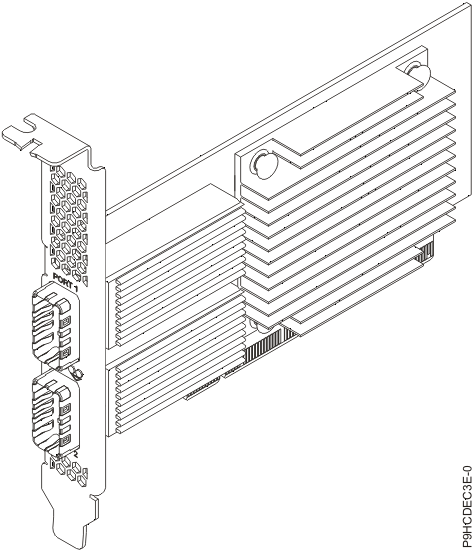
- Fibre Channel Multipath Automatic Path Disable
- Improve high volume large read performance on VIOS-hosted virtual SCSI disks
- Improve diagnostic abilities for Fibre Channel adapter optical transceivers
- The BRMS web interface has been enhanced to show control group attributes and backup list details.
- The BRMS web interface has been enhanced to show backup history information. These new services give users the ability to view backup history and history details for objects, members, IFS, folders and spooled files.
- The SQL service QUSRBRM.CG_BACKUP_STATUS has been enhanced to show the volume expiration status and expire date.
- BRMS support for LTO-10 tape drives and media with new *ULTRIUM10 density has been added.
- BRMS SQL service enhancements have been added to view backup history information. These new services give users the ability to view backup history and history details for objects, members, IFS, folders, and spooled files. The new BRMS SQL services include:
- QUSRBRM.BACKUP_HISTORY View
- QUSRBRM.BACKUP_HISTORY_OBJECT View
- QUSRBRM.BACKUP_HISTORY_MEMBER View
- QUSRBRM.BACKUP_HISTORY_IFS_DIRECTORY View
- QUSRBRM.BACKUP_HISTORY_IFS_FILE View
- QUSRBRM.BACKUP_HISTORY_FOLDER View
- QUSRBRM.BACKUP_HISTORY_DOCUMENT View
- QUSRBRM.BACKUP_HISTORY_SPOOLED_FILE View
These and other enhancements are described in the Enhancements to BRMS landing page.
Rest API Engine - Integrated Web Services Server (IWS) 3.0
Introducing a new version of the IWS server, IWS 3.0, that is based on the Jakarta execution environment (EE). IWS 2.6 is based on the Java EE and is still available for use.
Java EE, originally known as J2EE, was Sun/Oracle's framework for building enterprise-level applications with a standardized set of APIs. In 2017, Oracle transferred Java EE to the Eclipse Foundation, and due to trademark issues with Oracle's "Java" trademark, the platform was renamed Jakarta EE.
Customer benefits of IWS 3.0 in the immediate term include:
- Underlying technologies used are strategic and continuously being enhanced.
- Up to 20% performance improvement.
- A human-friendly interface that renders and displays the documentation of REST APIs defined using the OpenAPI Specification, allowing users a central place to document and test REST APIs.
IWS 3.0 is available on IBM i 7.4 and newer releases.
The latest updates and enhancements for IWS can be found on at the IWS Technologies Update page.
Rational Development Studio (5770-WDS)
Rational Development Studio 5770-WDS continues to respond to the requirements from the user community to meet the needs of our RPG applications. The following new features have been added:
- You can code a data type for an enumeration and define fields like the enumeration
- Implicit CCSID conversion is now done for the following built-in functions: %CHECK, %CHECKR, %LOOKUP, %REPLACE, %SCAN, %SCANR, %SCANRPL, %SPLIT, %TLOOKUP, %TRIM, and %XLATE
- New date formats *DMYY (dd/mm/yyyy), *MDYY (mm/dd/yyyy), and *YYMD (yyyy/mm/dd) that can be used with %DATE, %CHAR, %DEC, MOVE, MOVEL, and TEST
The latest details can be found at the RPG Cafe.
|
System Management
The Access Client Solutions and the web-based Navigator continue to be enhanced as we strive to help the IBM i Administrator manage and update their IBM i systems.
|
 |
- Network:
- Web Administration - continued migration of function including:
- Web Services Table added
- Wizards for create and delete HTTP Server
- LDAP LDIF file import/export
- Web Administration - continued migration of function including:
- Security:
- Audit Journal - added support for PO & SF entry types
- Authorization List enhancements for New, Delete, Change, and Permissions
- Cryptographic Coprocessor Configuration with Navigator
- Performance Data Investigator (PDI):
- New files supported:
- starting on IBM i 7.6: QAPMFCN, QAPMFCV
- starting on IBM i 7.5: QAPMOPT
- starting on IBM i 7.4: QAPMLINK, QAPMNRG, QAPMNRGL
- starting on IBM i 7.2: QAPMETHP, QAPMSYSVP
- Improvements to multiple collection handling
- New files supported:
- Bookmarks:
- Enhancements to TLS support
- Dashboard:
- Grace period will be shown when applicable for OS license expiry
ACS has been updated to provide significant value for the every day users, the database engineer as well as the general user that is leveraging SQL for their daily use.
- General
- Added /plugin=script so multiple ACS command-line plugins can be called from a single invocation of ACS
- Cleaning up temporary files created by ACS has been enhanced to provide 2 options:
- Added property com.ibm.iaccess.DaysTemporaryFilesAllowed
- Added the /cleartempfiles parameter to /plugin=maint
- Added property com.ibm.iaccess.DesktopLocation so that the default Desktop location used by ACS can be overridden
- Added property com.ibm.iaccess.AcsConfig to override location and name of AcsConfig.properties
- Show the configured system name for the command-line plugins that check or apply updates
- Added support for passphrase protected SSH keys used by Open Source Package Management and /plugin=httpproxyui
- The selected system on the ACS main panel should be in view when entering System Configurations
- Data Transfer
- Added the /sqlfile parameter to /plugin=cldownload. This parameter will support a UTF-8 encoded file that contains a single SQL query
- IFS
- Added property com.ibm.iaccess.ifs.VerifyAvailableSpace to enable the checking of available space before doing an IFS send, upload or copy/paste.
- Added Description as an optional column to display the Text attribute of the file
- Corrected the list of entries in the IFS most recently used directories dropdown
- Schemas
- Added the "Work With-->Journal Receivers" action to provide a complete list of related receivers
- The Table Definition dialog has been changed to leverage the SUPPRESS_INQUIRY_MESSAGES QAQQINI option when dropping columns (instead of requiring authority to the CHGRPLYE command)
- Support for "Generate SQL..." to save previous directory paths
- Additional columns have been added to the Journal and Journal Receiver lists
- SQL Performance Center
- Added Index Evaluator which prompts for a Schema and Table and then launches Work with Indexes
- Run SQL Scripts
- Support for 7.6 SQL syntax in the formatter
- 16 new Insert from Examples:
- IBM i Services
- Security - Audit Journal CD review
- Security - Auditing configuration for commands
- Security - Commands that Limited Capabilities can use
- Security - Db2 for i - Delete attack vector
- Security - Db2 for i - Insert attack vector
- Security - Db2 for i - Query attack vector
- Security - Db2 for i - RENAME attack
- Security - Db2 for i - Trigger attack vector
- Security - Db2 for i - Update attack vector
- Security - IFS home directories (detail)
- Security - IFS home directories (summary)
- Security - Library List security review
- Security - Powerful commands
- Security - Special Authority and Db2 data
- Security - User profile attack vector
- Security - Users with Limited Capabilities
- IBM i Services
- Open Source Package Manager
- Added capability to copy the contents of a terminal session started by Open Source Package Management. Ctrl-a (Windows) and Command-a (Mac) will do a select-all and copy to the system clipboard.
Details on the latest ACS feature can be found latest and greatest page.
To obtain the latest version of ACS click on the ‘Downloads’ link on the Access Client Solutions Home Page
|
VS Code - Code for IBM i
The Code for IBM i project has been making rapid improvements to help address the needs of the IBM i developer. Helping them leverage modern development methodologies and techniques.
|
 |
- Code for IBM i
- Italian language locale
- Ability to display sequence numbers inside of source members
- Server side connection settings that apply to all
- Fixes across the board
- Db2 for i
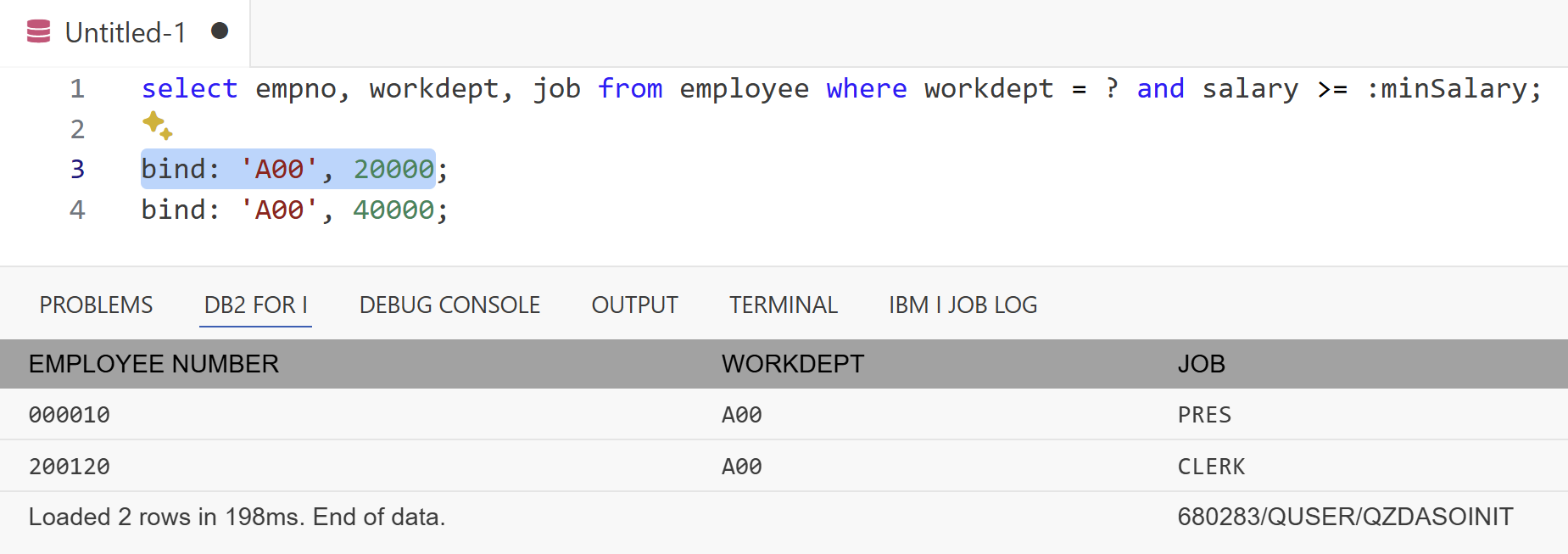
- Support for binding to parameters in SQL statements
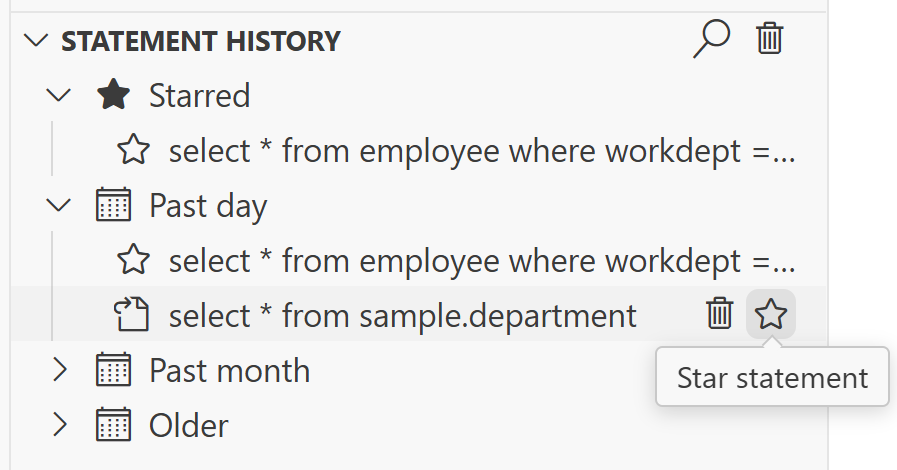
- Ability to favourite SQL statements used most often in Statement History view
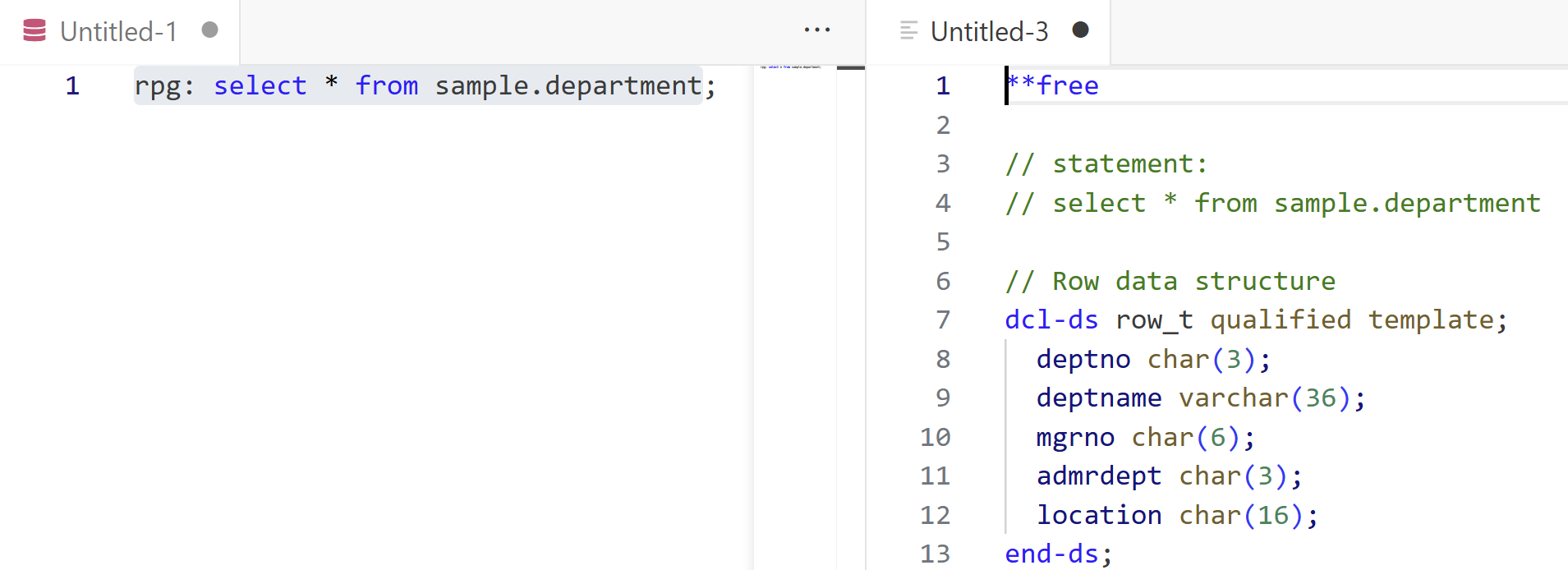
- Ability to generate RPGLE data structures from SQL statements
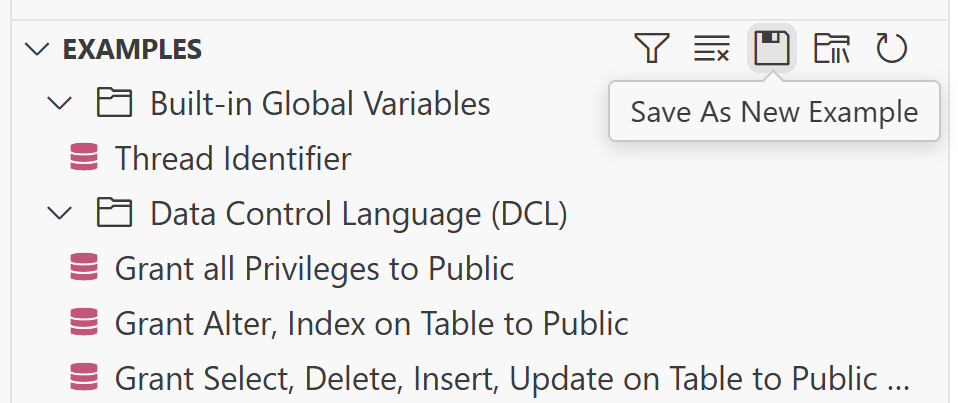
- Ability to save custom SQL examples to the Examples view
- Support for binding to parameters in SQL statements
- RPGLE
- Signature support for procedures, prototypes and built-in functions
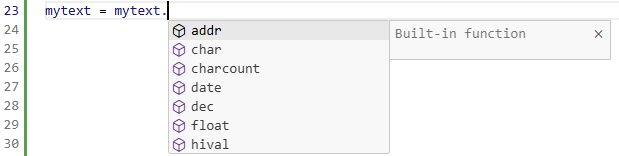
- Improvements to content assist for built-in functions
- Ability to see usable built-in functions for a given field based on type
- Signature support for procedures, prototypes and built-in functions
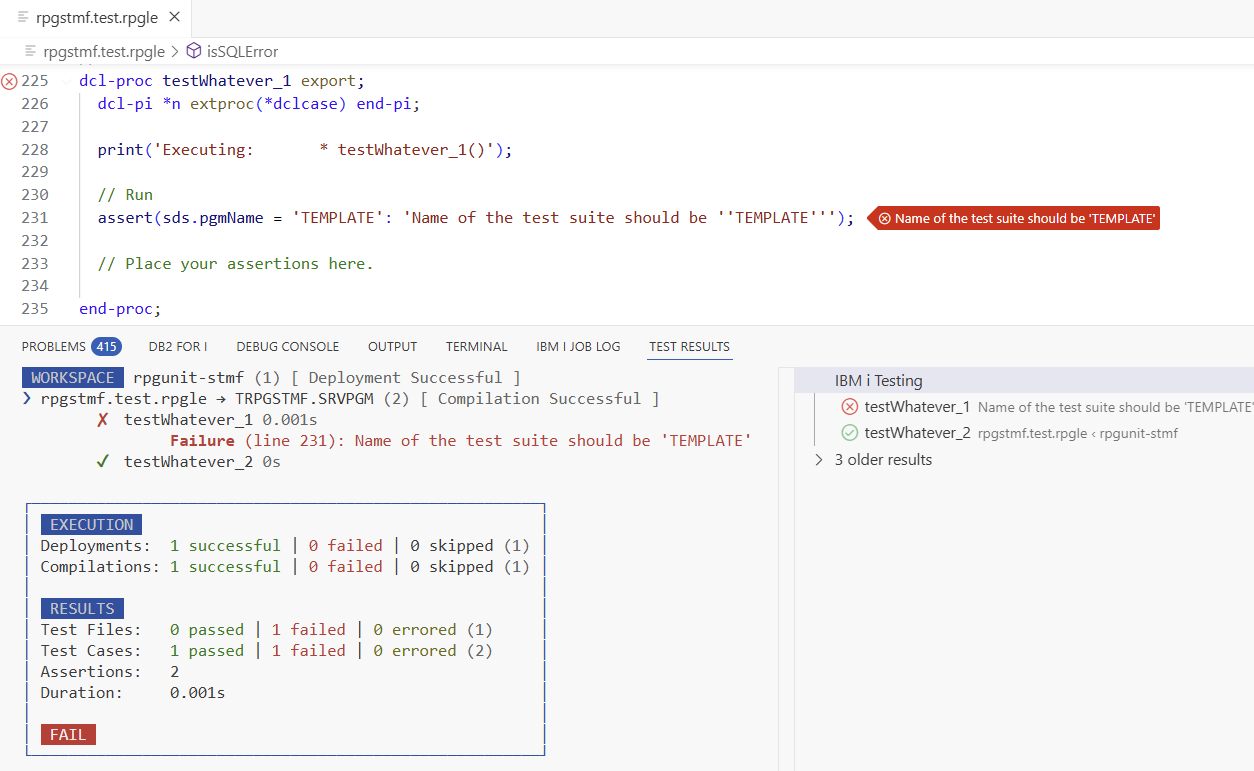
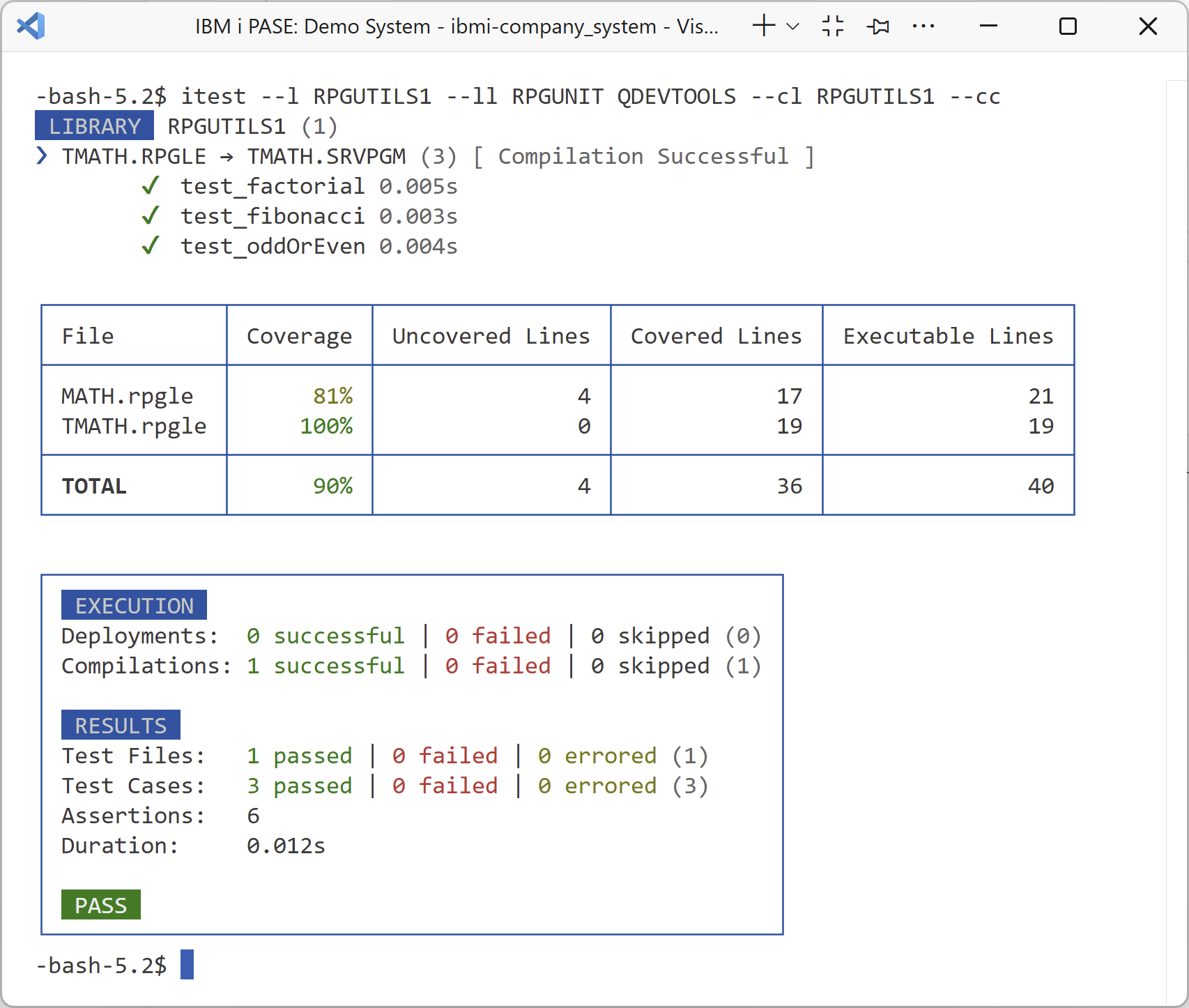
- IBM i Testing - The newly released IBM i Testing VS Code extension empowers developers to run unit tests and generate code coverage results for RPG and COBOL programs on IBM i with ease. It not only simplifies compiling and running tests but also accelerates test creation with built-in stub generation, making it easy to get started. For automation, the companion IBM i Testing CLI lets you run tests in PASE, enabling you to script the execution of tests in a CI/CD pipeline. The following features are included:
- Run Tests: Visualize and run tests suites out of local files or source members
- Generate Stubs: Generate test stubs for individual test cases or an entire test suite
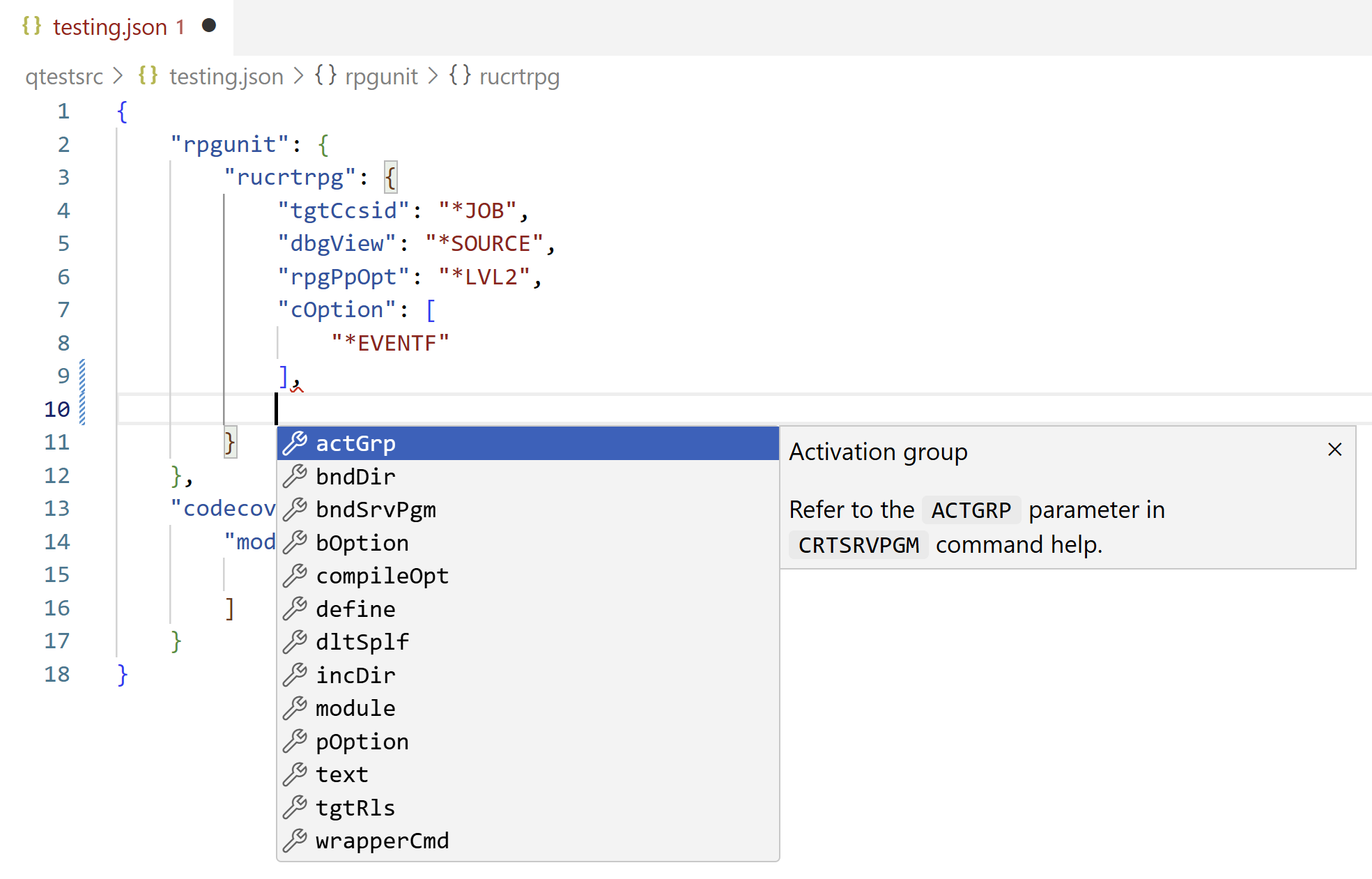
- Configure Tests: Configure parameters to compile (RUCRTRPG/RUCRTCBL) and run (RUCALLTST) tests
- View Test Results: View detailed test results with inline failure/error messages
- Generate and View Code Coverage: View line and procedure level code coverage as an overlay in the editor
- Automate Tests: Script test execution in PASE, enabling automated testing in CI/CD pipelines
- A complete overview of the testing support in VS Code can be found at - https://codefori.github.io/docs/developing/testing/overview/
- Run Tests: Visualize and run tests suites out of local files or source members




Additional details can be found at the Code for IBM i docs
Was this topic helpful?
Document Information
Modified date:
07 October 2025
UID
ibm17242091