Release Notes
Abstract
We want you to have the best experience with the Cloud Pak for Business Automation trial. Use this document to find answers to frequently asked questions related to the trial experience.
Content
What is the Cloud Pak for Business Automation trial?
The Cloud Pak for Business Automation trial is a 30-day, free experience for exploring selected Cloud Pak capabilities. The trial allows both technical and nontechnical business professionals to run business automations and build simple, no-code applications.
Which capabilities are included in the trial?
The following table shows the capabilities that are currently available in the trial and the Cloud Pak offerings that include them:
| Capabilities in trial | Cloud Pak for Business Automation offering | Cloud Pak for Business Automation as a Service offering |
|---|---|---|
| Automation Decisions Services |  |
|
| Automation Document Processing | |
|
| Business Automation Application | |
|
| Business Automation Insights | |
|
| Business Automation Studio | |
|
| Operational Decision Manager | |
|
| Workflow Authoring | |
|
How can I access the trial?
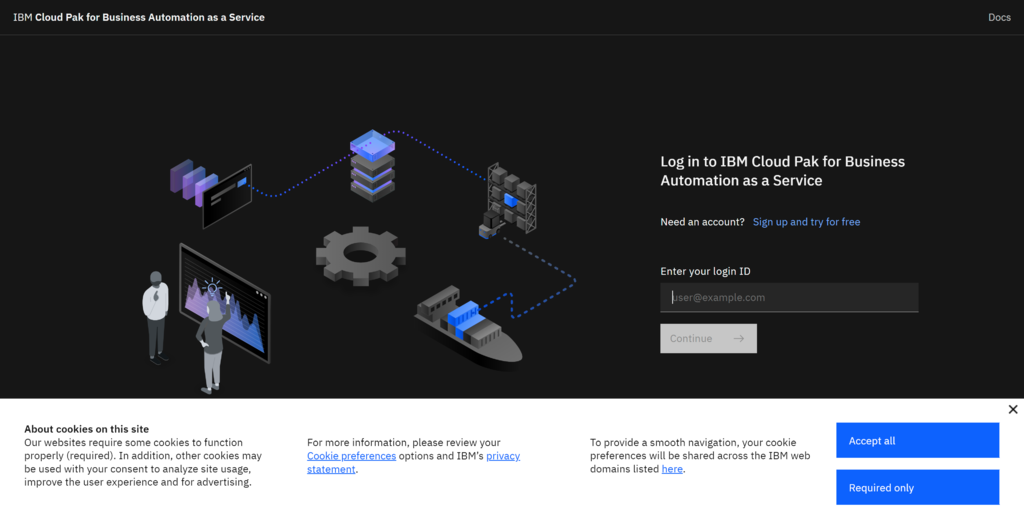
To begin your free 30-day trial, complete the registration form.
After you submit the form, you will receive an email with your login information. The subject line is: Your account is ready: IBM Cloud Pak for Business Automation trial. If you don’t see the email in your primary inbox within 10 minutes, check your spam or promotions folder.
No additional downloads or installation are required.
Can other trial participants see my work?
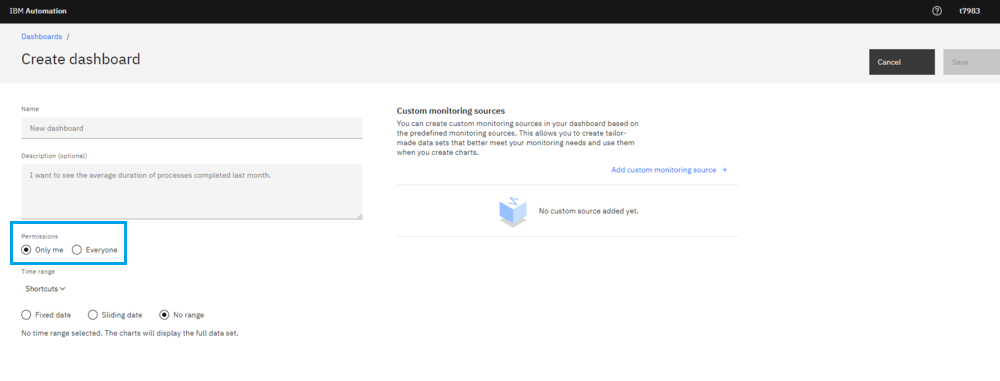
By default, your work is private and hidden from other trial participants. However, when you create a dashboard either in Monitor apps or Business Performance Center, you can choose to share work with other participants by selecting Everyone in the Permissions section.
What is the difference between guided and expert mode?
Guided mode is what you see when you log in to the trial for the first time. It is an experience for business professionals to explore industry use cases supported by the IBM Cloud Pak for Business Automation capabilities. This mode provides interactive tours for building applications, workflows, and decision services, and monitoring running applications. It also includes an app for testing document processing. Expert mode allows technical professionals to deep dive automation tooling and explore on their own.
How can I extend my trial?
Ten days before your trial is due to expire, you'll be prompted to extend the trial period by a further two weeks.
You can also register for a separate account or reregister with your existing credentials. However, none of your trial data is saved with either of these methods. If you're interested in a product demo or want to explore a purchase, contact a trial expert through the resources on the home page, or click here.
To reregister with your existing credentials, navigate to the IBM Cloud Pak for Business Automation home page and select Start your free trial. Enter the email address you used in your initial account creation, a Log in link appears below the field. Click the link and follow the instructions to access the trial.
Why is the instructional guidance not loading?
For the best experience in guided mode, be sure to accept ALL cookies when you log in to your account. Navigate to your browser settings and clear your cached data and cookies. Then, reload the trial home page and click Accept all.
How can I request a demo or purchase the software?
If you're interested in a demo or want to explore a purchase, complete the "Contact an IBM Representative" form in the resources section of the trial, or click here.
Why can't I include case features in my workflow automation?
Currently, you can't include case features in a workflow automation. This issue is a known limitation; the development team are investigating. We hope to provide this functionality in a future trial.
Where can I access Operational Decision Manager?
Operational Decision Manager (ODM) is accessible via Expert mode of the trial experience. Instructional guidance is available here.
Where can I access Process Mining and RPA?
Both Process Mining and RPA have separate trial experiences. To register for these experiences, navigate to the free trial button on the corresponding IBM page: IBM Process Mining and IBM Robotic Process Automation (RPA).
Additional information
Learn more about IBM Cloud Pak for Business Automation and how you can use it to increase productivity and improve your business applications.
Read about previous trial releases:
- What's new in the IBM Cloud Pak for Business Automation Trial, October 2022
- IBM Cloud Pak for Business Automation Trial: Duration Extension, Homepage Refresh, Workflow Tour, and Expert Mode Introduction!
- New Capabilities Available in IBM Cloud Pak for Business Automation Trial
- New IBM Cloud Pak for Business Automation Trial Is Now Available
Was this topic helpful?
Document Information
Modified date:
31 July 2023
UID
ibm16831803