Troubleshooting
Problem
This document includes a collection of all Database MustGather documents.
Resolving The Problem
MustGather: General Database Issues (start here if unsure)
MustGather: Damaged Database File (also for database objects that can not be deleted)
MustGather: SQL Services (SQL0204 n in QSYS2 type *N not found)
MustGather: IBM i Db2 SYSTOOLS HTTP Functions (HTTPGETCLOB, etc.)
MustGather: IBM i DB2 QSYS2 HTTP Functions (HTTP_GET, HTTP_POST, etc.)
MustGather: IBM i DB2 QSYS2 HTTP Functions (HTTP_GET, HTTP_POST, etc.)
Other options are listed on the Database menu of QMGTOOLS
1.
ADDLIBLE QMGTOOLS2.
GO MG3.
Option 13. Check IBM for updated QMGTOOLS4.
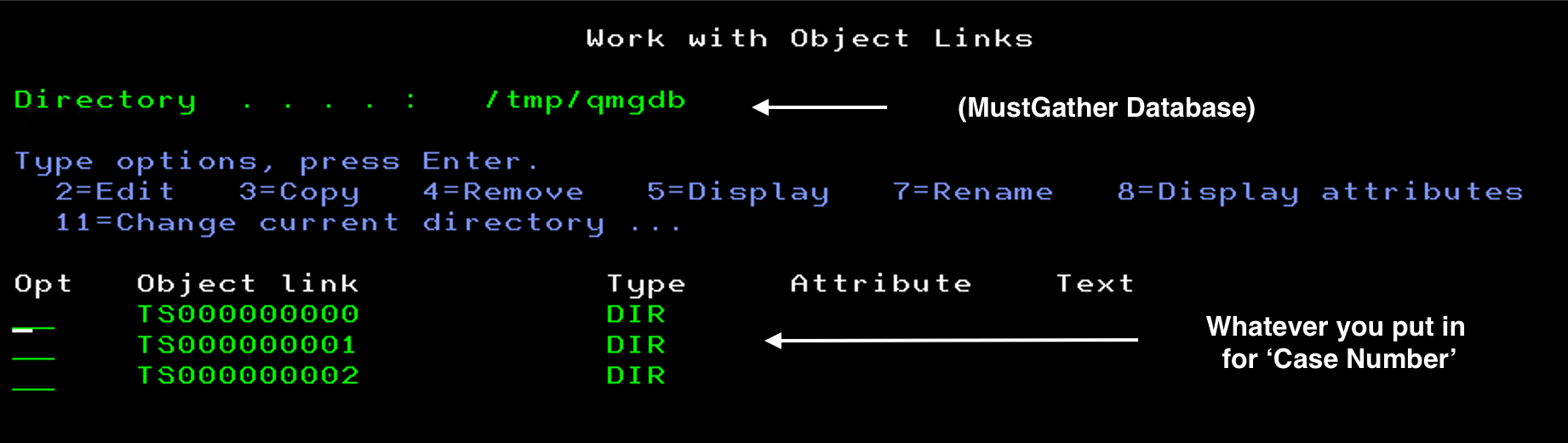
Option 6 - Database menuAll output is in the
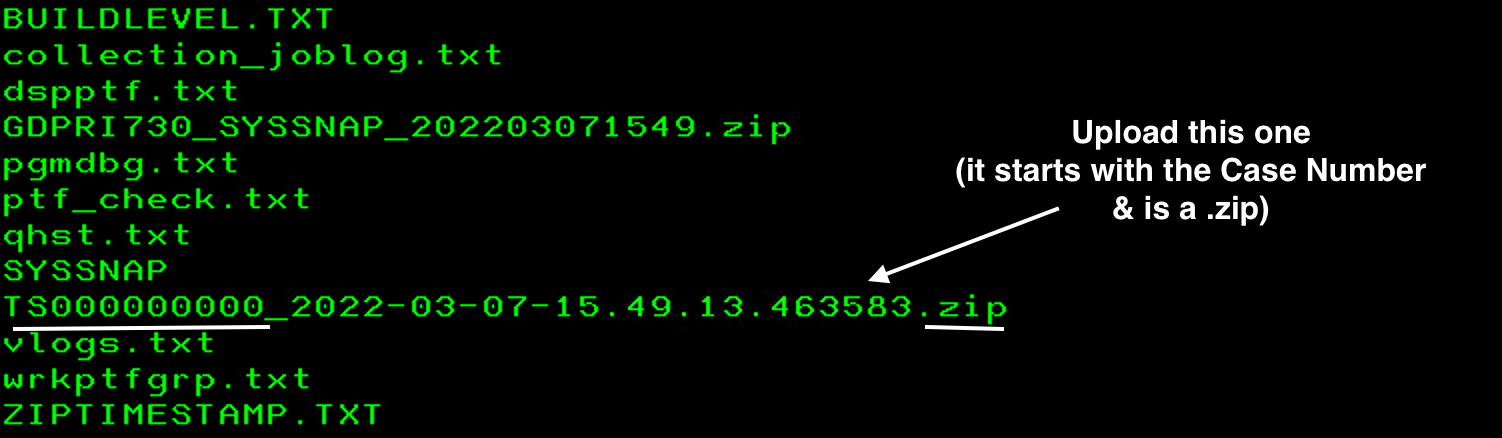
/tmp/qmgdb.You will want to upload the .zip with this naming convention - TS Case Number_date_time.zip
Example: TS000000001_2022-03-07-15.50.28.800930.zip
[{"Type":"SW","Line of Business":{"code":"LOB68","label":"Power HW"},"Business Unit":{"code":"BU070","label":"IBM Infrastructure"},"Product":{"code":"SWG60","label":"IBM i"},"ARM Category":[{"code":"a8m0z0000000CHeAAM","label":"IBM i Db2"},{"code":"a8m0z0000000CHbAAM","label":"IBM i Db2-\u003EMustGather Database"}],"ARM Case Number":"","Platform":[{"code":"PF012","label":"IBM i"}],"Version":"All Version(s)"}]
Was this topic helpful?
Document Information
Modified date:
06 November 2024
UID
nas8N1012287