News
Abstract
IBM i Navigator can now launch to run VS Code Custom Notebook Reporting
Content
You are in: IBM i Technology Updates > Navigator for i > Documentation on Functional Areas > Custom Notebook Reporting
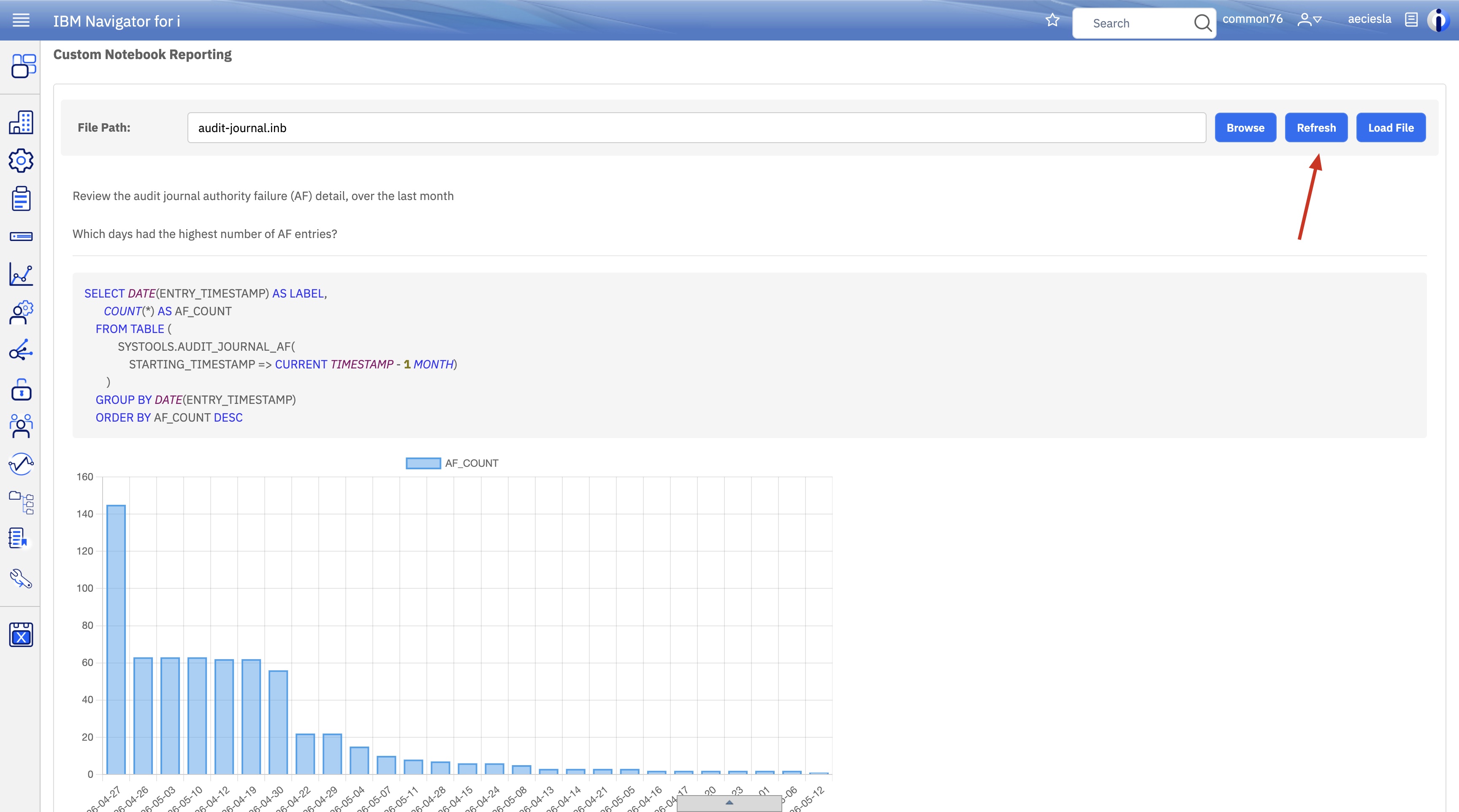
Starting in Q2 2026 with the latest PTFs, Navigator for i contains the ability to view Custom Notebooks through the Performance menu. For more information about Custom Notebooks in VSCode for IBM i, see: https://github.com/codefori/vscode-ibmi-notebooks.

You can choose to load a Notebook from the IFS via the Browse button or from your PC via the Load File button. The Notebook file must have the extension .inb.

Once a file is selected, all queries are ran and any charts or tables are generated. You can see the text, SQL query, and output from each Notebook section.


You can use the refresh button to re-run the queries and generate new charts or tables.
[{"Type":"MASTER","Line of Business":{"code":"LOB68","label":"Power HW"},"Business Unit":{"code":"BU070","label":"IBM Infrastructure"},"Product":{"code":"SWG60","label":"IBM i"},"ARM Category":[{"code":"a8m0z0000000CH1AAM","label":"IBM Navigator for i"}],"Platform":[{"code":"PF012","label":"IBM i"}],"Version":"7.3.0;7.4.0;7.5.0;and future releases"}]
Was this topic helpful?
Document Information
Modified date:
11 June 2026
UID
ibm17272623