Virtual server management tasks
As a virtual server administrator, you are responsible for the following tasks.
- Device setup
Depending on the virtualization technique, device virtualization hides some of the specifics of real devices from virtual servers. As a consequence, some real devices cannot be configured from virtual servers. You might need to prepare adapter hardware, physical disk devices, and network devices to be used by virtual servers.
For a detailed description of this task, see Device setup.
- Virtual server and device configuration
You configure a virtual server with a domain configuration-XML. The configuration includes the specification of a name, which is used to identify the virtual server, system resources, and devices to be defined with the virtual server.
You can configure devices that can be attached to an already defined virtual server by using separate device configuration-XMLs.
For a detailed description of this task, see Configuration.
- Virtual server and device operationThis document describes how to manage the operation of virtual servers by using virsh commands based on configuration-XML files.
- After you have configured a virtual server, you create
a persistent virtual server definition:
Defining the virtual server passes its domain configuration-XML file to libvirt. libvirt associates the defined virtual server with the name specified in the domain configuration-XML and with an internal representation of the configuration (see Figure 1).
This internal representation may differ from the domain configuration-XML with regard to the order of configuration elements, and automatically generated additional configuration elements and values.
The current libvirt-internal configuration may vary depending on resource operations that you perform on the running virtual server.
Figure 1. Creating a persistent virtual server definition 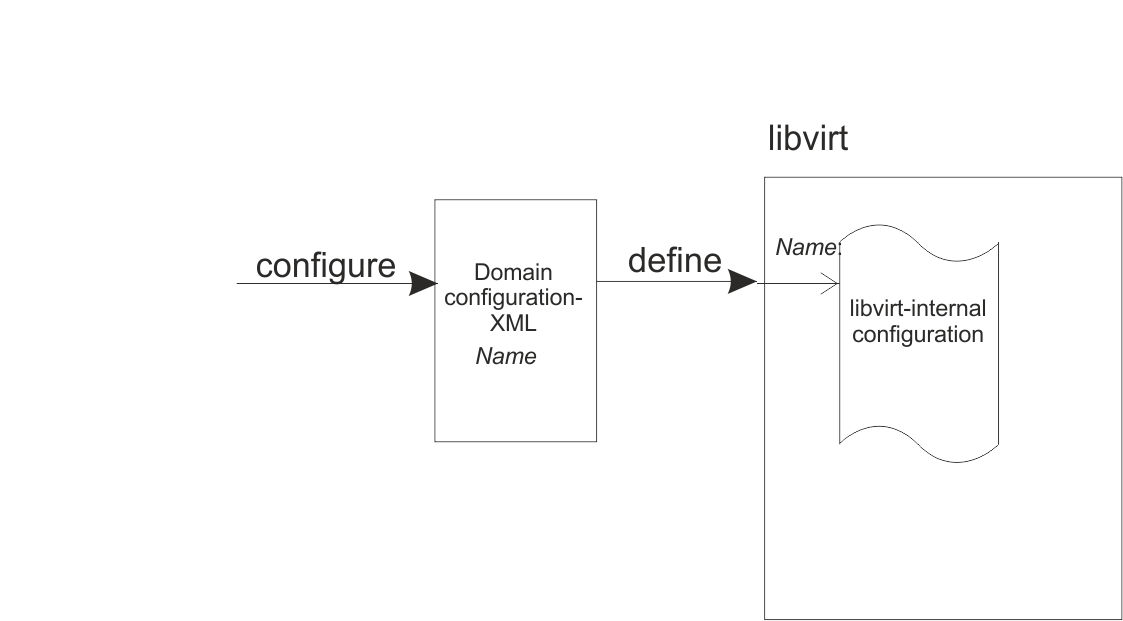
- Now you can manage the operation of the virtual server. This consists of:
- Life cycle management:
A virtual server is either shut off, running or paused. (There are other states as well, which will be mentioned in a later topic.)
You can issue virsh commands to start, terminate, suspend, or resume a virtual server (see Figure 2).
- Monitoring, which allows you to display:
- Lists of the defined virtual servers.
- Specific information about a defined virtual server, such as its state or scheduling information.
- The current libvirt-internal configuration of a defined virtual server.
- Live migration, which allows you to migrate a defined virtual server to another host.
- System resource management, which allows you to manage the virtual system resources of a virtual server, such as its virtual CPUs.
- Device management, which allows you to attach devices to or detach devices from a defined virtual server. If the virtual server is running, the devices can be hotplugged or unplugged.
- Life cycle management:
- Undefining a virtual server from libvirt results in the deletion of the virtual server name and the libvirt-internal configuration.
For a detailed description of these tasks, see Operation.
Figure 2. Simplified state-transition diagram of a virtual server 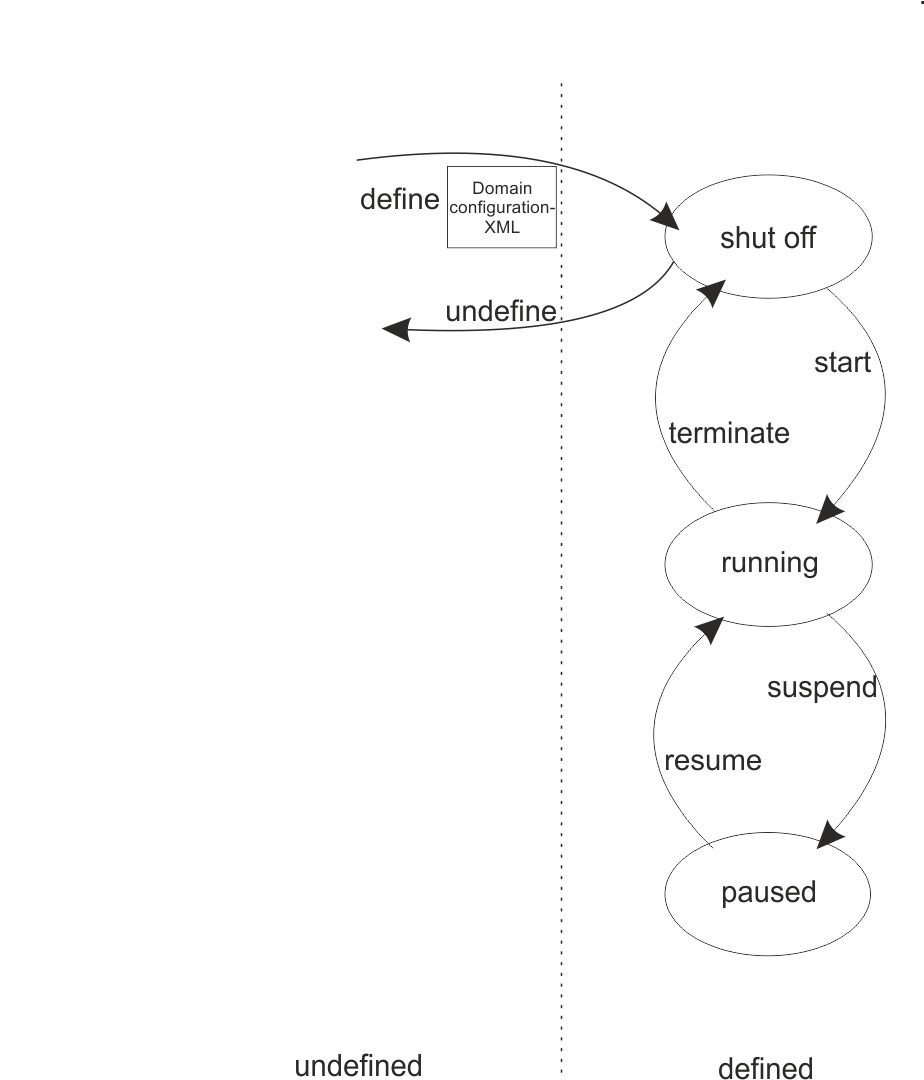
- After you have configured a virtual server, you create
a persistent virtual server definition: