How To
Summary
IBM requested a "Change Management" (ChgMgmt) package to recreate at IBM. What is that? How do I do that?
Objective
It can be difficult to determine what objects need to be sent in to try to recreate.
WebQuery issues are frequently best investigated with a recreate.
The Change Management process is an attempt to simplify recreate materials.
WebQuery issues are frequently best investigated with a recreate.
The Change Management process is an attempt to simplify recreate materials.
This
TechNote is for WebQuery 2.4.0.Review the
IBM MediaCenter video for step by step walk through instructions. It includes the WebQuery 2.4.0 changes.You might need to be a
WebQuery Administrator to do all these steps.Steps
Steps 1 - 7 help you determine what information needs to be sent in. All these steps are from the
BI Portal / Hub.


Steps 8 - 16 create and package the ChgMgmt package. All these steps are from the
BI Portal / Hub.


At this point right click on the
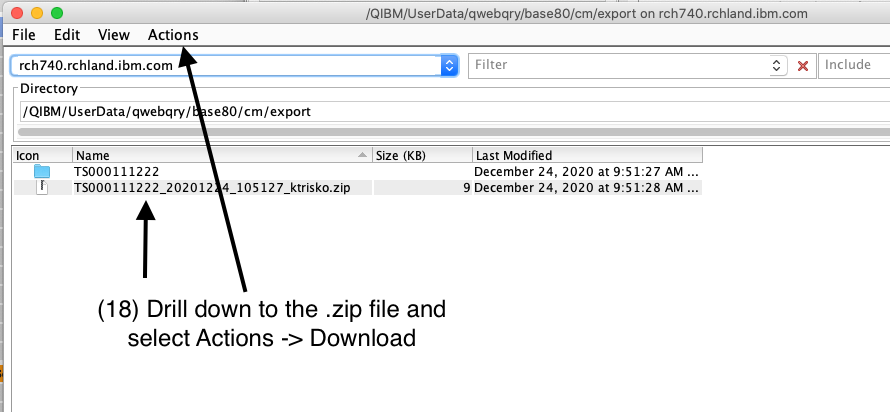
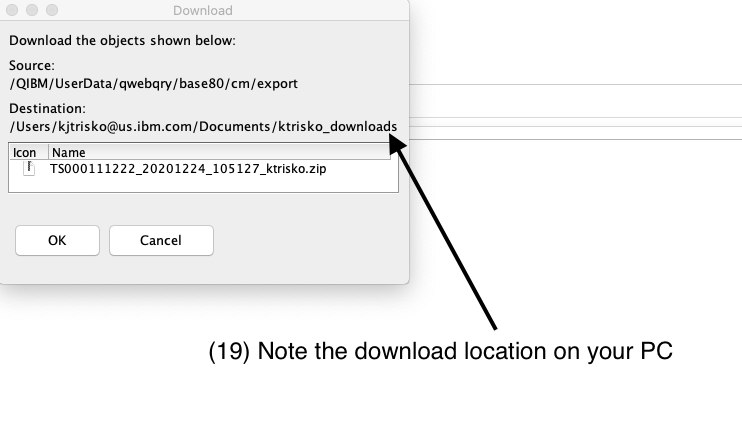
.zip version and use the Download option. Alternatively use Access Client Solutions with steps 17 - 20.
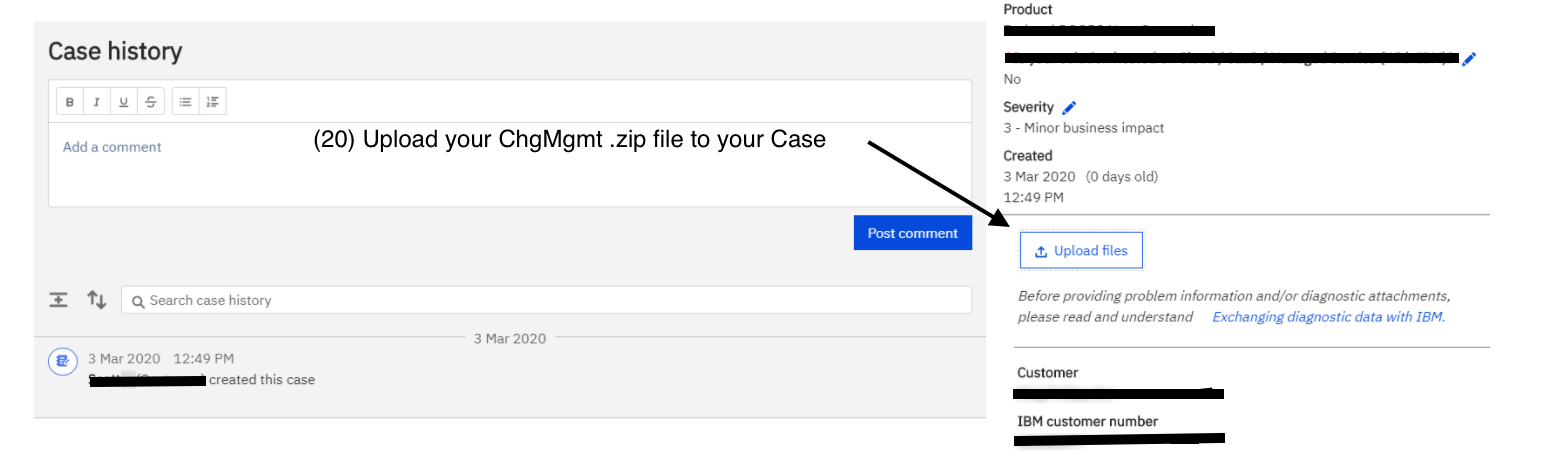
Steps 17 - 20 save the
ChgMgmt package of the IBM i and on to your PC. All these steps are from Access Client Solutions or your PC.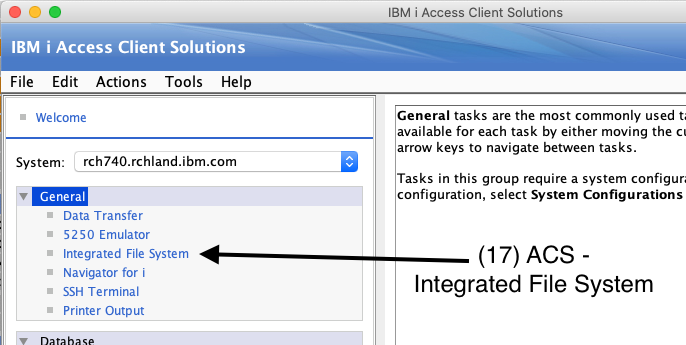
Document Location
Worldwide
[{"Line of Business":{"code":"LOB57","label":"Power"},"Business Unit":{"code":"BU058","label":"IBM Infrastructure w\/TPS"},"Product":{"code":"SWG60","label":"IBM i"},"ARM Category":[{"code":"a8m500000008jrjAAA","label":"IBM i WebQuery-\u003EDebug"}],"ARM Case Number":"","Platform":[{"code":"PF025","label":"Platform Independent"}],"Version":"All Version(s)"}]
Historical Number
N1019786
Was this topic helpful?
Document Information
Modified date:
24 November 2023
UID
ibm17031884