How To
Summary
The iqyylog.log and iqyymrge.log files are collected by IBM support team for problem determination for platform related errors . Typically, the size of the files created are relatively small, which makes them easier to move/distribute later (i.e. they can be attached to a note,email, etc.).
Objective
- Learn how generate new serviceable event using HMC command line
- Learn how to offload the associated to the serviceable event data to your workstation
- Learn how to offload the associated to the serviceable event data to FTP
Environment
The affected systems can be:
Power Hardware Management Console 7042/7310/7063 Machine Types v7 ,v8 and v9.
Steps
NOTE:
All of the following is performed in the restricted shell. A restricted shell is opened by right-clicking on the desktop, selecting terminals, then select rshterm or using SSH client with network to the HMC.
Steps
Section 1:
mksvcevent -d "IBM request for iqyylog." -t power -m 9080-M9S*1234567 Serviceable event 97 <problem_num=97> has been created.
Section 2:
Verify the files were generated in the vr directory
Note: Depending on the HMC release the location of the vr dir is different:
ls -ltra /opt/ccfw/data/vr/97 ls -ltra /opt/sfp/data/vr/97 ls -ltra /data/sfp/vr/97 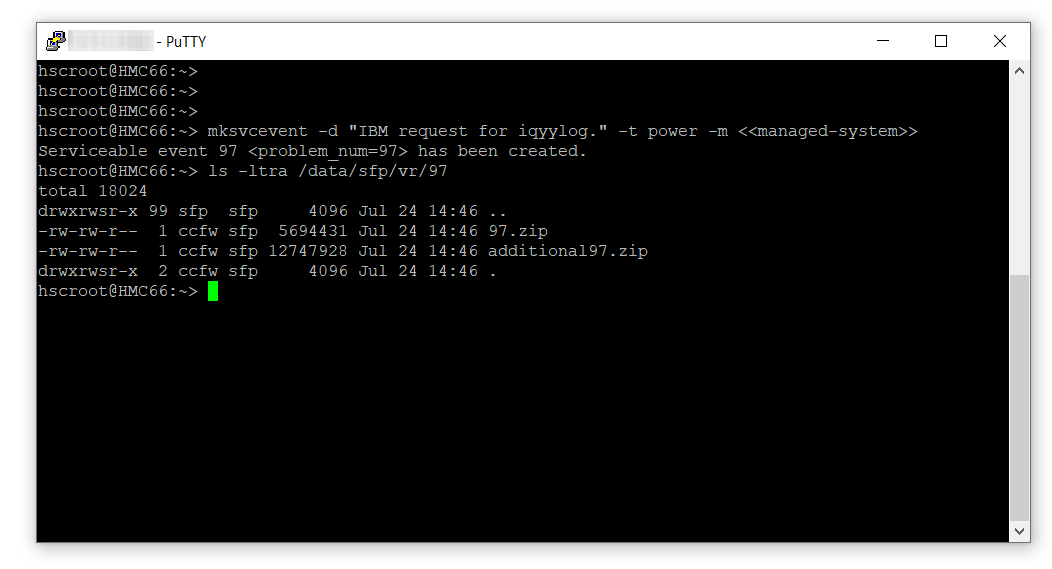
Section 3:
Getting the Data to IBM
Use SCP or FTP to copy the *.zip files to another workstation with Internet access.
If another server or workstation on the network has Internet access (e-mail or FTP) and network access to the HMC, then the data can be copied to the other server using FTP or secure copy. It can then be uploaded to IBM support.
SCP (secure copy)
SCP (secure copy) can be used to copy the file from the HMC. To use SCP from a Microsoft Windows PC requires the installation of a 3rd party Windows secure copy utility such as PuTTY pscp.
"C:\Program Files\PuTTY\pscp" -scp -unsafe hscroot@myhmc:/data/sfp/vr/97/*.zip c:\temp\ Using sendfile
sendfile -f /data/sfp/vr/97/97.zip -h <IP address where to send it> -d <directory> -u <your id> --passwd <your password> sendfile -f /data/sfp/vr/97/additional97.zip -h <IP address where to send it> -d <directory> -u <your id> --passwd <your password>
Related Information
Document Location
Worldwide
Was this topic helpful?
Document Information
Modified date:
22 September 2021
UID
ibm16252829