Java-related error
When attempting to run the map test, sometimes you might encounter Java-related errors.
Problem
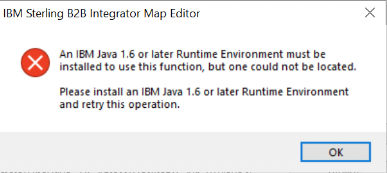
When attempting to run the map test, IBM Java® 1.6 or later Runtime Environment was not detected. Consequently, the following error was displayed.
Cause
This might happen because of:
- Incorrect Java version
- Incorrect Java registry path
- Incorrect Java registry variable
Resolution
To run the map test successfully, run the map editor by selecting the SPE Remote Map Test tool.
Ensure that you look for the correct Java registry path, which looks similar to the
following:
HKEY_LOCAL_MACHINE/SOFTWARE/Wow6432Node/Sterling Commerce/STERLING Integrator/Map Editor/8.0.3.0/1.7Here, 1.7 denotes the Java version.
For more information about map editor installation, see Map editor Java requirements.
For more information, see Java version error.