Key components of IBM Fusion Data Foundation
This section covers key components of IBM Fusion Data Foundation such as block storage, file storage, and object storage.
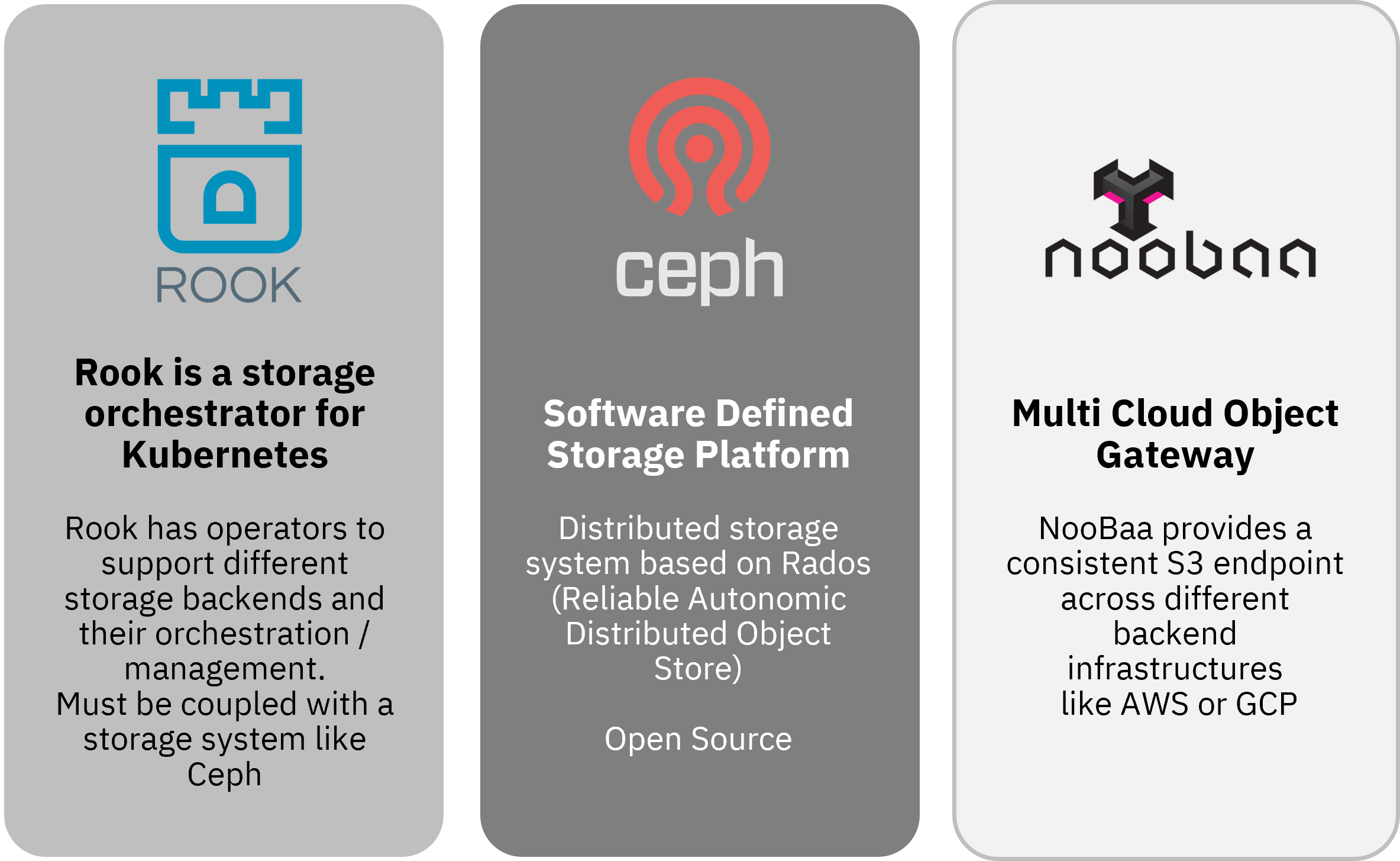
IBM Fusion Data Foundation is based on a technology stack including Rook, Ceph®, and NooBaa.
- Ceph is the core storage platform of IBM Fusion Data Foundation. Ceph is based on RADOS (Reliable Autonomic Distributed Object Store), which by itself is an open source object storage service and an integral part of the Ceph distributed storage system.
- Rook is a storage orchestrator for Kubernetes and coordinates the services that are provided by IBM Fusion Data Foundation. Rook has operators to support different storage backends.
- NooBaa (Multi Cloud Object Gateway) provides consistent S3 endpoints across different backend infrastructure; like AWS, Azure, GCP, Bare Metal, VMware, or OpenStack.
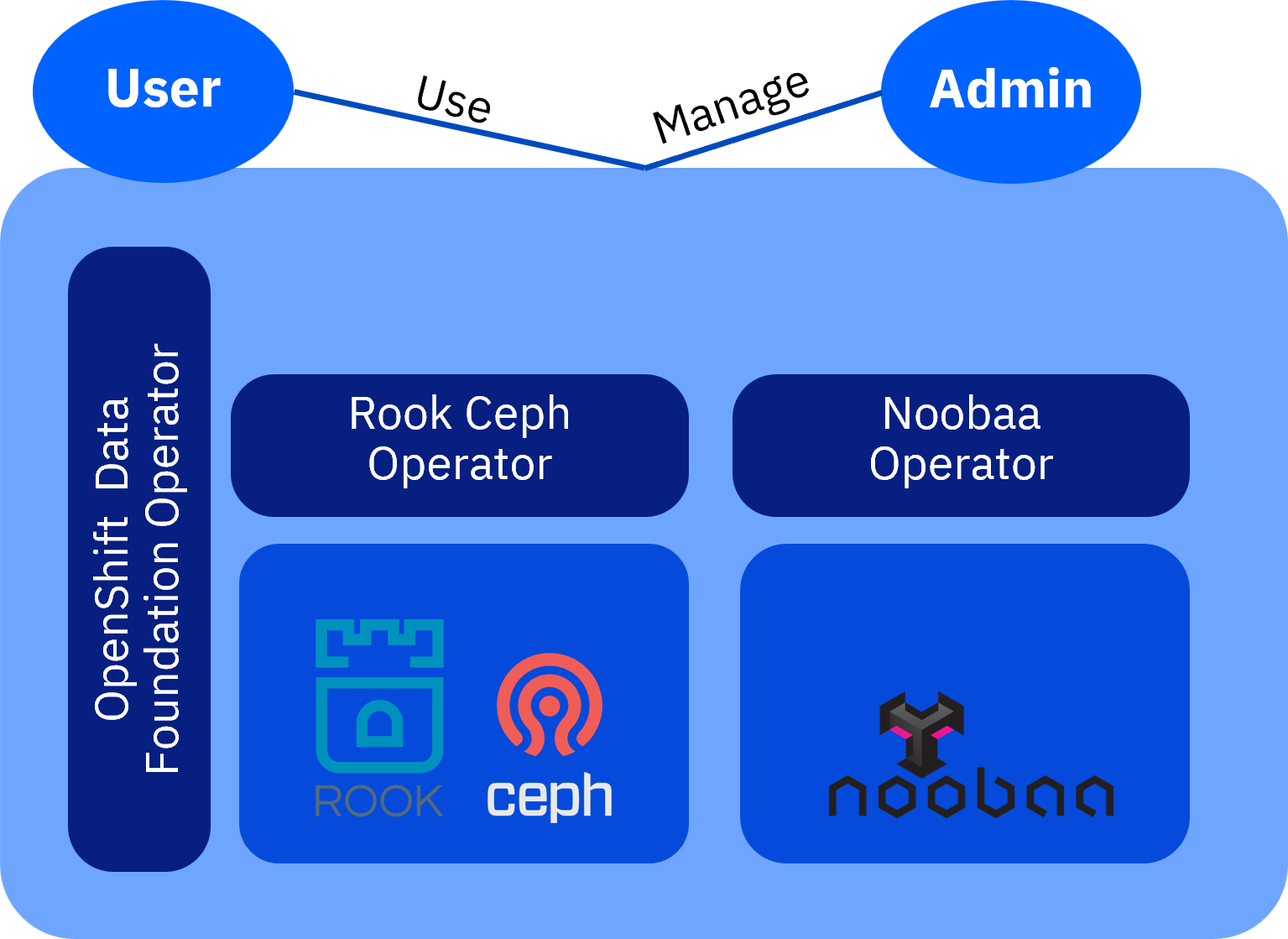
IBM Fusion Data Foundation is deployed inside RHOCP using operators. With the Local Storage Operator and the Rook-Ceph operator, the installation creates a containerized Red Hat Ceph Storage cluster running on RHOCP.
Storage classes
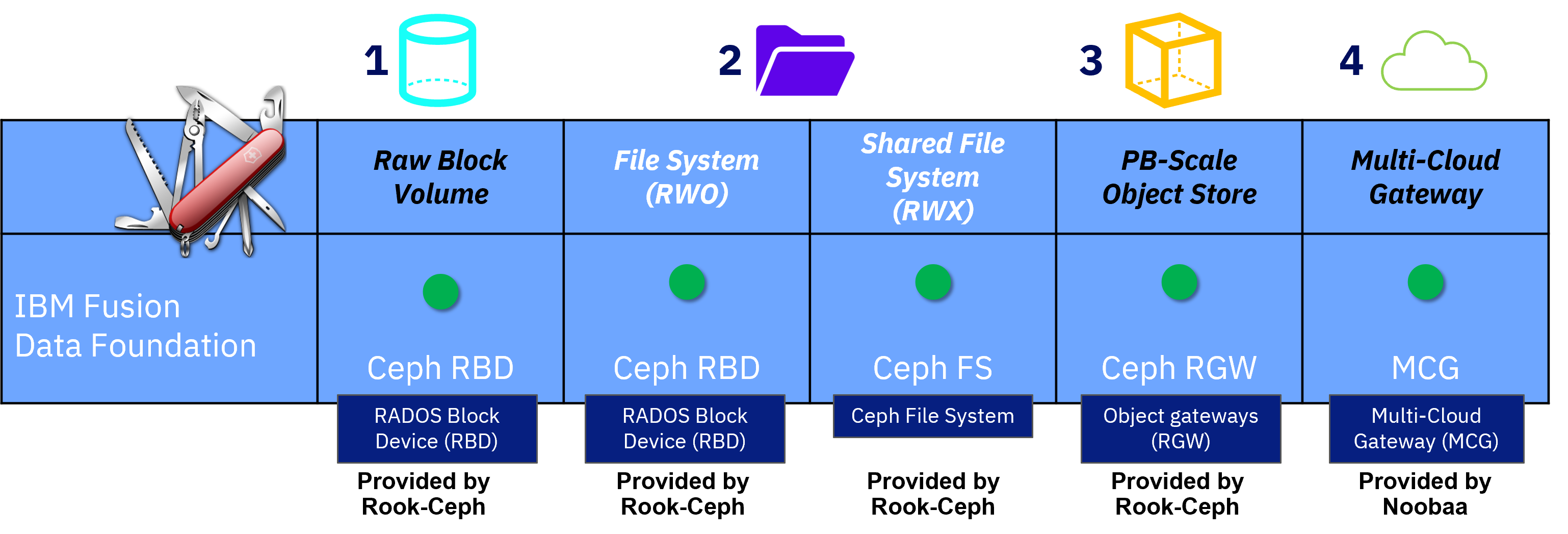
IBM Fusion Data Foundation supports various storage types; like file, block, and object storage, which gives developers flexibility when they implement workload. Differentiators are the supported attachment modes and data handling characteristics:
- ReadWriteOnce (rwo)
- ReadOnlyMany (rox)
- ReadWriteMany (rwx)
The storage classes have influence on the requirements for shared or nonshared data across RHOCP nodes.
- Block Storage
- Appropriate for rwo access modes. However, rwx might be appropriate if the application can maintain data consistency and integrity. Suitable for databases and systems of record.
- File Storage (Shared and distributed file system)
- Appropriate for both rwo and rwx access modes, as the underlying file system is designed for multiple threads and multi-tenancy. Suitable for messaging, data aggregation, workloads machine learning, and deep learning.
- Multicloud object storage accessed via a lightweight S3 API endpoint.
- Appropriate for retrieval of data from multiple cloud object stores. Suitable for images, nonbinary files, documents, snapshots, or backups.
Encryption
IBM Fusion Data Foundation allows encryption of the stored data (data at rest) by using the common Linux Unified Key Setup (LUKS2). Two levels of granularity are possible:
- OSD level: an entire storage device is encrypted
- PV level: a specific persistent volume that is used by an application is encrypted individually
For an OSD level encryption, the keys that are used for the encryption process can be stored either internally or externally.
- Internal key management is done within the Red Hat OpenShift cluster. For this purpose, the key is stored as a name-value-pair inside the Red Hat OpenShift etcd database.
- External key management can be provided by a 3rd-party keystore, such as HashiCorp vault.
An external key management solution is preferred because it ensures a clear separation between the keys and the protected data.
For a PV-level encryption, external key management is mandatory. In this case, it is not possible to store keys internally inside the etcd database. The PV level encryption allows scoping the encryption process to specific persistent volumes used by an application. This allows an instance to protect one application (or tenant) from another. IBM Fusion Data Foundation has solved the separation between the persistent volumes, by creating a set of storage classes for each PV/tenant and assigning keys specifically to a storage class.
Deployment topologies
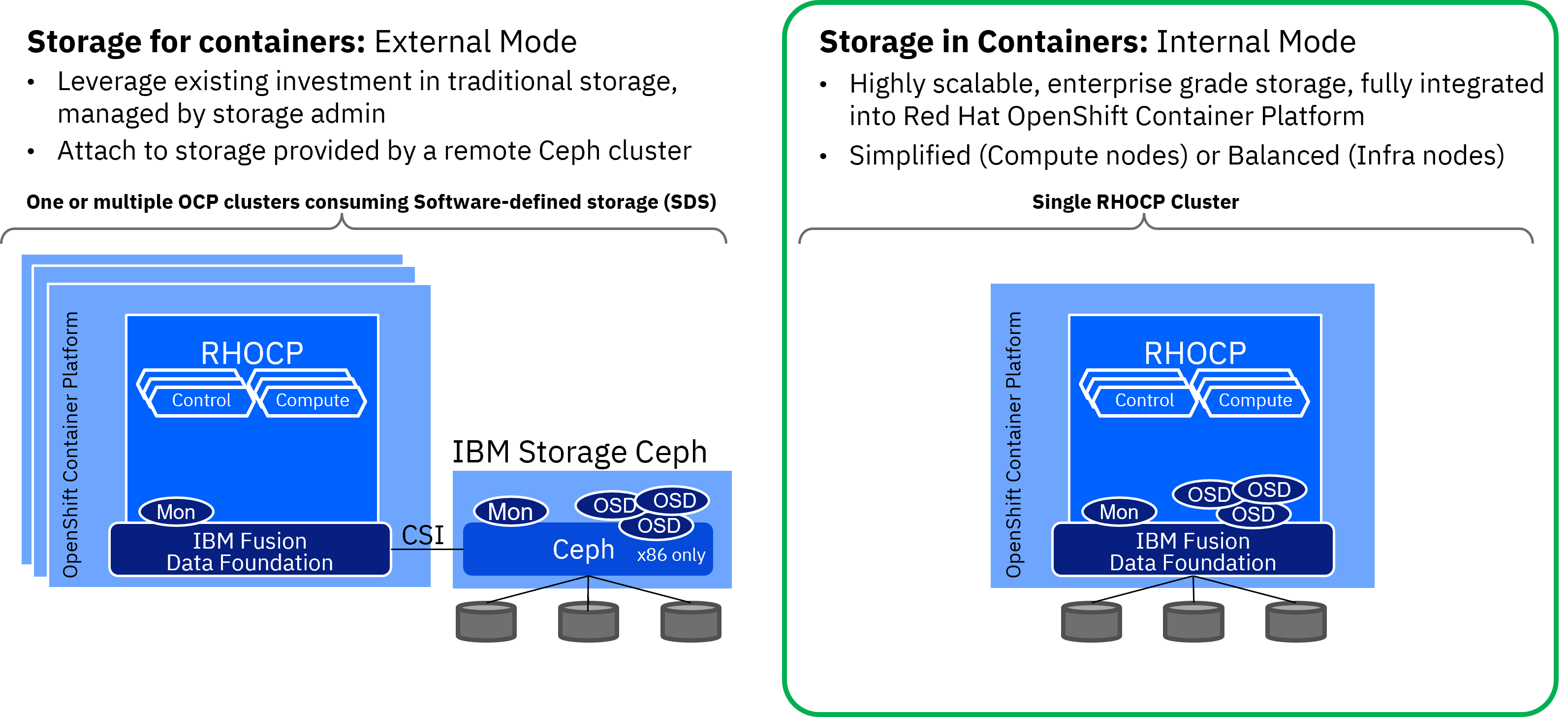
IBM Fusion Data Foundation can be deployed in different modes.
- Internal mode
- IBM Fusion Data Foundation is installed within a single RHOCP cluster. Highly scalable,
enterprise grade storage, which is fully integrated into the RHOCP lifecycle, monitoring, and management.
- Application pods and IBM Fusion Data Foundation pods can be scheduled on the same compute nodes. In this case, compute and storage infrastructure scale together within the same cluster. This setup is optimized for simplicity of management.
- As an alternative, application pods and IBM Fusion Data Foundation pods can be scheduled on different nodes. For example, infrastructure nodes. This setup implies that compute hosts and storage hosts scale independently and a more balanced deployment can be achieved.
- External mode
- Application pods run on one or more Red Hat OpenShift clusters, while IBM Fusion Data Foundation storage is provided from an external IBM Storage Ceph Storage cluster. This implies that the lifecycle, monitoring, and management of RHOCP and IBM Fusion Data Foundation are decoupled. Compute and storage infrastructure scales independently in different clusters. Optimized for scale and performance (on-premises only). Typically the external IBM Fusion Data Foundation is deployed as a Ceph storage environment on x86 bare metal hardware.
Comparing IBM Fusion Data Foundation with IBM Storage Scale and NFS
| IBM Fusion Data Foundation | IBM Storage Scale | NFS Storage | |
|---|---|---|---|
| Key Value Proposition |
|
|
|
| Additional Aspects |
|
|
|
| Scale |
|
|
|
| Storage Classes |
|
|
|