Troubleshooting
If a problem occurs with CICS Explorer®, you might be able to resolve it yourself by consulting existing troubleshooting documentation. If you cannot resolve it yourself, you need to collect necessary troubleshooting data (MustGather) before contacting IBM Support.
Consulting existing troubleshooting documentation to resolve the problem
- See Frequently asked questions (FAQs) for common problems and their solutions.
- Force the data trace to be written to the error log. See Capturing trace data.
- View the error log to identify the cause of the error. See Viewing the error log.
- See CICS Explorer (CNX) messages and z/OS Explorer (IZE) Messages in IBM Explorer for z/OS documentation for further explanation and suggested response, or search IBM Support Portal on known problems using symptoms such as the message number and error codes.
Collecting MustGather to work with IBM Support
- Prepare general information:
- A complete description of the problem that includes the following questions:
- When did the problem first occur?
- Is the problem a one-time failure or recurring?
- Was software or hardware maintenance applied?
- Did the failure occur while doing a specific task?
- Is the failure occurring in more than one address space?
- CICS Explorer product version, release, and maintenance level.
- Operating system version, release, and maintenance level.
- Related products version, and release levels.
- Your valid contact phone number and email address.
- A complete description of the problem that includes the following questions:
- Gather the component-specific information based on the type of problem that you experience:
- Send the MustGather data that you have collected to IBM Support.
For example, you can go to the IBM Support Portal to open a case for a problem. Remember to update the Service Request (problem record) to indicate that data has been sent. If you have a "Preferred Care option for IBM Z®" that includes Support access for Q&A, you can also ask non-defect installation and usage questions.
Follow the instructions to open a case:- Click 'Open a case' on the home page

- Enter 'CICS Transaction Server' in the Product field.

- Choose the 'CICS Explorer 5.5' value from the drop-down list of the Product Version field.
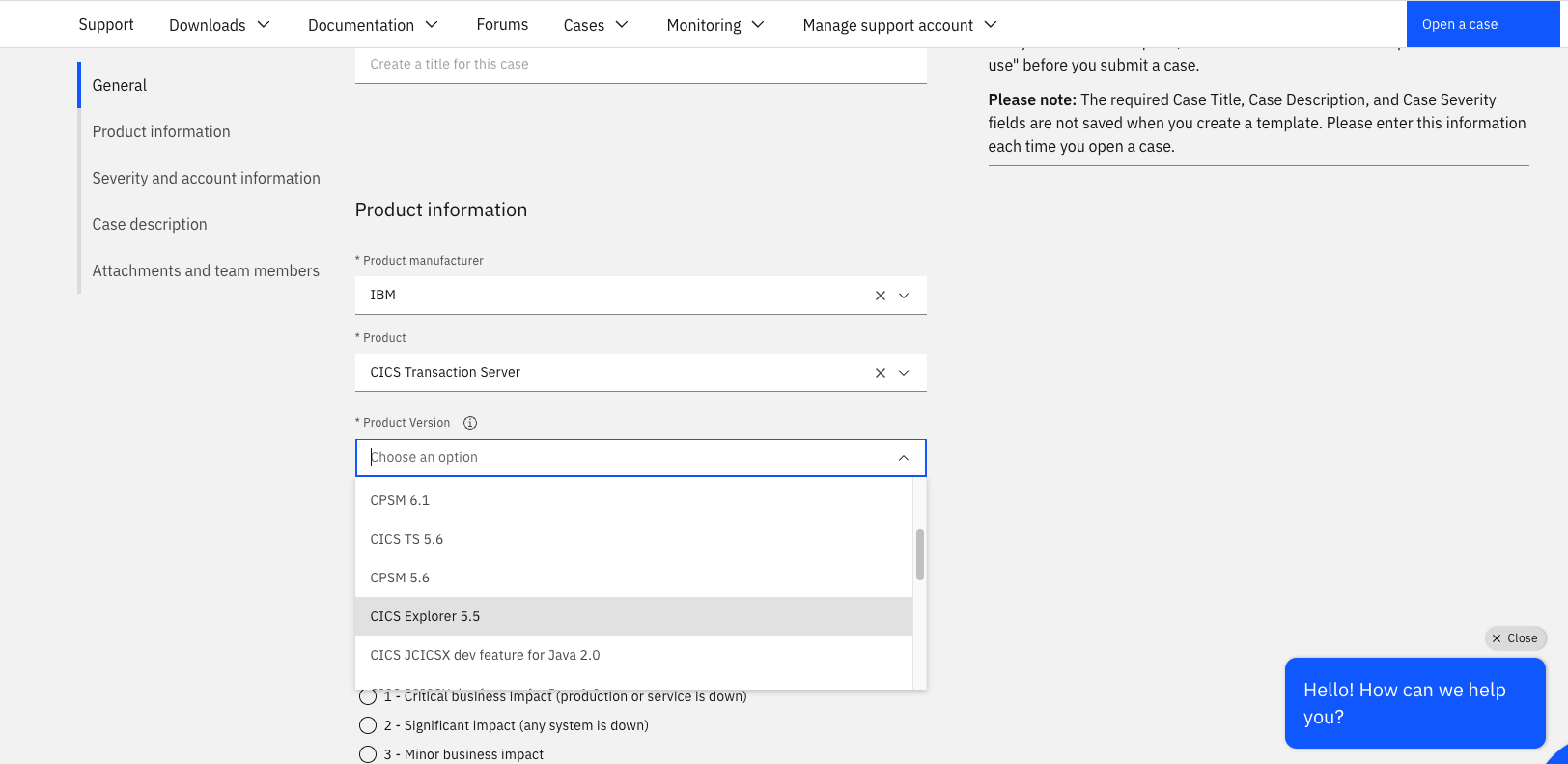
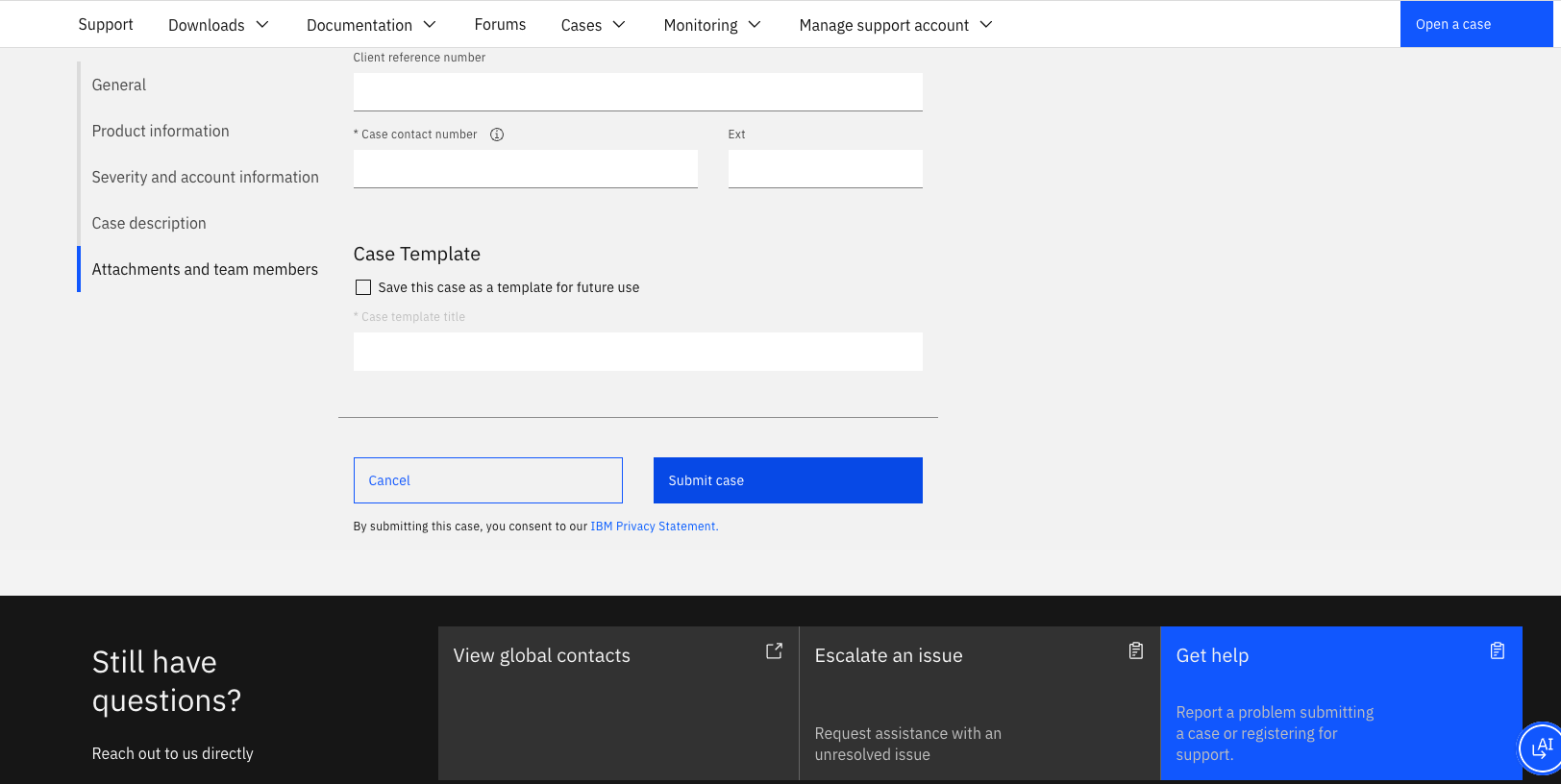
- Enter other fields on the page based on your project requirements.
- Click 'Submit case' placed at the end of the page.
To open and vote for an enhancement request for IBM Z Software products, see IBM Ideas Portal.
- Click 'Open a case' on the home page