General Page
What URL do I use on my IBM Mobile app?
The difference between the apps
We have two IBM Maximo Mobile apps. IBM Maximo Mobile and IBM Maximo Mobile for EAM.

Even though the apps look the same and have the same functionalities, there’s an important difference between them.
IBM Mobile (the White app) is used only for Manage (IBM MAS environments) and the IBM Mobile for EAM (the Black app) is used only on IBM Maximo Asset Management environments.
Both apps are available on iOS and Android.
What URL do I use?
Here is a brief explanation about what Maximo server URL is needed to connect to Mobile:
IBM Maximo Mobile
If you are running a MAS environment, then once you open the app you need to use your Home MAS URL, not the Manage URL, but the Home MAS.

Clicking “Next” you are prompted to enter your username and password on a screen similar to the one from your MAS environment.

After you put the username and password, the app will try to connect and will start the download of the initial settings that you will need to accept and complete to finish the first setup.
IBM Maximo Mobile for EAM
This one is similar to Anywhere that we use today.
If you don’t use MAS and still use IBM Maximo EAM (for example Maximo 7.6.1.2) you need to use the URL containing /maximo at the end (without any ports, just the context is needed):
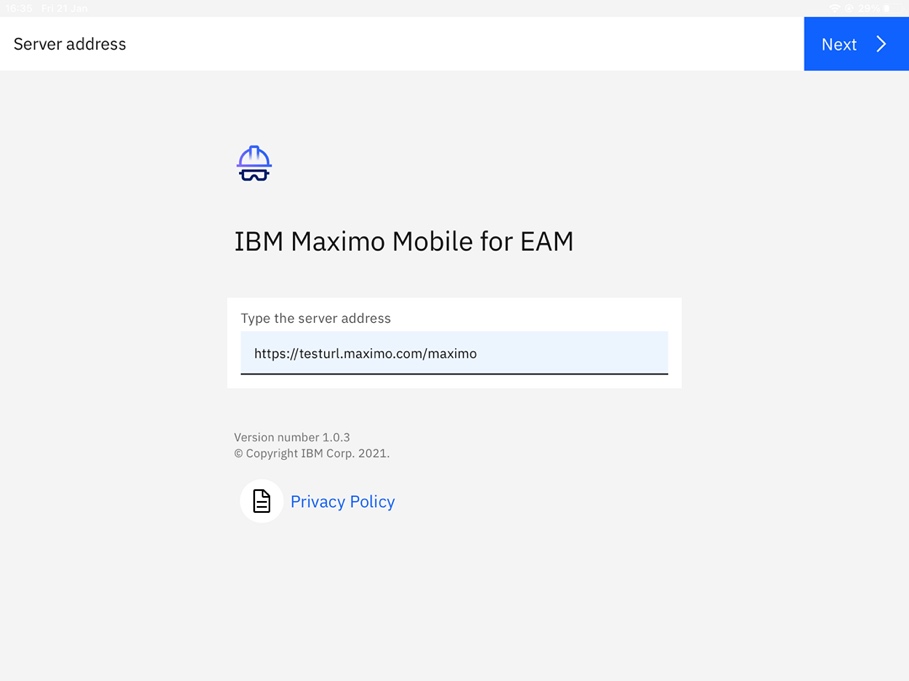
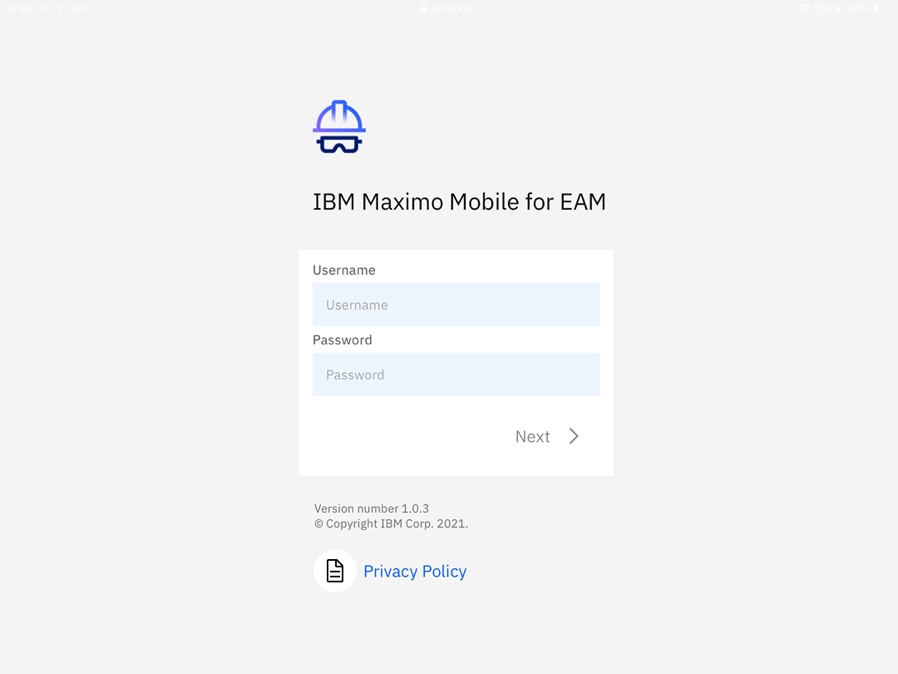
Clicking “Next” you will see a login screen and just like the IBM Mobile app, after you put the username and password, the app will connect and download the initial settings to start the first setup.
For more information:
https://www.ibm.com/docs/en/maximo-manage/8.2.0?topic=managing-maximo-mobile
https://www.ibm.com/support/pages/node/6383052
Was this topic helpful?
Document Information
Modified date:
07 February 2022
UID
ibm16551432