Troubleshooting
Problem
When trying to run one of TRIRIGA's Application Platform or CAD Integrator/Publisher installers, most often on a Windows 10 or similar machine, the following 'LaunchAnywhere' error may occur: "Windows error 2 occured while loading the Java VM."
Symptom
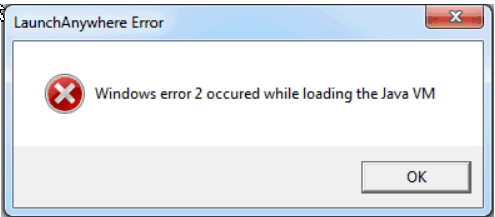
An error like the following appears when the Install Anywhere-based installer runs:
Windows error 2 occured while loading the Java VM.
[{"Product":{"code":"SSFCZ3","label":"IBM TRIRIGA Portfolio Data Manager"},"Business Unit":{"code":"BU048","label":"IBM Software"},"Component":"--","Platform":[{"code":"PF025","label":"Platform Independent"}],"Version":"Version Independent","Edition":"","Line of Business":{"code":"LOB77","label":"Automation Platform"}},{"Product":{"code":"SSQTNT","label":"IBM TRIRIGA CAD Integrator\/Publisher"},"Business Unit":{"code":"BU048","label":"IBM Software"},"Component":" ","Platform":[{"code":"","label":""}],"Version":"","Edition":"","Line of Business":{"code":"LOB77","label":"Automation Platform"}}]
Log InLog in to view more of this document
This document has the abstract of a technical article that is available to authorized users once you have logged on. Please use Log in button above to access the full document. After log in, if you do not have the right authorization for this document, there will be instructions on what to do next.
Was this topic helpful?
Document Information
Modified date:
15 June 2026
UID
swg22008153