Troubleshooting
Problem
User uses the Controller client functionality. When they look at the timestamp of some of the values they look different from expected.
- In addition, sometimes the date format is not as expected.
Where does the Controller client gets is clock/time-zone/date format settings from?
Symptom
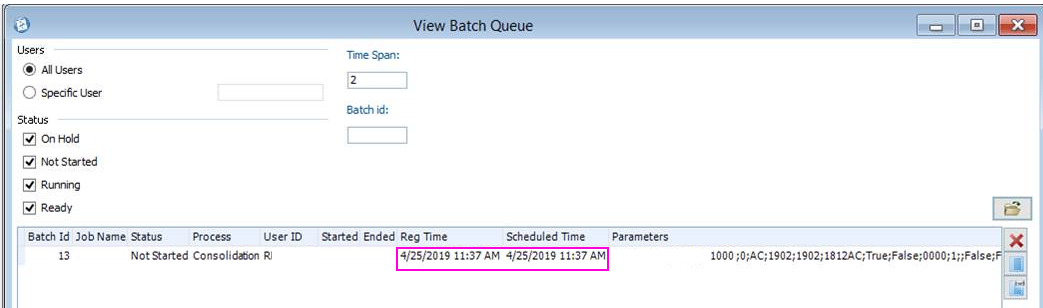
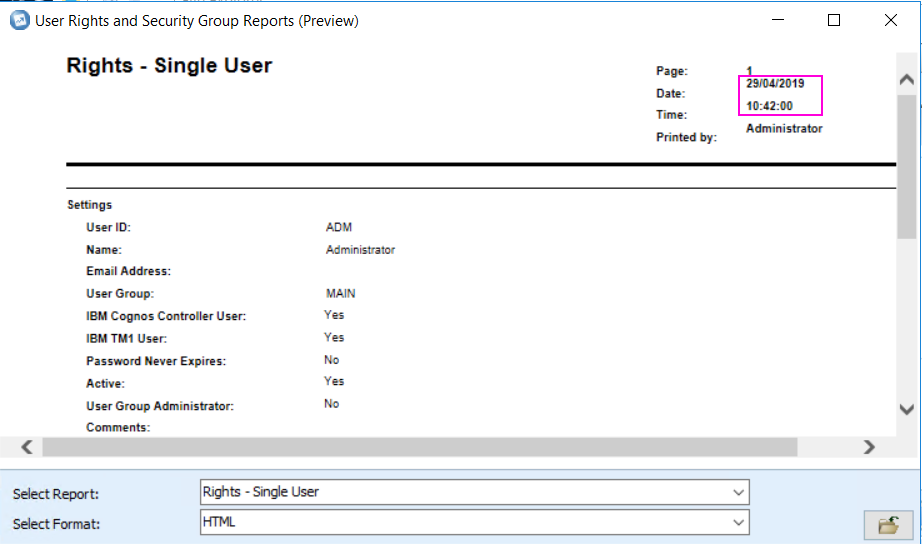
There are many different places where the date/time is shown, for example:
(1) Batch queue
(2) Data Entry - Company Journals

(3) Standard Reports
Document Location
Worldwide
[{"Business Unit":{"code":"BU048","label":"IBM Software"},"Product":{"code":"SS9S6B","label":"IBM Cognos Controller"},"Component":"","Platform":[{"code":"PF033","label":"Windows"}],"Version":"All Versions","Edition":"","Line of Business":{"code":"LOB76","label":"Data Platform"}},{"Product":{"code":"SSMRTZ","label":"IBM Cognos Controller on Cloud"},"Business Unit":{"code":"BU048","label":"IBM Software"},"Component":" ","Platform":[{"code":"","label":""}],"Version":"","Edition":"","Line of Business":{"code":"LOB76","label":"Data Platform"}}]
Log InLog in to view more of this document
This document has the abstract of a technical article that is available to authorized users once you have logged on. Please use Log in button above to access the full document. After log in, if you do not have the right authorization for this document, there will be instructions on what to do next.
Was this topic helpful?
Document Information
Modified date:
22 June 2026
UID
ibm10882848