General Page
TechZone Outlook Email Guidance
This runbook is to cover known issues with IBM Technology Zone reservation emails when using the Outlook application.
Forwarding Emails
When a sender forwards a Scheduled, Provisioning, or any status reservation email with another user there is a known issue with Outlook application that emails will display a blank email for the receiver of the email. This issue is reported in Outlook knowledge base and has shown to mostly impact Outlook applications installed on Mac devices.
See example of the original email (before forwarding): 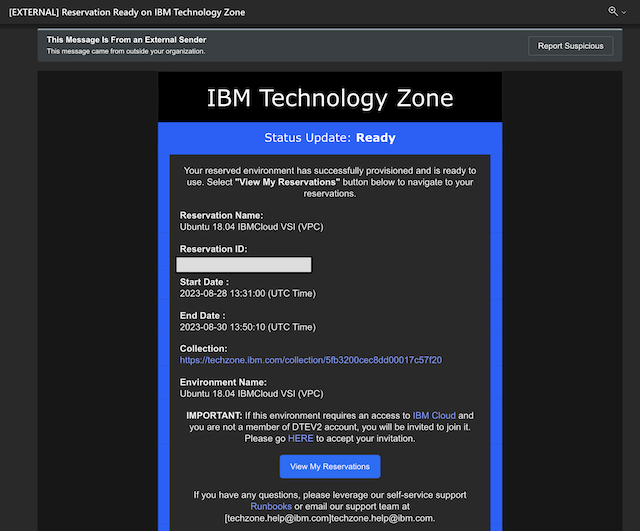
See example of email as the receiver (from the sender forwarding the email)

Possible solutions
Option 1: Update Outlook Mac application from the App store.
Option 2: As the sender of the forwarded email, select the menu bar and remove the styling from the email prior to forwarding the email.

Option 3: The Outlook browser option has shown to reproduce forwarded emails. We recommend using the Outlook browser when forarding emails to another user instead of forwarding from the Outlook application. Browser option: Outlook.office.com
Was this topic helpful?
Document Information
Modified date:
19 February 2025
UID
ibm17159402