How To
Summary
Support to upload shell scripts as an app from MaaS360 Packager
Steps
Administrators can now use MaaS360 Packager to upload shell scripts to MaaS360 App Catalog as an app. When the app is available in the App Catalog, shell scripts can be distributed just like any other app.
Note:
- Requires App Catalog agent version 1.40 + and Packager version 1.40+.
- MaaS360 provides default icon for all scripts and administrators cannot change it.
To upload a shell script from MaaS360 Packager,
- In MaaS360 Packager, click Add New Package.
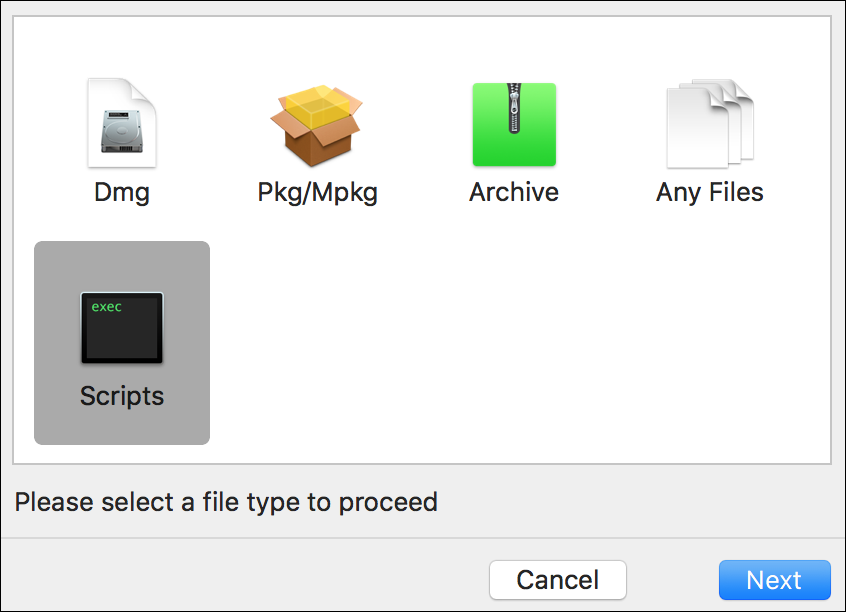
- Select Scripts, add the script and then click Next.
[{"Business Unit":{"code":"BU059","label":"IBM Software w\/o TPS"},"Product":{"code":"SSYSXX","label":"IBM MaaS360"},"Component":"","Platform":[{"code":"PF017","label":"Mac OS"}],"Version":"All Versions","Edition":"","Line of Business":{"code":"LOB24","label":"Security Software"}}]
Was this topic helpful?
Document Information
Modified date:
29 November 2018
UID
ibm10739059