Troubleshooting
Problem
User launches Controller, and clicks "Reports - Run". Inside "Run Reports" user chooses tab "Reports and Forms". Underneath "Forms" user chooses a form (for example "ABCD"). User clicks "Send to application".
After sending it to the application, the report shows for 1 second, then disappears.
- An error message appears (similar to error #1).
- In some circumstances, if the user clicks OK a second error #2 appears.
Symptom
Error #1
Example (Controller 10.4.2):
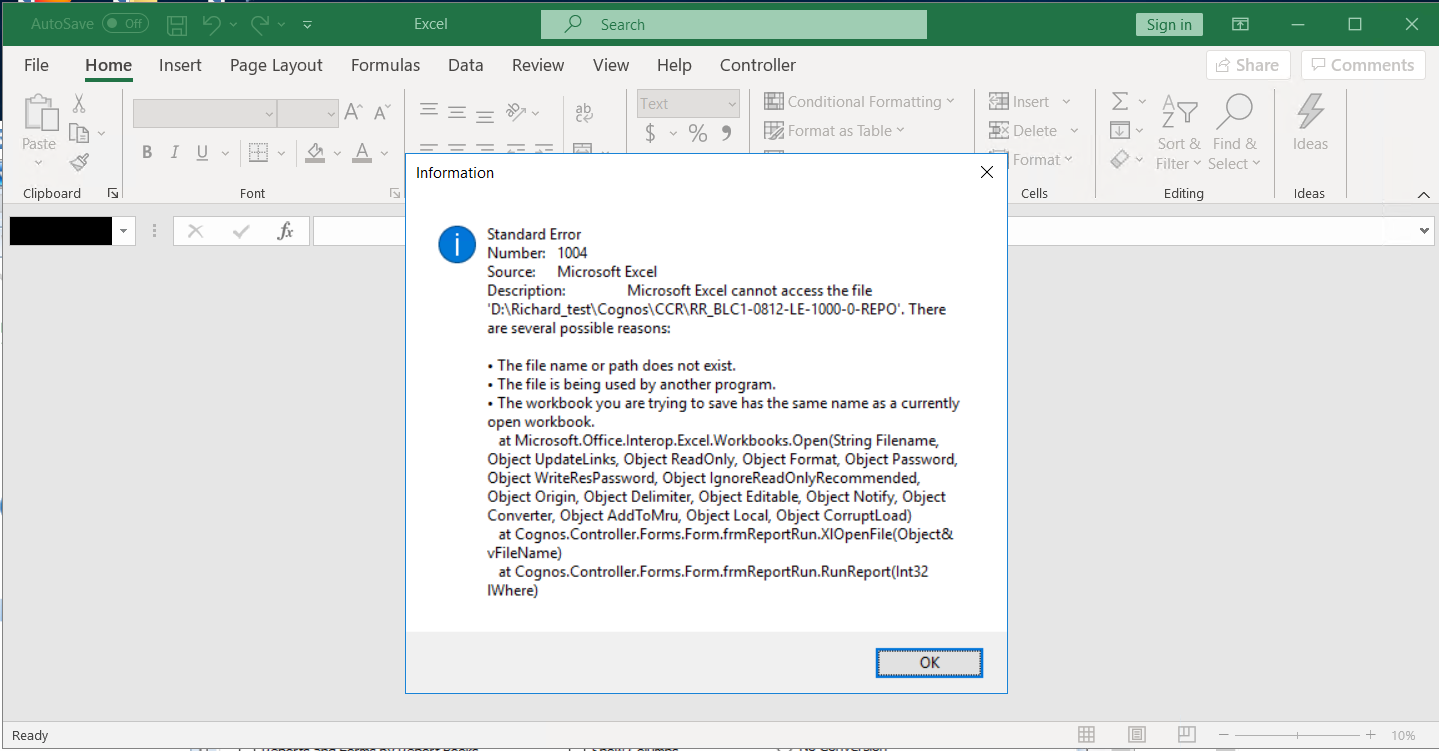
Example (Controller 10.1.x):

Standard Error
Number: 1004
Source: Microsoft Excel
Description: Microsoft Excel cannot access the file H:\Temp\Cognos\XX_500-AC-1209-010-L2-010C2-LC-0-CONS’ There are several possible reasons:
• The file name or path does not exist.
• The file is being used by another program.
• The workbook you are trying to save has the same name
Error #2:
H:\Temp\Cognos\CCR\XX_500-AC-1209-010-L2-010C2-LC-0-CONS’ cannot be found. Check your spelling, or try a different path.
------------------------------------------------------------------
NOTE:
- If the end user launches Windows Explorer, and then navigates to the path shown in the first error message (for example H:\Temp\Cognos\CCR) then the relevant file is seen there.
- In other words, if they open up the Excel file "XX_500-AC-1209-010-L2-010C2-LC-0-CONS.xls" (inside this folder) then the desired Excel report can be seen
- For example, see printscreen below which corresponds to the same environment as the other printscreens in this Technote:

Log InLog in to view more of this document
Was this topic helpful?
Document Information
Modified date:
08 May 2025
UID
swg21632792