Troubleshooting
Problem
User logs onto Citrix Storefront website. User clicks on the Controller icon, to try to launch Controller-on-Cloud. User receives an error.
Symptom
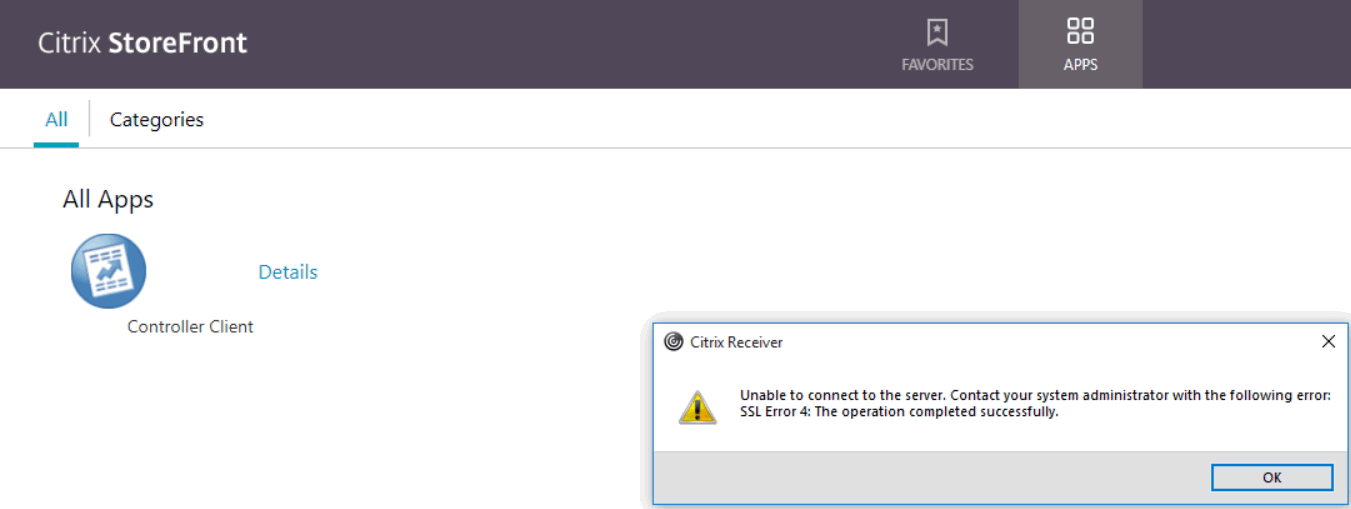
Citrix Receiver
Unable to connect to the server. Contact your system administrator with the following error:
SSL Error 4: The operation completed successfully.
[{"Product":{"code":"SSMRTZ","label":"IBM Cognos Controller on Cloud"},"Business Unit":{"code":"BU048","label":"IBM Software"},"Component":"Controller","Platform":[{"code":"PF025","label":"Platform Independent"}],"Version":"10.2.1","Edition":"","Line of Business":{"code":"LOB76","label":"Data Platform"}}]
Log InLog in to view more of this document
This document has the abstract of a technical article that is available to authorized users once you have logged on. Please use Log in button above to access the full document. After log in, if you do not have the right authorization for this document, there will be instructions on what to do next.
Was this topic helpful?
Document Information
Modified date:
22 June 2026
UID
swg22016667