How To
Summary
Your application workflows will stop functioning when the certificate is changed on your IBM Security Qradar SOAR Server. On App Host you have 2 options, uninstall and reinstall your applications or edit and add the new SOAR certificate to cert.cer file for each application. On the Integration server, you will need to copy the certificate and place in cafile = <Current_certificate_file_Location>.
Objective
Objective is to correctly add the new IBM Security QRadar SOAR server certificate into the individual applications configuration section for App Host apps or onto the Integration server.
Environment
IBM Security QRadar SOAR
Steps
For Integration server:
1. Update app.config - typically located at /home/integration/.resilient
2. Edit the path to new certificate
cafile=/path/to/cert.cer
3. Save app.config
4. Restart Resilient Circuits
sudo systemctl restart resilient_circuits
For App Host:
1. You need to replace the current SOAR certificate (cert.cer) located from the configuration tab of your application. Open for editing.
** If you have an MSSP environment, you need to do this for ALL apps in all child organizations.
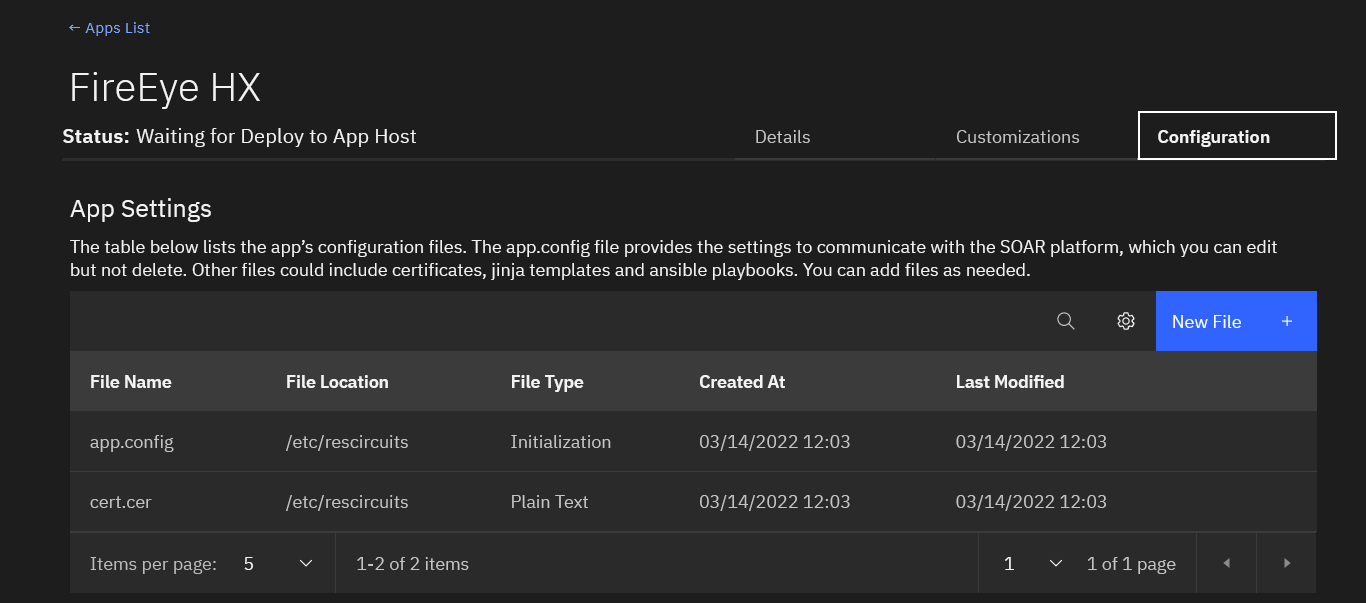
3. Paste in the new certificate
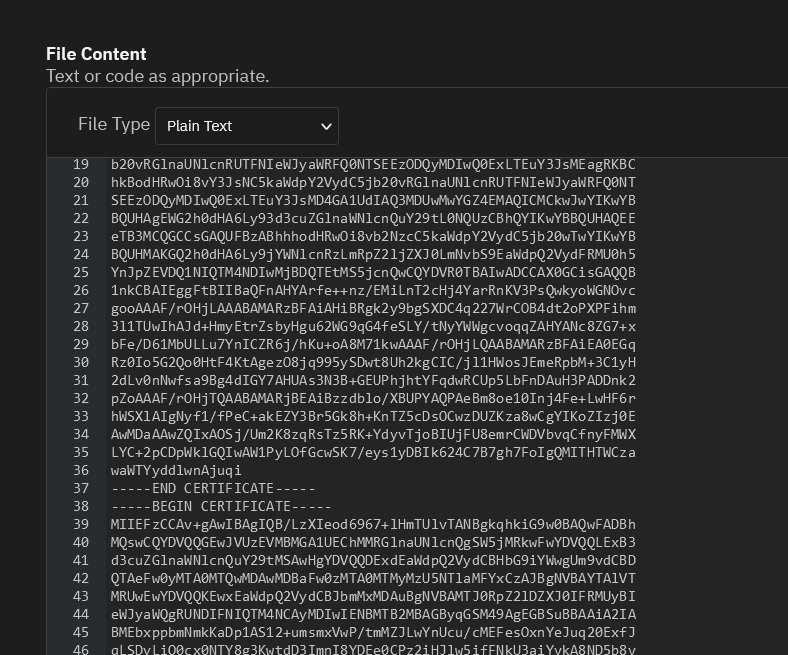
4. Click on Save and Push Changes from the top right of page.
5. On App Host server run these commands to accept the new SOAR server certificate and restart App Host and k3s
sudo manageAppHost certificate
sudo restartAppHost
sudo systemctl restart k3s
Related Information
Document Location
Worldwide
[{"Type":"MASTER","Line of Business":{"code":"LOB24","label":"Security Software"},"Business Unit":{"code":"BU048","label":"IBM Software"},"Product":{"code":"SSEGM63","label":"IBM Security QRadar SOAR on Cloud"},"ARM Category":[{"code":"a8m0z0000001jTpAAI","label":"Integrations-\u003EAppHost"},{"code":"a8m0z000000cvqUAAQ","label":"Security SSL"}],"ARM Case Number":"","Platform":[{"code":"PF025","label":"Platform Independent"}],"Version":"All Versions"}]
Was this topic helpful?
Document Information
Modified date:
08 April 2024
UID
ibm16566169