Troubleshooting
Problem
Users can close work orders even though there are purchase orders associated with them.
Symptom
1. Create a new PO and enter a vendor.
2. Go to PO Lines tab.
Click "New Row" to create a new POLINE.
Populate all the required fields.
Click the arrow next to the "Work Order" field.
Click the "Select Value" button.
Select any work order from the list.
Save the record.
3. Hyper-link to the work order in the Work Order Tracking application.
4. Try to change the status of the work order to CLOSE and receive the system message: "BMXAA4577W - Open purchase orders exist here.":
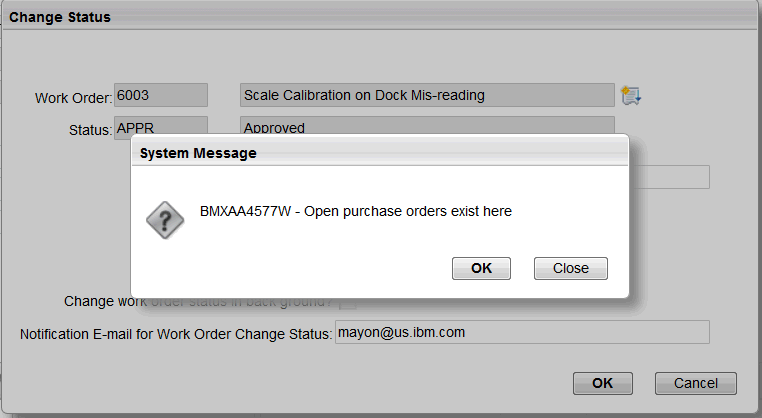
Click OK.
Receive another message: "Please wait..."
The work order is then closed:

NOTE: Clicking "Close" on the message will close the work order, however clicking "OK" on the message "BMXAA4577W - Open purchase orders exist here" should NOT close the work order.
Log InLog in to view more of this document
Was this topic helpful?
Document Information
Modified date:
18 September 2025
UID
swg21688627