Release Notes
Abstract
Fiddler Setup for Capturing Mobile Traffic
Content
Follow the steps to setup Fiddler
- Download fiddler.exe application from https://www.telerik.com/download/fiddler and install it on the Windows machine.
- Once installation is complete, launch the application.
- Navigate to Tools > Options

4. Next navigate to HTTPS tab and enable(check) > Capture HTTPS CONNECTs > Decrypt HTTPS traffic check box
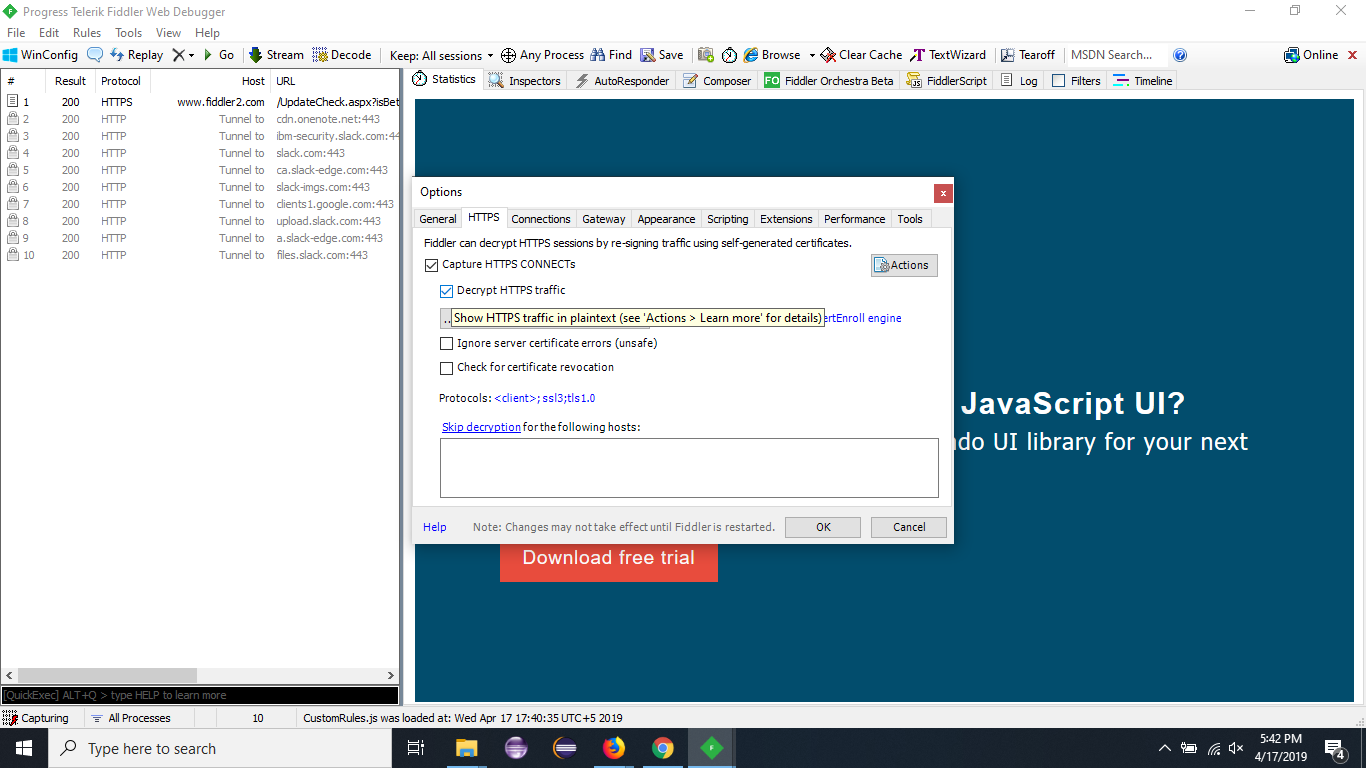
5. Click Actions button > Trust Root Certificate.
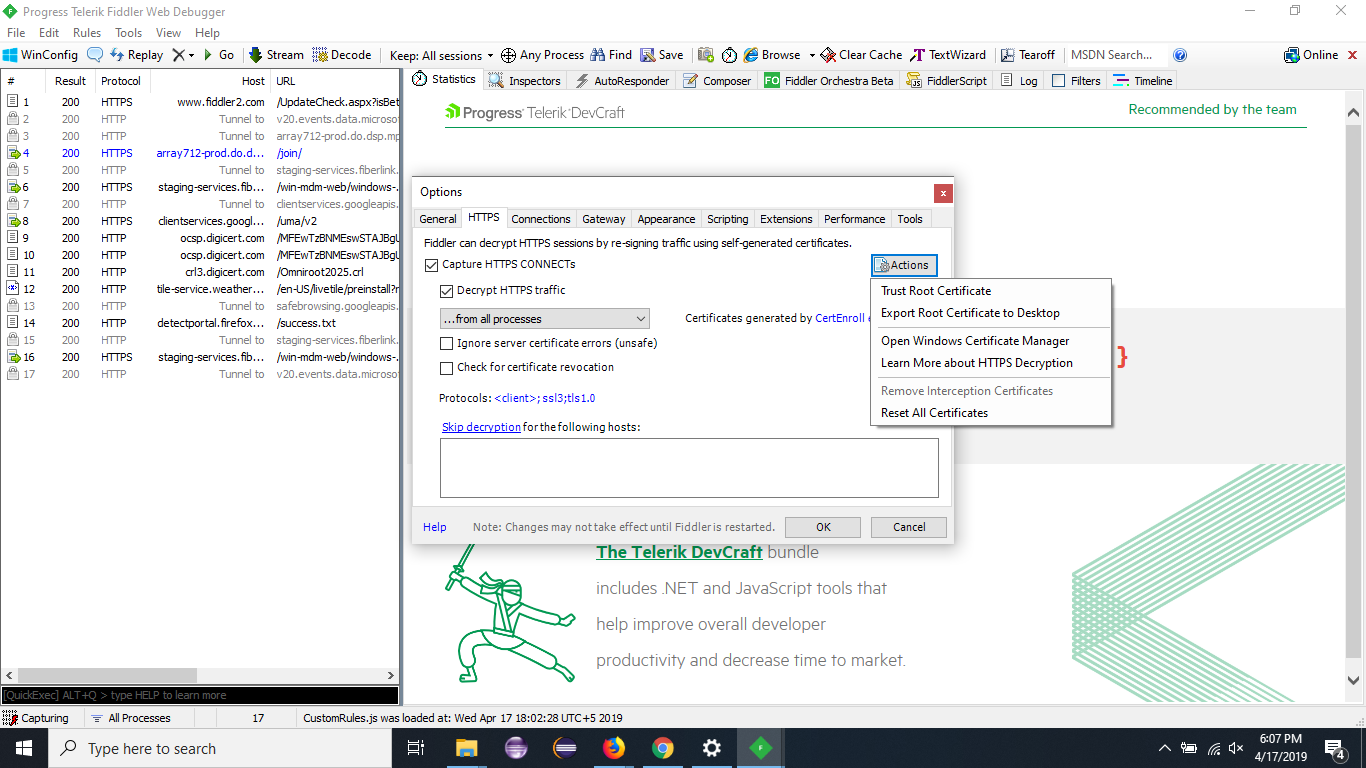
6. Select "Yes" on the prompted window.
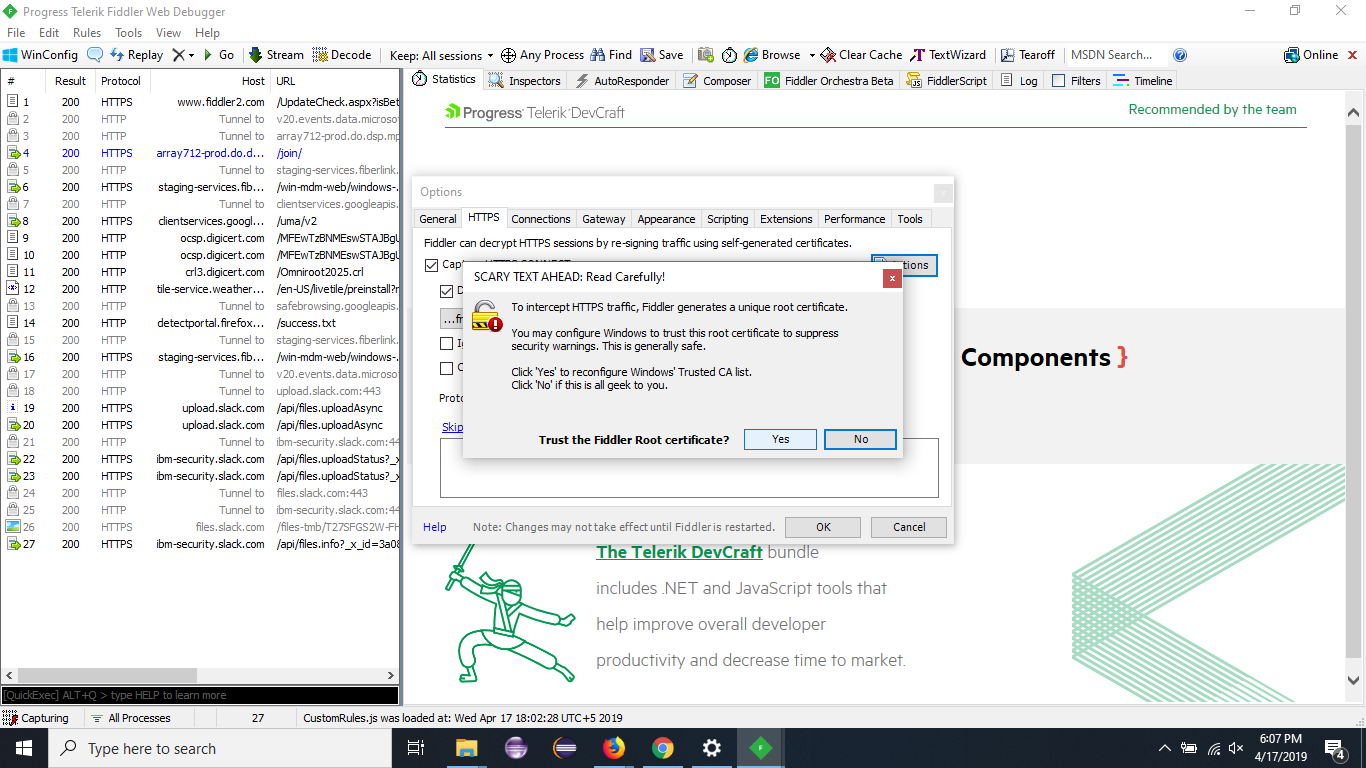
7. Click "Yes" on the next prompted window
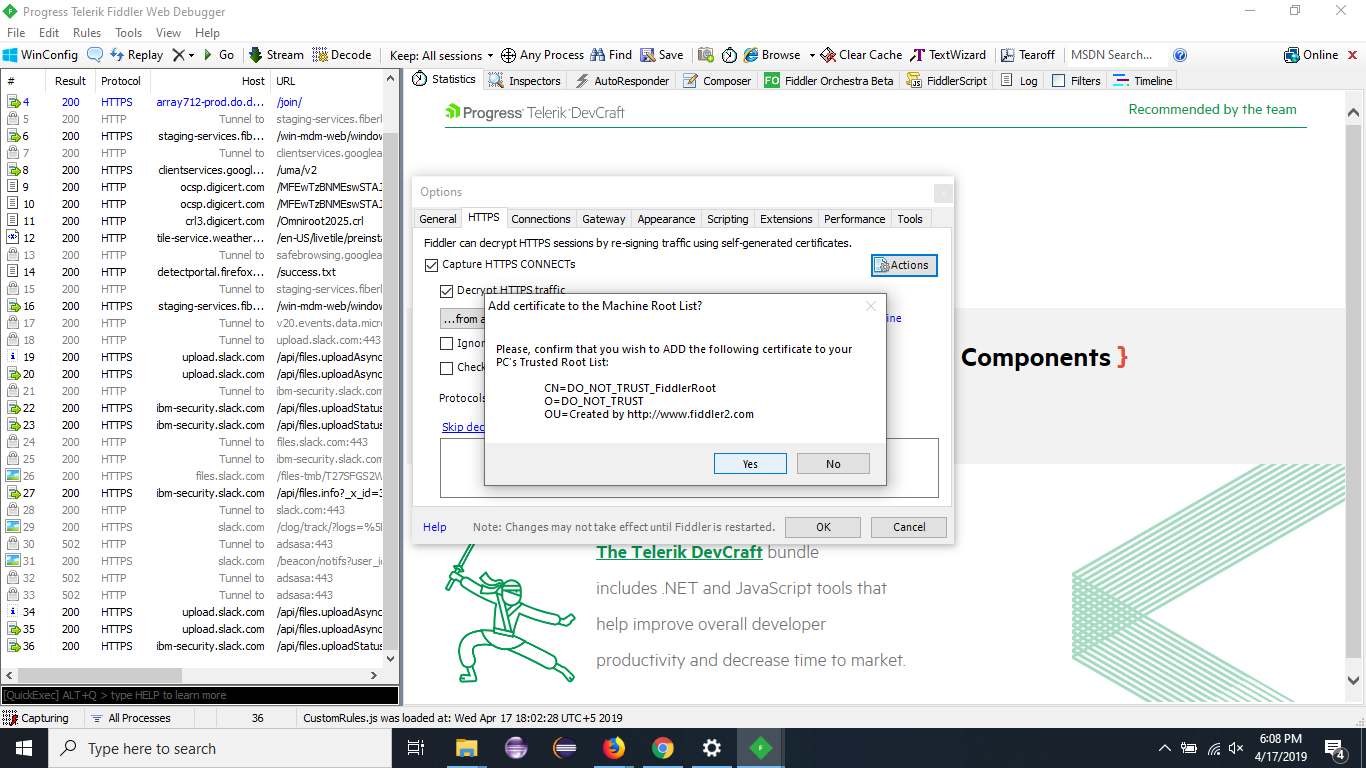
8. Click OK on TrustCert Success window.
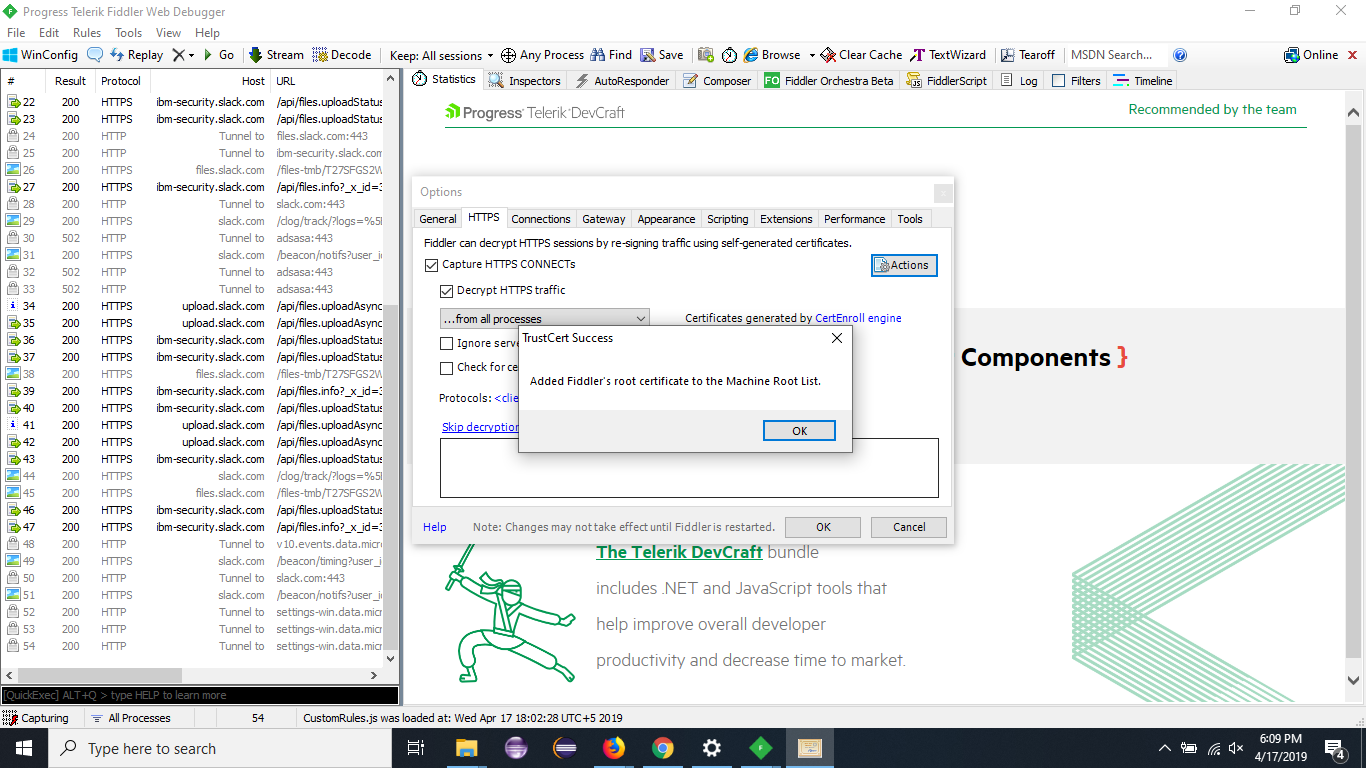
Now HTTPS calls will be shown on syncing MDM client.
[{"Business Unit":{"code":"BU059","label":"IBM Software w\/o TPS"},"Product":{"code":"SSYSXX","label":"IBM MaaS360"},"Component":"","Platform":[{"code":"PF025","label":"Platform Independent"}],"Version":"All Versions","Edition":"","Line of Business":{"code":"LOB24","label":"Security Software"}}]
Was this topic helpful?
Document Information
Modified date:
10 June 2019
UID
ibm10886535