Troubleshooting
Problem
IBM Content Cortex Platform Engine no longer includes a Client installer. Instead, a zip file is provided that contains the Content Engine Client libraries.
Cause
IBM Content Cortex Content Platform Engine 26.0.0 does not ship with a standalone Content Engine Client installer. Instead, the required Content Engine (CE) Client libraries are provided as a ZIP package and must be manually deployed into an existing CE Client installation.
Resolving The Problem
Upgrade Scenario:
For IBM Content Cortex Content Platform Engine Java and .Net API upgrade installations, the issue is not observed. Customers are advised to follow the documented upgrade procedure available at the reference link below:
Please note:
1) During the upgrade to IBM Content Cortex Content Platform Engine Java and .Net API from earlier versions, it is recommended to back up the existing JAR files before replacing them with the updated versions.
2) In order to utilize the updated JARs and libraries of IBM Content Cortex Content Platform Engine Java and .Net API ,CPECL 5.6 must already be present in the environment—typically located at
%SystemDrive% \ProgramFiles\IBM\FileNet\CEClient.
Manual Steps Required for Upgrade – FileNet CPE Client
1. Users should download the CPEClient ".zip" file through this url https://www.ibm.com/support/pages/download-filenet-p8-platform.
2. Users should navigate to the following directory
%SystemDrive% \Program Files\IBM\FileNet\CEClient
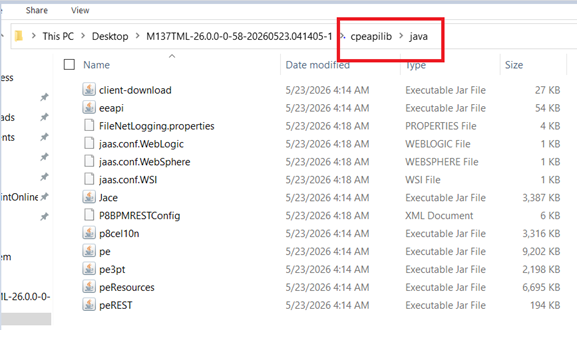
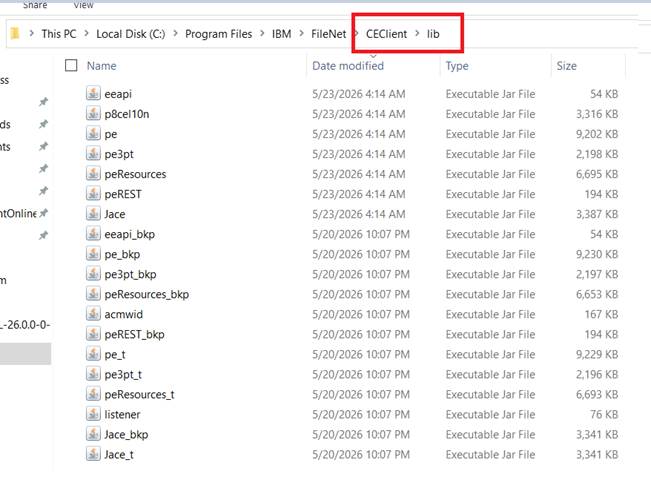
3. Users should replace the following JAR files from CPEClient.zip file to
%SystemDrive%\Program Files\IBM\FileNet\CEClient \lib folder
a. eeapi.jar
b. Jace.jar
c. p8cel10n.jar
d. pe.jar
e. pe3pt.jar
f. peResources.jar
g. peRest.jar
CPEClient.zip folder (downloaded from Fixcentral)
Existing machine
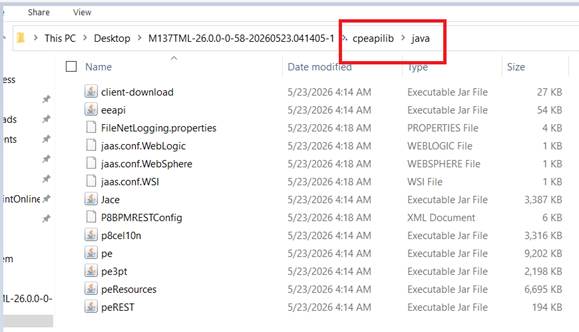
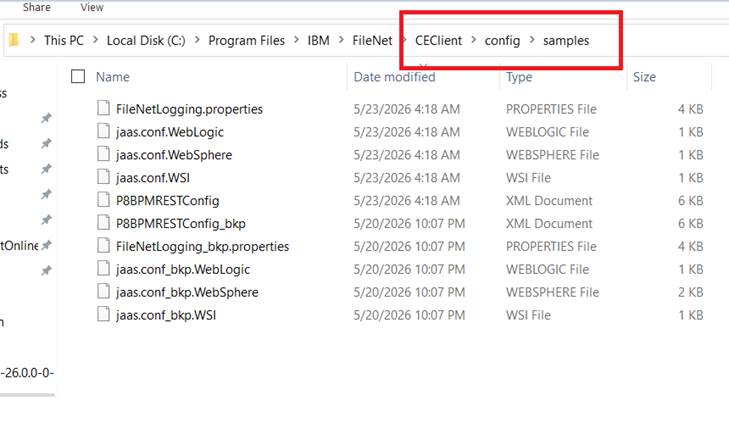
4. Users Should replace below Files from CPEClient.zip file to the following directory %SystemDrive% \Program Files\IBM\FileNet\CEClient\config\samples
a. FileNetLogging.properties
b. jaas.conf.WebLogic
c. jaas.conf.WebSphere
d. jaas.conf.WSI
e. P88PMRESTConfig
CPEClient.zip folder (downloaded from Fix central)
Existing machine
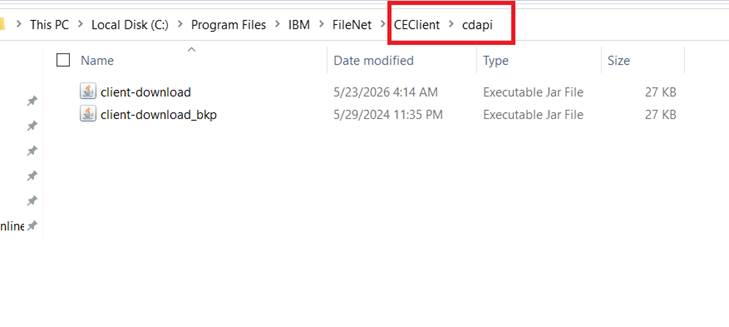
5.Users should replace the below jars from CPEClient.zip file to the directory %SystemDrive%\Program Files\IBM\FileNet\CEClient\cdapi
client-download.jar
CPEClient.zip folder (downloaded from Fix central)
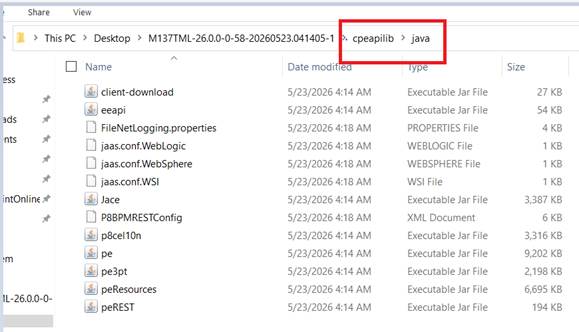
Existing machine
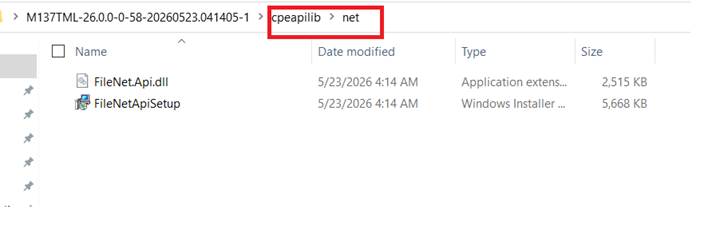
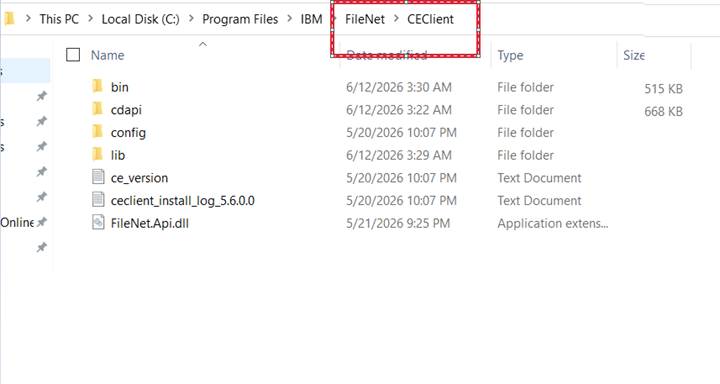
6.Users should replace the below dll and setup installer from CPEClient.zip file to %SystemDrive%\Program Files\IBM\FileNet\CEClient\bin
a. FileNet.Api.dll
b. FileNetApiSetup
CPEClient.zip folder (downloaded from Fixcentral)
Existing Machine
7.When user installs this FiletNetApiSetup,user gets this path in the installation pop up
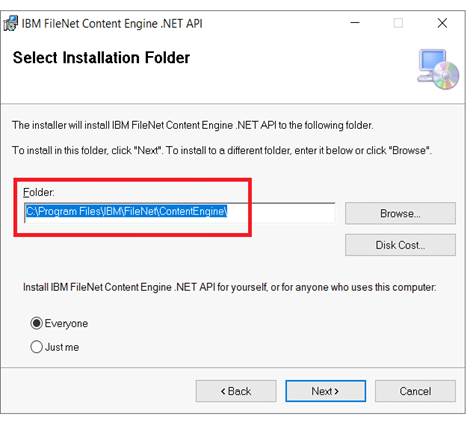
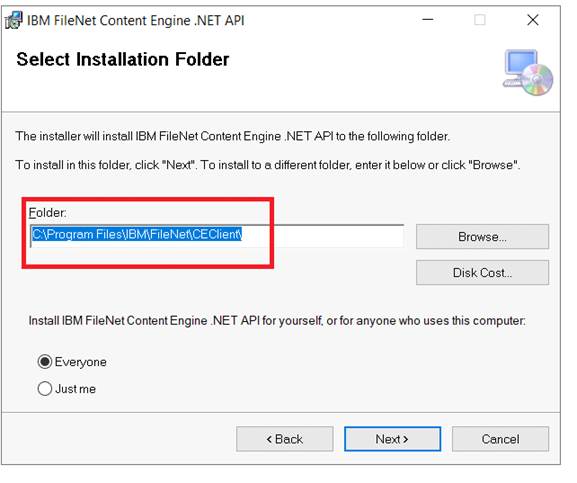
One must ensure that this path should be updated to
%SystemDrive%\Program Files\IBM\FileNet\CEClient
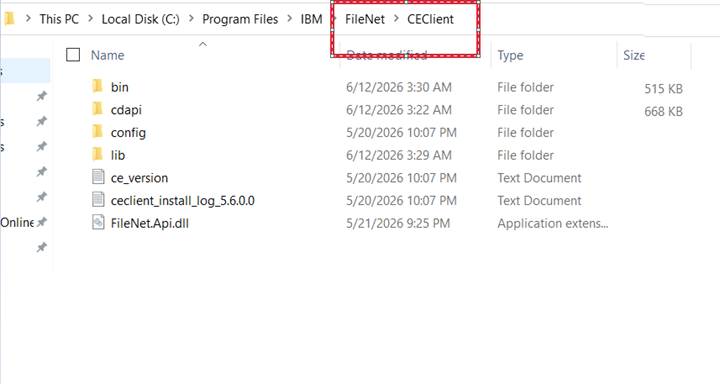
Once installation is complete the FileNetApi.dll gets appear in the below folder
%SystemDrive%\Program Files\IBM\FileNet\CEClient
Please Note: User does not need to copy the below files from CPEClient installer:
i) Version ii) 26.0.0.0-CCX_CPE_API_Getting_Started

Known Issue – CE 5.8 Fresh Installation
A prerequisite validation issue has been identified during fresh installations of IBM Content Cortext Content Platform Engine Java and .Net API where the installer may report a missing prerequisite. The ICC team is currently investigating the issue and working towards a resolution.
Related Information
Document Location
Worldwide
Was this topic helpful?
Document Information
Modified date:
25 June 2026
UID
ibm17277691