Release Notes
Abstract
As part of IBM Maximo Application Suite 9.2, the Technician mobile application introduces enhanced task management capabilities including a redesigned card-based task list interface, advanced filtering and sorting, and the ability to create and edit tasks directly from mobile devices.
This technical note describes the functional changes, security configuration requirements, and customization considerations introduced in Maximo Application Suite 9.2.
Content
In Maximo Application Suite 9.2, task management functionality has been enhanced with the following changes:
New signature option
Option: CREATETASK - "Create and Edit Task"
Object Structure: MXAPIWODETAIL
Purpose: Controls task creation and editing from mobile devices. Grant CREATETASK to enable the "+" (Add) button on task list page and task editing capabilities.
1. Task list UI enhancements
The task list interface has been redesigned from a collapsible detail view to a streamlined card-based list.
Before (Pre-9.2)
Tasks were displayed in a collapsible list with inline details.
Characteristics
- Collapsible view with extensive inline task details
- Limited organization capabilities
- Task status changes on the task list page
data-listcomponent (ID:q439v)TaskController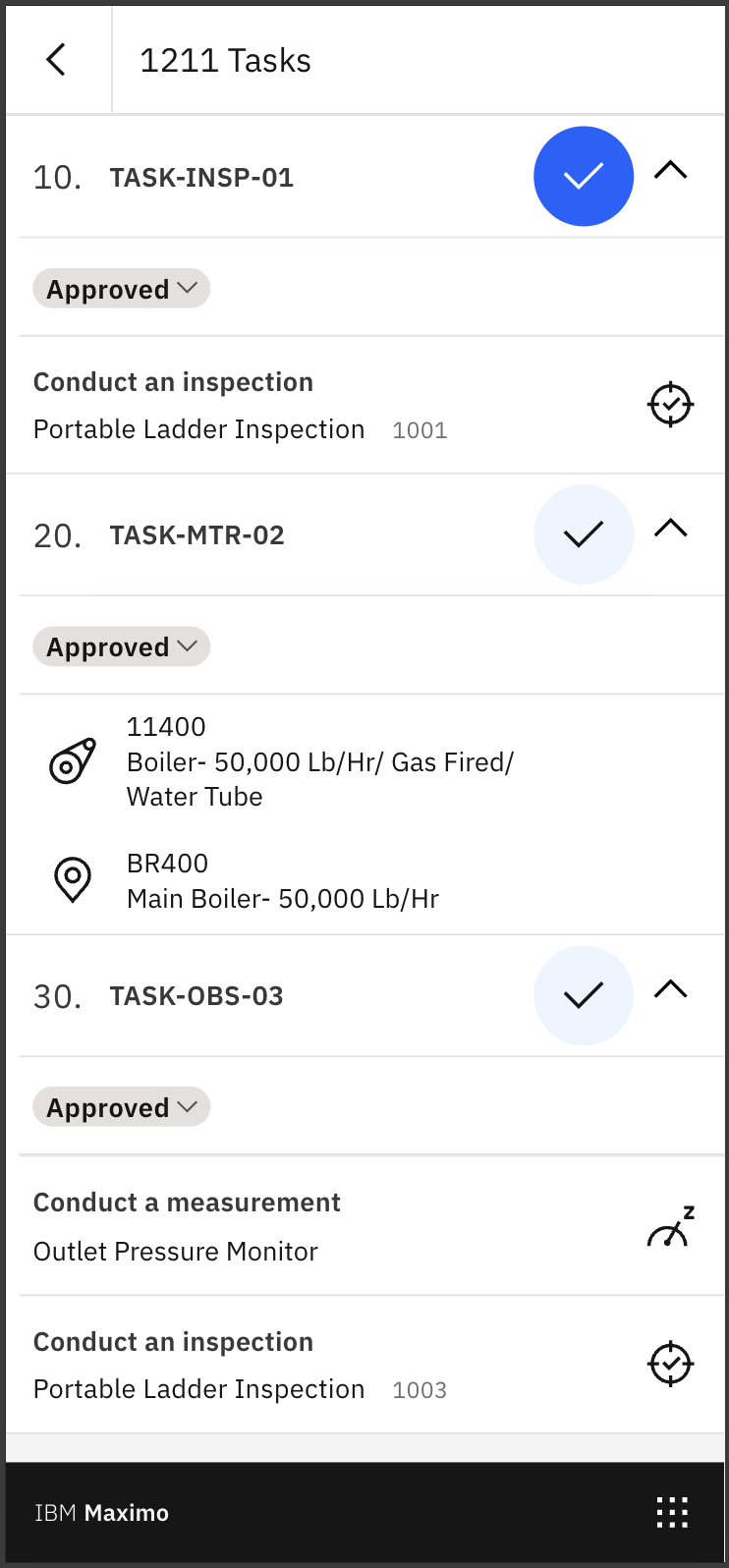
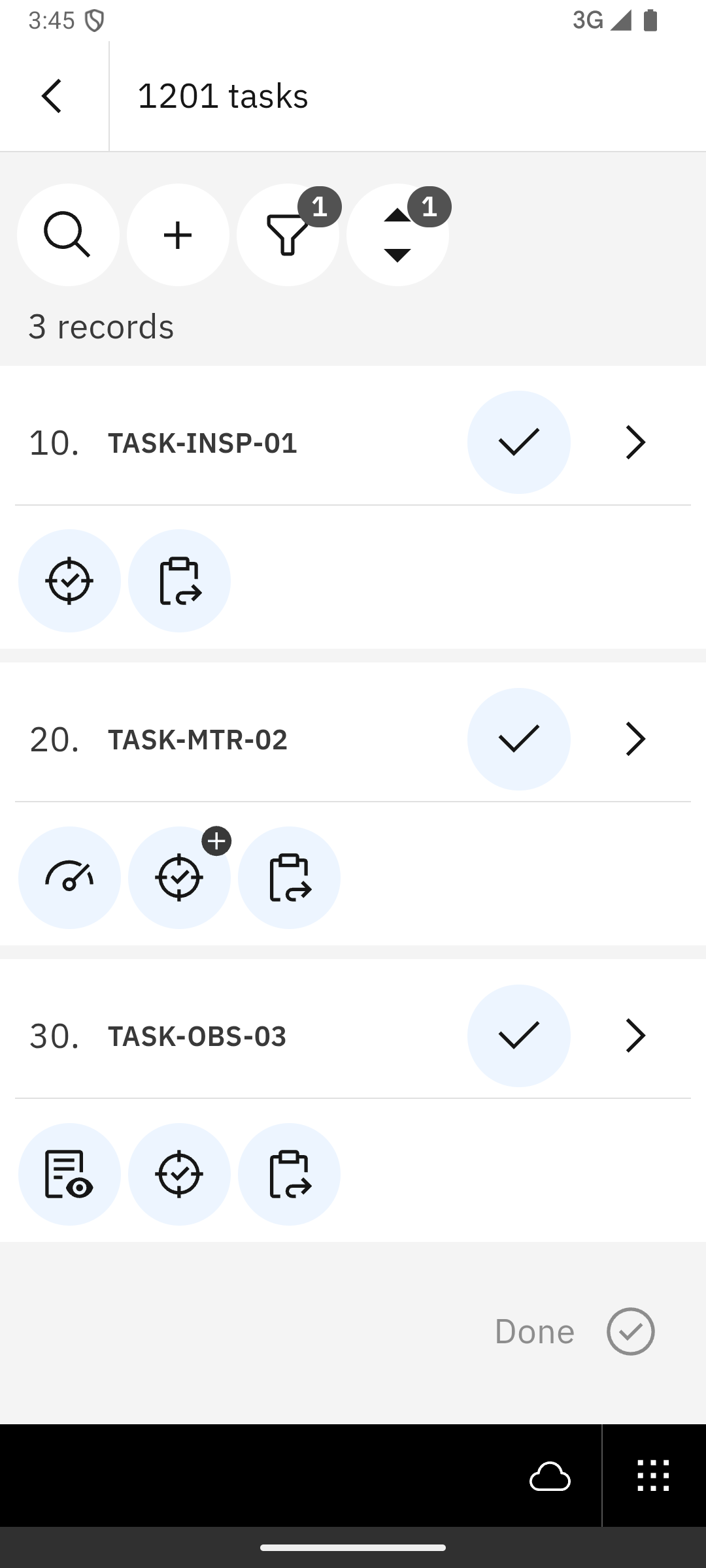
After (9.2)
Tasks are displayed in a card-based list with action bar controls.
Changes introduced
- Card-based list with sequential numbering
- Action bar with search, sort, filter, and create (+) controls
card-groupcomponent (ID:xgz6k)TaskListController(renamed fromTaskController)- Task status changes moved to the Task details page
Available user actions
- View task details
- Create tasks (with CREATETASK permission)
- Filter tasks by status, asset, and location
- Sort tasks by task number, status, and task sequence
- Search tasks
Create follow-up work orders from tasks
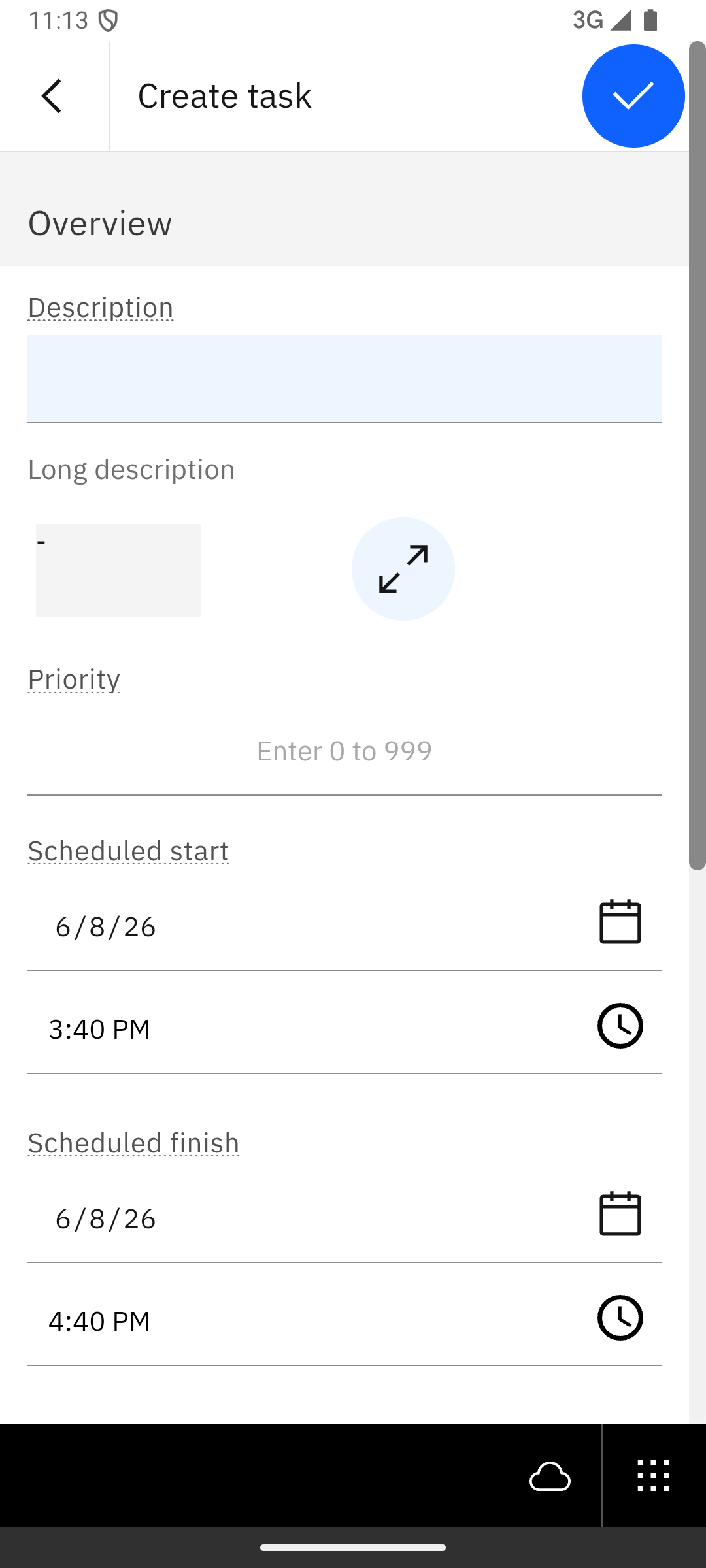
2. Task creation and editing
New functionality enables technicians to create and edit tasks directly from their mobile devices.
New capabilities
- Create tasks with description, long description, and other details
Edit task descriptions and details
3. Task page refactoring
Task pages extracted from app.xml into separate modular files.
Before (Pre-9.2):
<!-- In app.xml - Task pages defined inline -->
<page id="tasks" title="Tasks" controller="TaskController">
  <!--lines of task UI markup -->
</page>
After (9.2):
<!-- In app.xml - Task pages referenced as external files -->
<page id="tasks" file="./maml/pages/task-list.xml"/>
<page id="createEditTask" file="./maml/pages/create-edit-task.xml"/>
<page id="taskDetails" file="./maml/pages/task-details.xml"/>
<page id="taskAttachments" file="./maml/pages/task-attachments.xml"/>
New file structure:
src/maml/pages/task-list.xml- Main task list pagesrc/maml/pages/task-details.xml- Task details and editingsrc/maml/pages/create-edit-task.xml- Task creation interfacesrc/maml/pages/task-attachments.xml- Attachment management
4. Task status change location
Task status change functionality moved from the task list page to the task details page.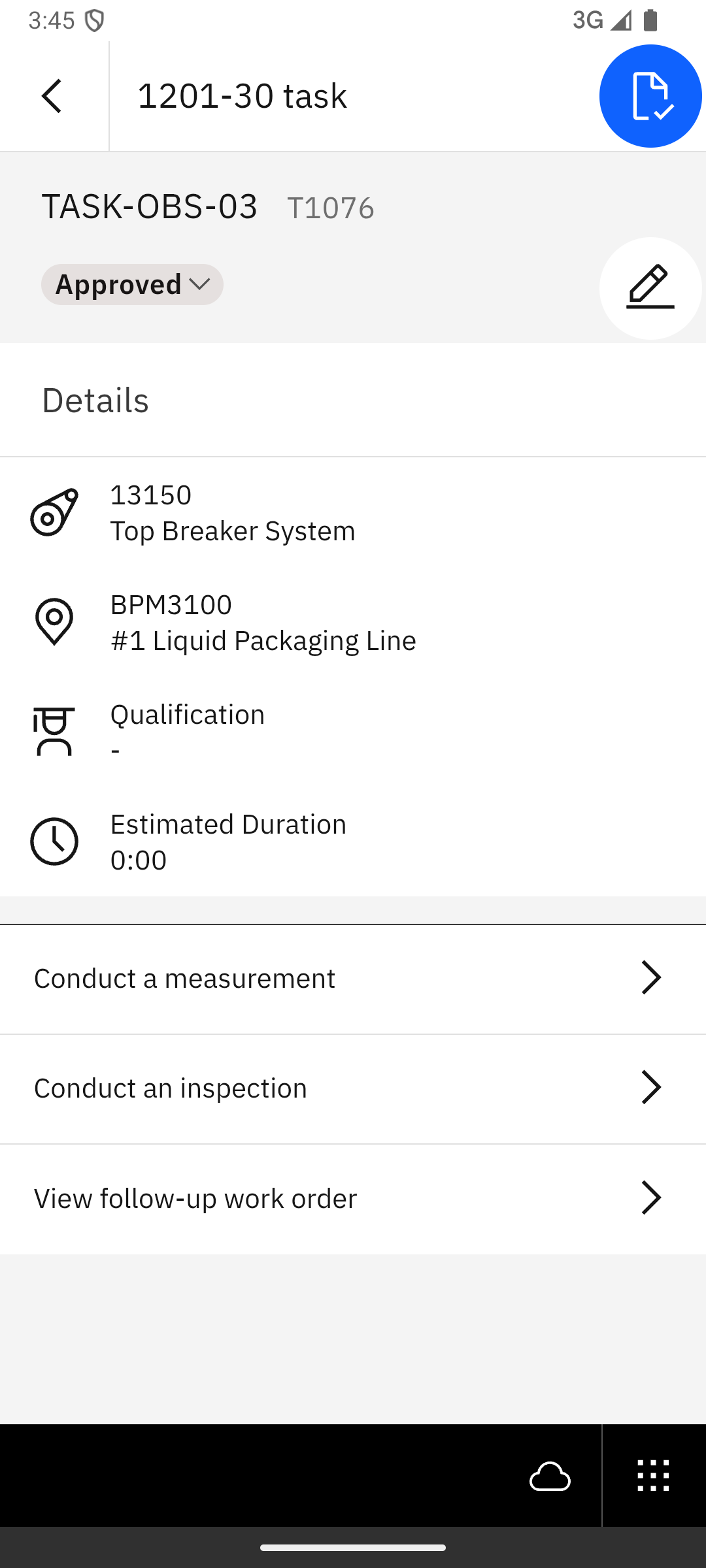
Datasource changes
| Datasource | Change |
|---|---|
woPlanTaskDetailds | Datasource remains the same but filtering and sorting capabilities are added on attributes. |
Impact on customized environments
Action required ONLY if you have customizations that:
- Reference
TaskControllername - Target component ID
q439v(old task list) - Modify task pages in
app.xml - Implement custom task status change logic
- Add custom fields or buttons to the task list
Review and update customizations:
1. Controller references
Before (Pre-9.2):
import TaskController from './TaskController';
const taskCtrl = this.app.findController('TaskController');
After (9.2):
import TaskListController from './TaskListController';
const taskCtrl = this.app.findController('TaskListController');
2. Component ID references
Before (Pre-9.2):
<!-- In app.xml -->
<data-list id="q439v" datasource="woPlanTaskDetailds">
After (9.2):
<!-- In src/maml/pages/task-list.xml -->
<card-group id="xgz6k" datasource="woPlanTaskDetailds">
Possible upgrade errors
Error 1: Controller not found
Symptom: Cannot find controller 'TaskController'
Cause: Custom code references old TaskController name.
Resolution:
- Search for all occurrences of
TaskController - Update to
TaskListController
Error 2: Task page customizations not visible
Symptom: Custom fields or buttons missing after upgrade.
Cause: Customizations not migrated from app.xml to task-list.xml.
Resolution:
- Locate customizations in old
app.xml - Copy custom elements
- Add to
src/maml/pages/task-list.xml
Additional notes
- Existing task records remain unchanged after the upgrade
- No task data migration required
- Task creation and editing work offline with sync
- Users without CREATETASK can continue viewing and completing tasks
Getting help
If you need assistance, do the following:
Review this technical note - Ensure that you have followed all recommended solutions.
Contact IBM Support - If you encounter issues not covered in this technical note, open a support case with details about your customizations and specific errors.
Was this topic helpful?
Document Information
Modified date:
09 July 2026
UID
ibm17276760