Question & Answer
Question
What are the environment variables supported by IBM Cloud Pak for Data SAP Connectors?
Answer
The following table summarizes the environment variables supported by IBM Cloud Pak for Data SAP Connectors.
You can define the environment variables by using Custom Environment Variables in Cloud Pak for Data projects.
Defining Environment Variables in Cloud Pak for Data
To add Custom Environment Variables:
- Open the Cloud Pak for Data Project.
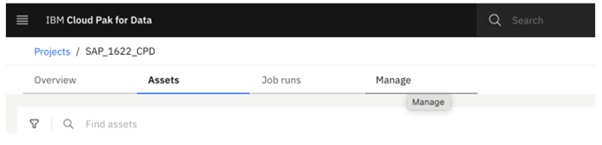
- Navigate to Manage Tab.
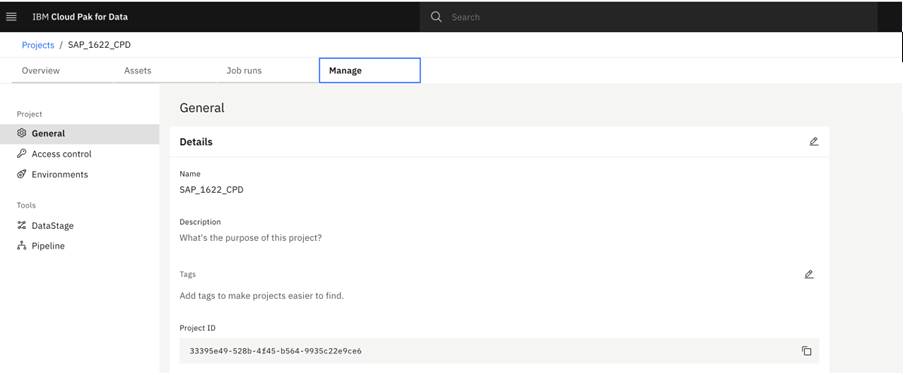
- Click on environments.
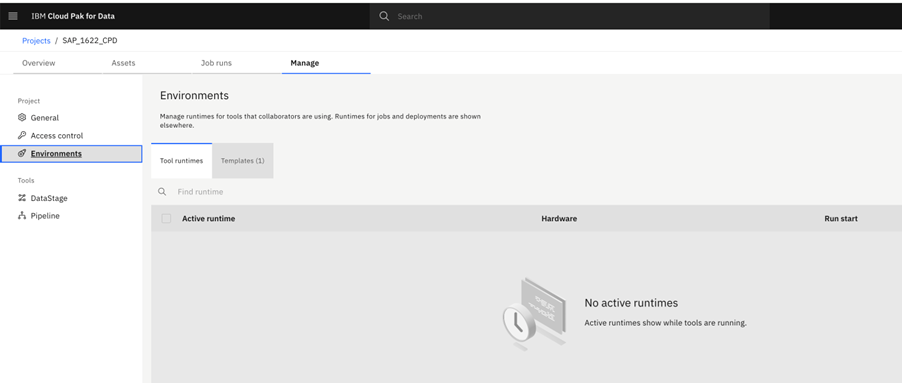
- Click on templates.
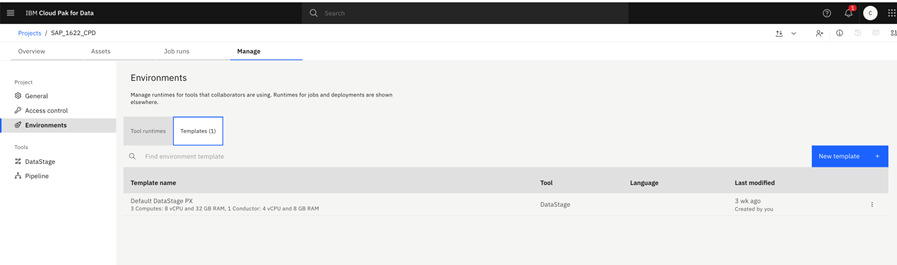
- Click on new template, provide template name and click on create.
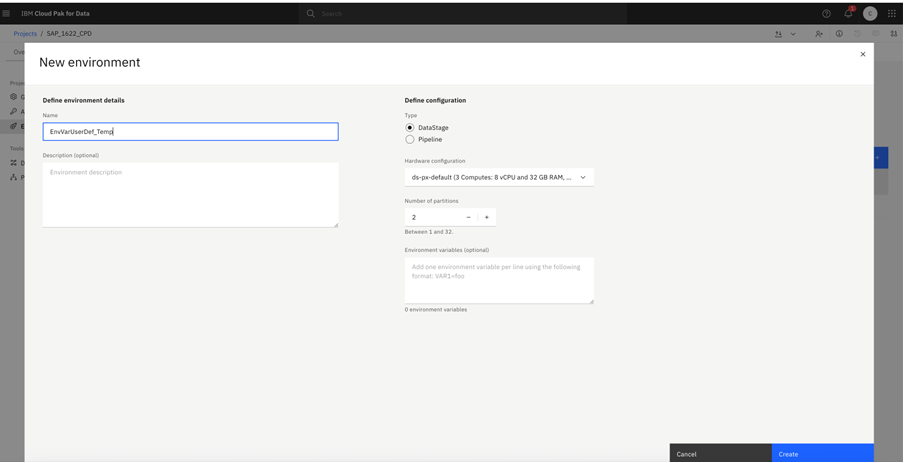
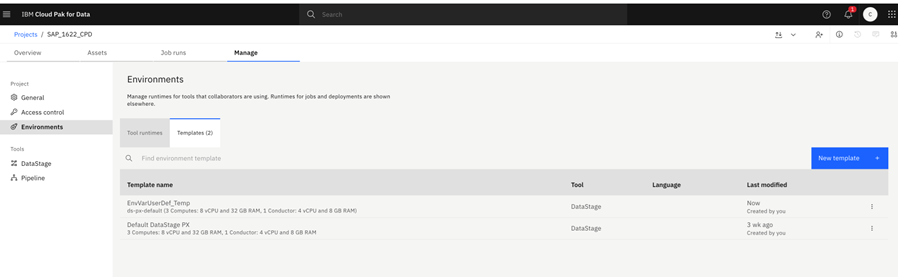
- Click on created template.
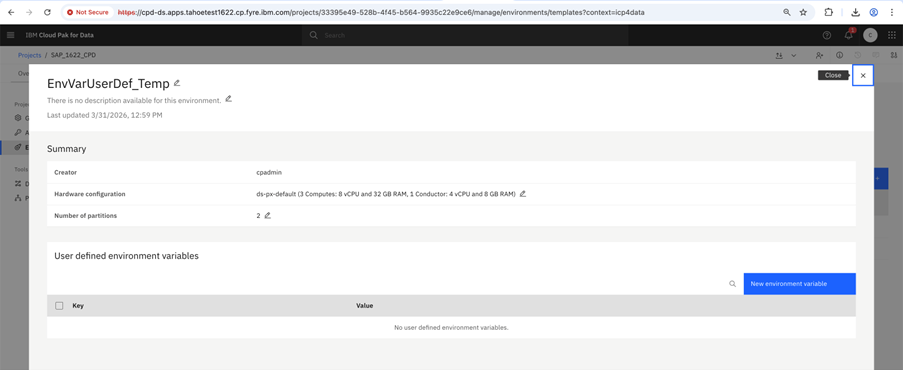
- Click on new environment variable to add user defined environment variable.
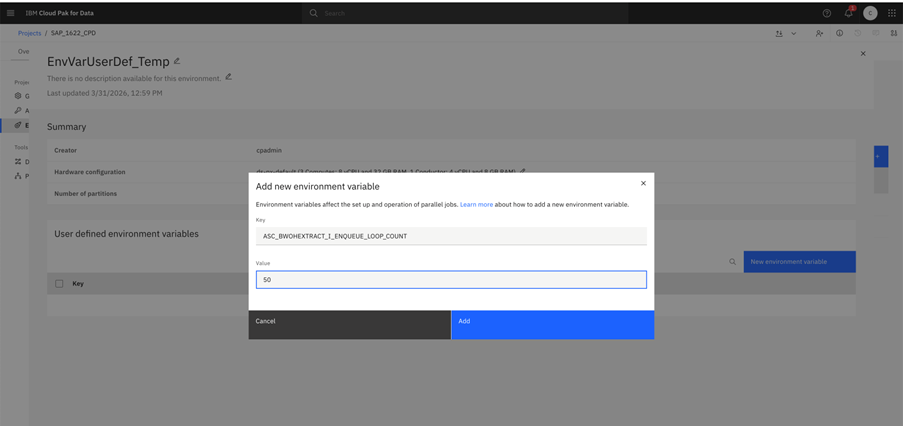
- Add environment variable and default value, click on add.
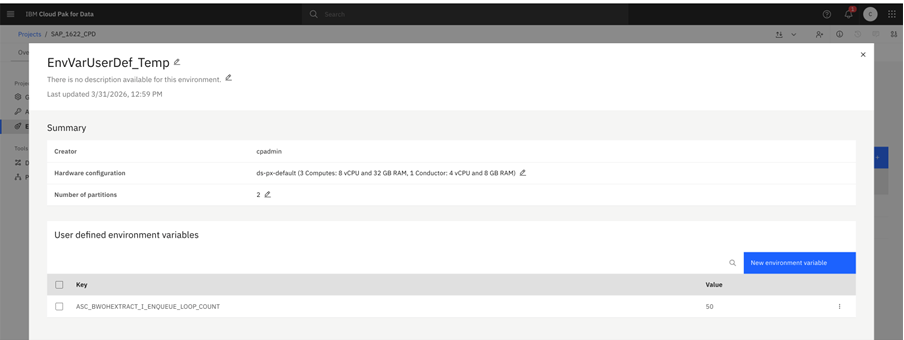
- Now open job flow to run job with user defined environment variable.
- Open the job settings & click on run.
- From dropdown select template.
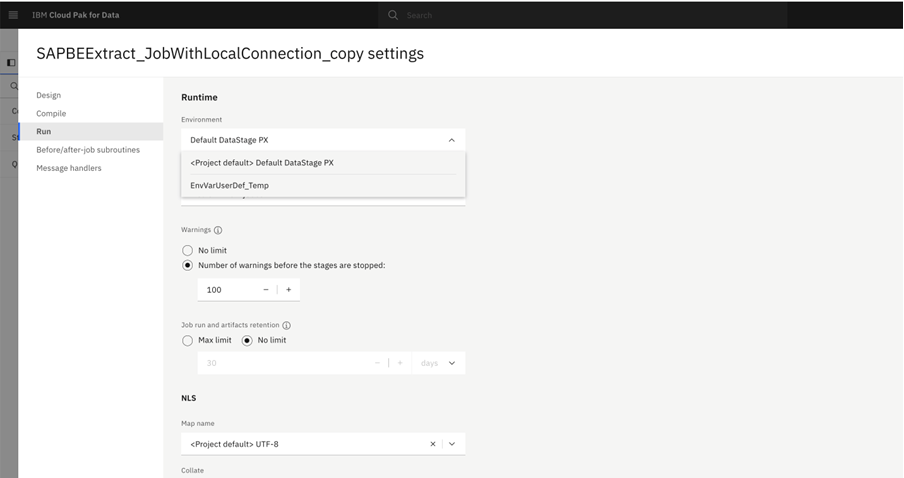
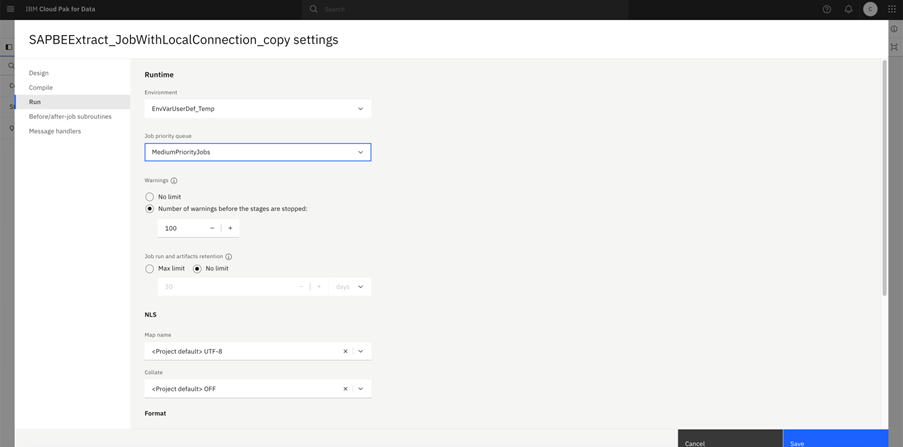
- Now user defined environment variable added for the job, user can compile and run job.
Supported Environment Variables
| Environment Variable | Tier | Component | Description | Example Value | Default Value (if not set) | Applies from version* |
| ASC_BWOHEXTRACT_I_ENQUEUE_LOOP_COUNT | CP4D Runtime | SAP BW Extract Connector | Modifies the value specified for parameter I_ENQUEUE_LOOP_COUNT when calling the SAP function module RSB_API_OHS_DEST_READ_DATA. This parameter specifies the maximum number of attempts allowed for SAP to acquire a lock on the BW extract request. If the variable is not set, SAP uses the default value 1, and the parameter is not exported. | 10 | Not set (parameter not exported) | 5.2.0 |
| SAP_ACL_TP_PREFIX | CP4D Runtime | SAP BW Extract Connector | Defines a customizable prefix for auto-generated Program IDs used by the SAP BW Extract connector. This variable helps customers maintain predictable and ACL-compliant Program IDs in SAP environments configured with gw/acl_mode = 1. When configured with the “Auto Generate Source System Name” feature, the connector runtime generates the Program ID using the format | CPD_ | Auto-generated Program ID format: HEX_ID<autogenerated_SourceSystemName>_HEXID | 5.3.0 |
[{"Type":"MASTER","Line of Business":{"code":"LOB76","label":"Data Platform"},"Business Unit":{"code":"BU048","label":"IBM Software"},"Product":{"code":"SSHGYS","label":"IBM Cloud Pak for Data"},"ARM Category":[{"code":"a8m3p000000UoR7AAK","label":"Administration-\u003EConnections"}],"ARM Case Number":"","Platform":[{"code":"PF025","label":"Platform Independent"}],"Version":"5.3.0"}]
Was this topic helpful?
Document Information
Modified date:
03 June 2026
UID
ibm17274055