Preventive Service Planning
Abstract
This document guides the user to perform migration from legacy SAP BW Extract stage to SAP BW Extract connector in CP4D environment.
Content
Overview of SAP BW connector
This document guides the user to perform migration from legacy SAP BW Extract stage to SAP BW Extract connector in CP4D environment.
Pre-requisites
Correct ISX file must be created by the user before importing this to CP4D environment. Users need to make sure to create the proper isx based on scenario to be checked.
Migrating the SAP BW Extract job
Create an ISX file from a compliable and runnable SAP BW Extract job created in DataStage Designer Client. Use ISTOOL for creation and exporting of ISX file. For detailed instructions on the steps involved, refer.
Export command for InfoSphere DataStage and QualityStage assets and How to use ISTOOL for EXPORT IMPORT Information Server Components.
Note: Make sure that the ISX file export includes all dependencies, such as parameter sets and table definitions.
Create the isx file from the legacy:
Open command prompt and go to: cd C:\IBM\InformationServer\Clients\istools\cli
Here’s a sample command:
istool export -dom <Hostname> -u <username> -p <password> -ar /<Jobname.isx> -ds '<Hostname>/<project>/<folder><jobname.pjb'>
If there is any environment variable or parameter or parameter set, then use the below command:
istool export -dom <Hostname> -u <username> -p <password> -ar /<Jobname.isx>
Import the ISX file in CP4D cluster:
Open an existing project or create a new Project in the CP4D canvas. (Refer screenshot below for existing project).


- Click on “New asset”.

- Click on “Transform and integrate data”.


- Click on “Local file”.

- Click on “Browse”, select isx file and then click on “open”.

- Click on “Create”.


- Click on project for navigating to project window.


- Open “connection” and click on “Test connection”.


- Open SAP BW extract migrated job flow.


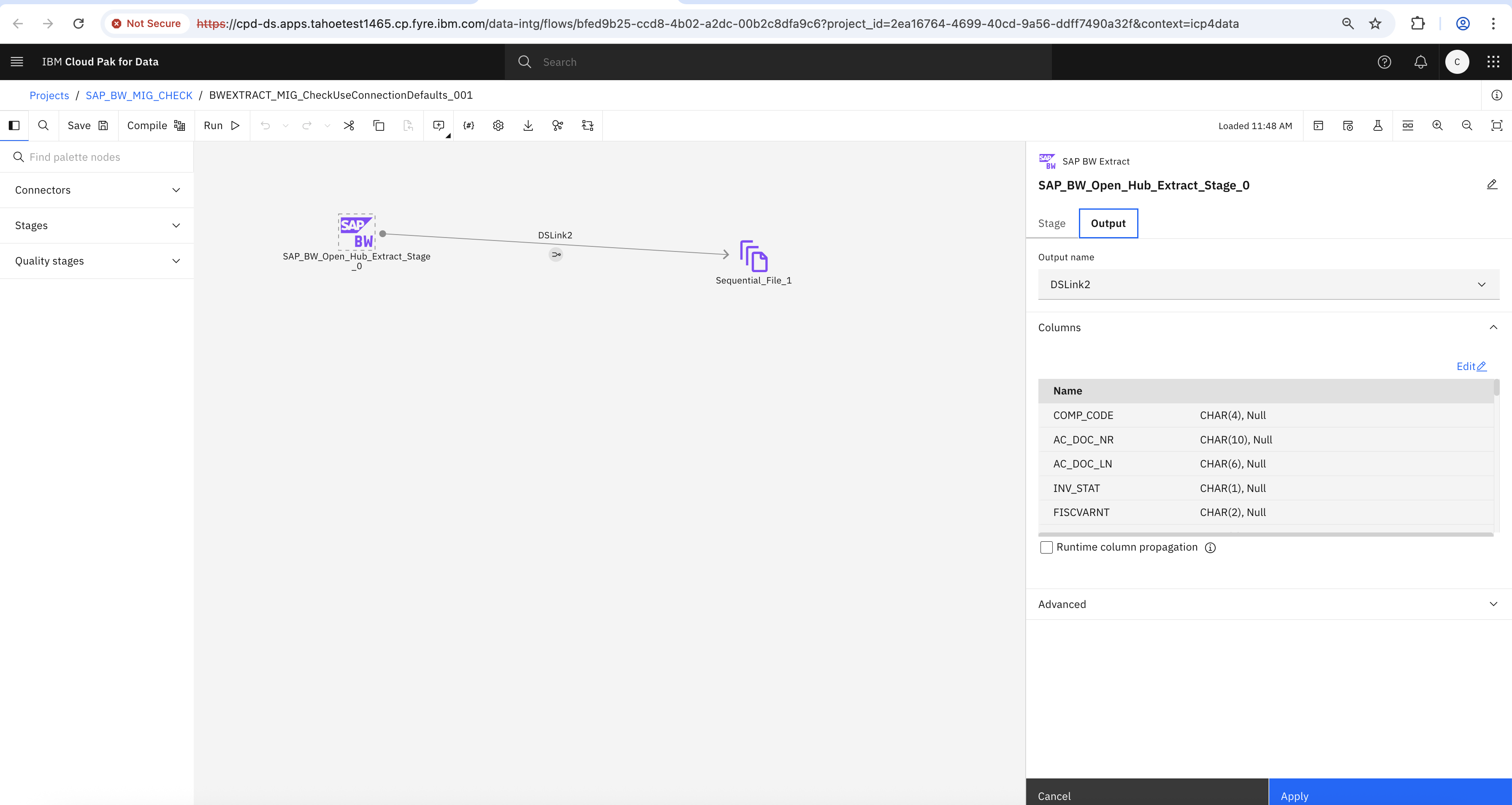


- Compile job flow.

- Run job flow.


- Output file.

Was this topic helpful?
Document Information
Modified date:
14 November 2025
UID
ibm17251229