General Page
Steps to create or deploy a New VM using Template builder or vSphere
- Browse through the inventory tree to locate template.
- Right-click on the template and select "New VM from This Template..." from the context menu.
- In the Select <template_name> - Deploy From Template window, Specify Virtual machine name and Select a location for the virtual machine.
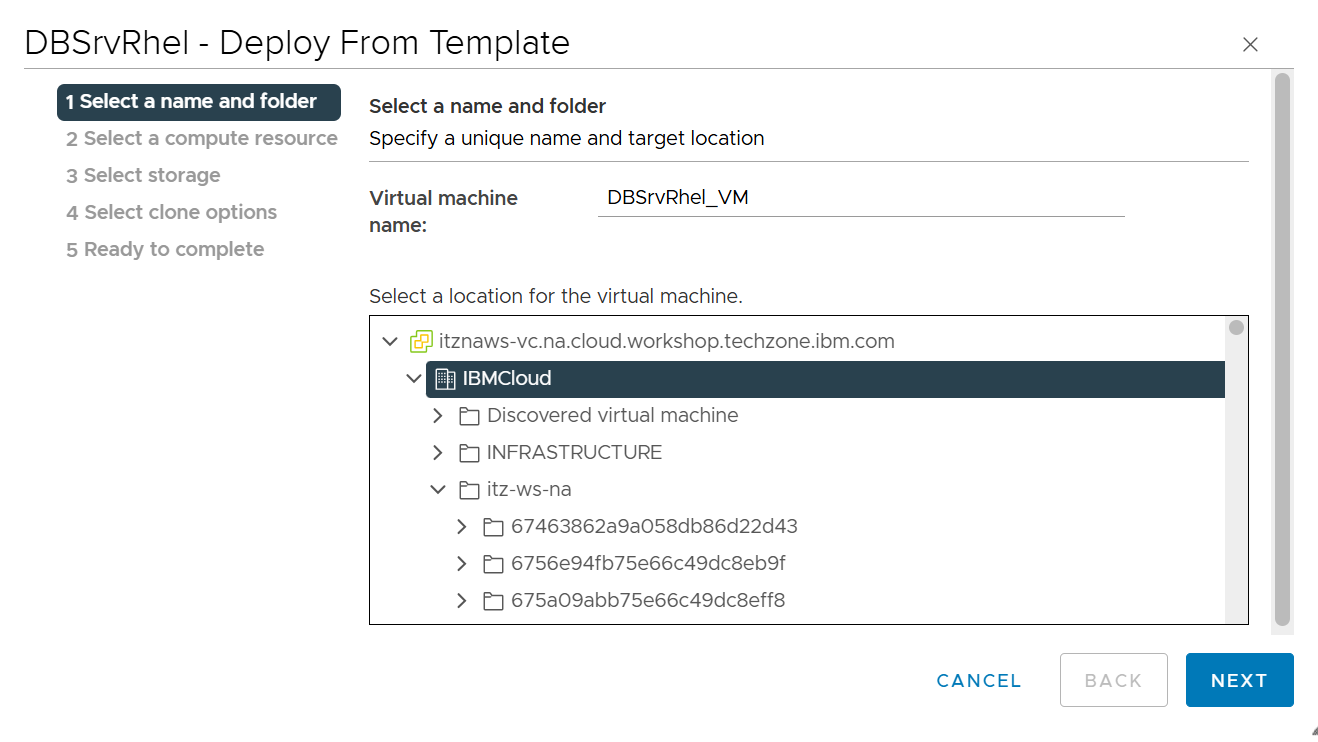
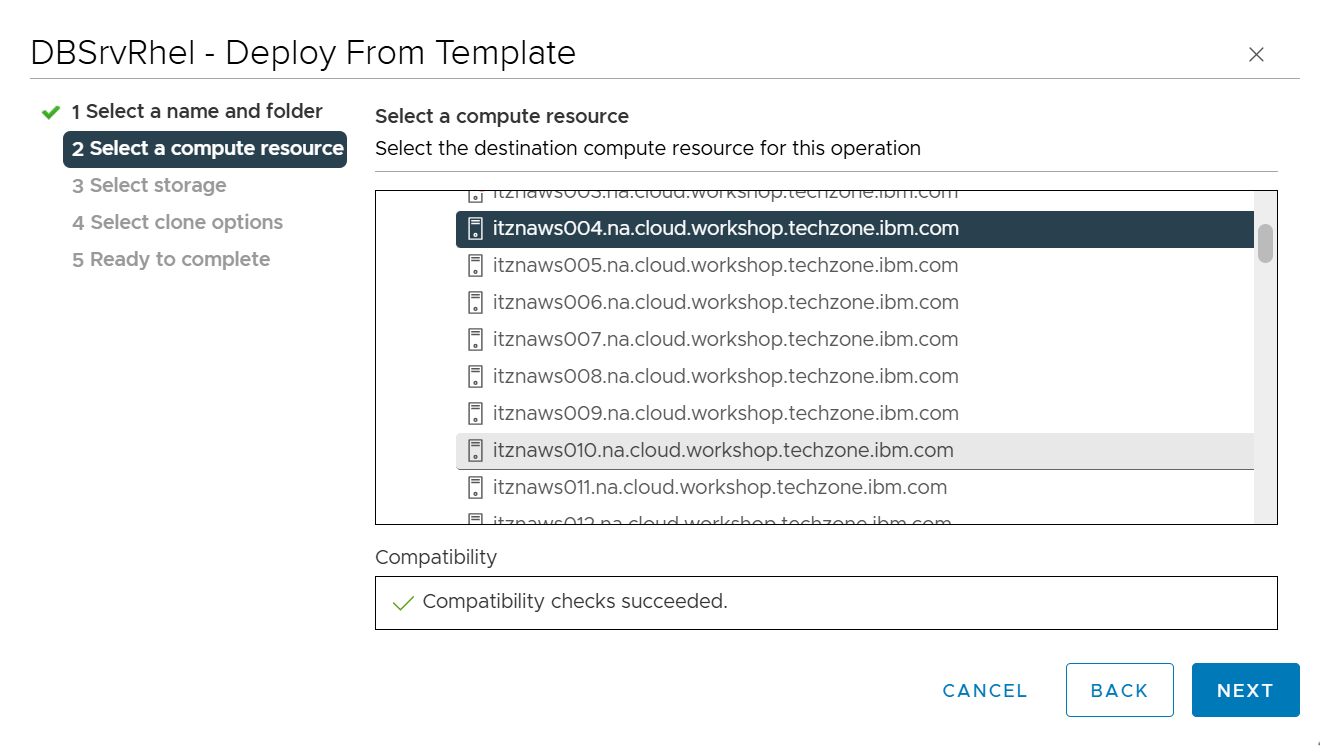
- Click "Next" to proceed. The subsequent screen will allow you to select the compute resource (host or cluster) where the virtual machine will run.
- Click "Next" to select storage datastore-<datacenter>-vm
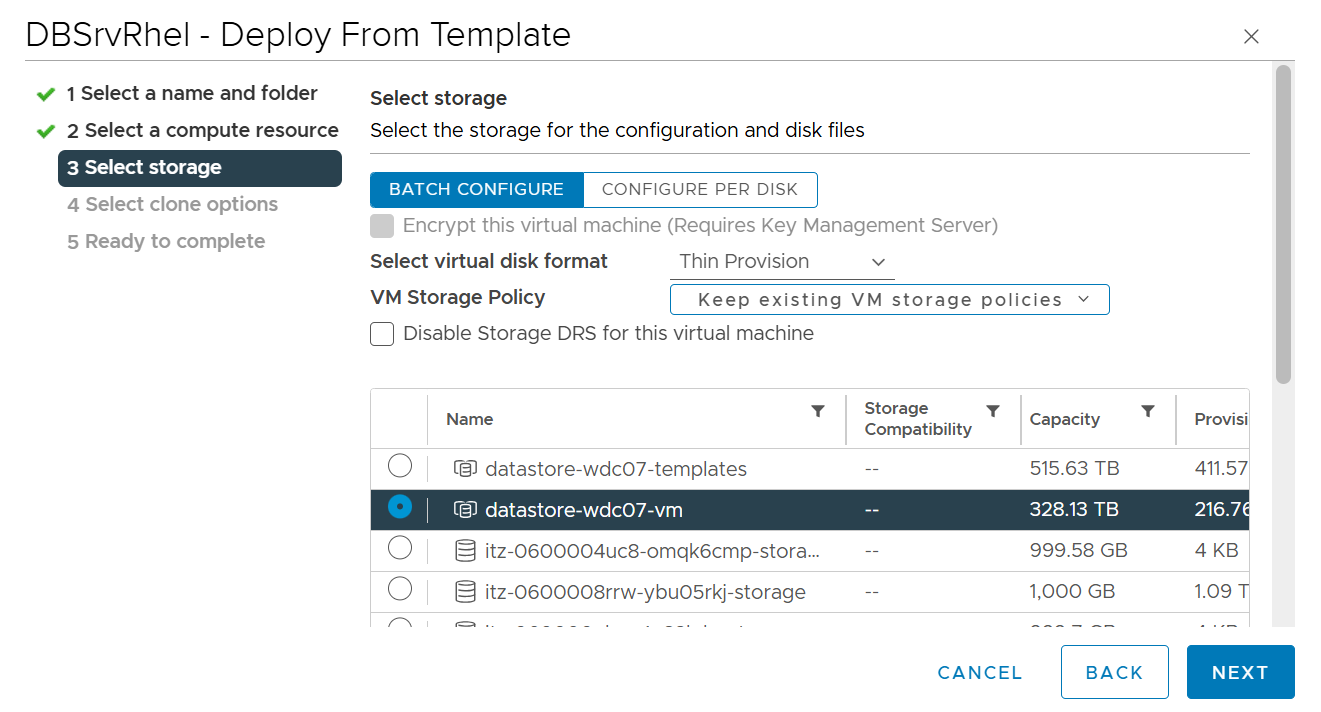
- After configuring, click "Next", then "Finish" to start the deployment process.
[{"Type":"MASTER","Line of Business":{"code":"","label":""},"Business Unit":{"code":"","label":""},"Product":{"code":"SSNR6KN","label":"IBM Technology Zone"},"ARM Category":[{"code":"a8mKe0000004CViIAM","label":"Infrastructure-\u003EGeneral"}],"Platform":[{"code":"PF025","label":"Platform Independent"}],"Version":""}]
Was this topic helpful?
Document Information
Modified date:
20 August 2025
UID
ibm17241474