How To
Summary
How to set up the drivers for the new Oracle CDC origin
Objective
In this article, we will cover how to install the new drivers required by the new Oracle CDC origin stage.
If you are using the new Oracle CDC stage and get the below error, you will need to install the new drivers.
2023-04-21 14:21:08,118 TestConnectionOracle/TestConne32fb6529-d8cb-4e7e-b400-3e619aer58d8 ERROR Failed to initialize connection pool: {} JdbcUtil *antonioro preview-pool-16-thread-1
java.lang.RuntimeException: Failed to get driver instance for jdbcUrl=jdbc:oracle:thin:@x.x.x.x:1521:<DB_NAME>
at com.zaxxer.hikari.util.DriverDataSource.(DriverDataSource.java:114) ~[HikariCP-4.0.3.jar:?]
[...]
Steps
There are two ways of installing the drivers: manually or via the UI (recommended).
UI installation (Preferred method)
Download the drivers from the website of Oracle JDBC Downloads. You need to download the ojdbc8-full.tar.gz (Java 8) or the ojdbc11-full.tar.gz (Java 11 and Java 17 ). These packages include the three new drivers that you will need. Uncompress it.
Go to your pipeline in the StreamSets Platform.
Click on the Oracle CDC stage.
Go to the External Libraries tab.
Click on the UPLOAD EXTERNAL LIBRARY button.
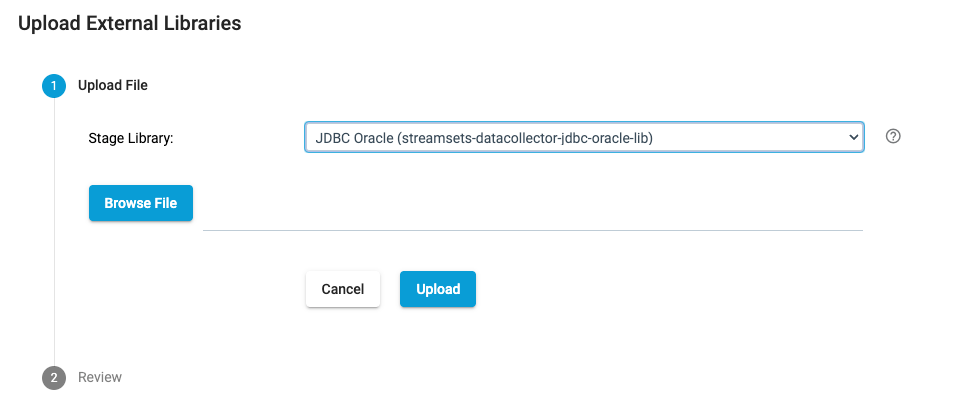
Select the files you want to upload for JDBC Oracle.
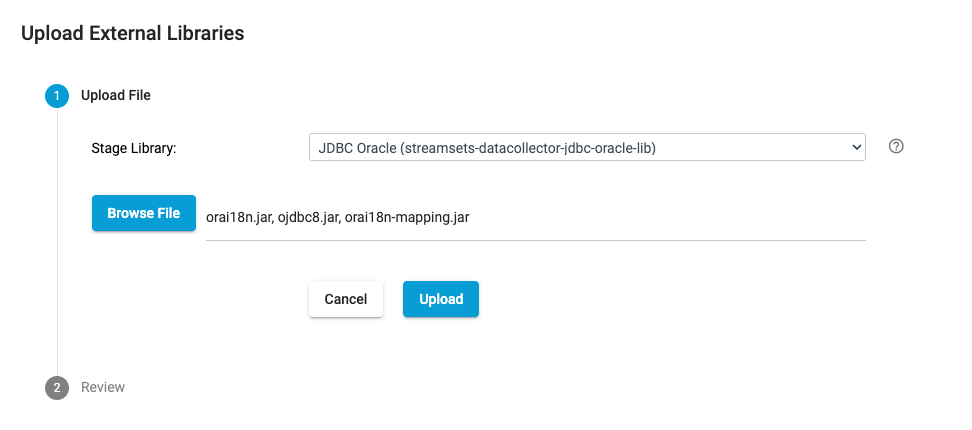
Click on upload.
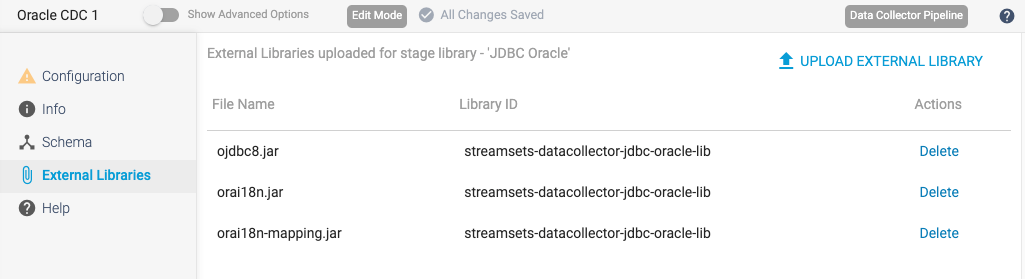
You will see the drivers uploaded.
Manual installation
Download the drivers from the website of Oracle JDBC Downloads. You need to download the ojdbc8-full.tar.gz (Java 8) or the ojdbc11-full.tar.gz (Java 11 and Java 17). These packages include the three new drivers that you will need. Uncompress it.
From Oracle Instant Clients downloads get the JDBC Supplement Package for your specific system and uncompress it.
Create the directory (if it has not yet been created) in the external resources folder of your SDC and copy the files there like this:
mkdir -p $SDC_DIST/externalResources/streamsets-libs-extras/streamsets-datacollector-jdbc-oracle-lib/lib
cp ojdbc8-full/ojdbc8.jar ojdbc8-full/orai18n.jar instantclient_19_8/orai18n-mapping.jar $SDC_DIST/externalResources/streamsets-libs-extras/streamsets-datacollector-jdbc-oracle-lib/lib
Now just restart the SDC and you are ready to go.
Results
Here is the list of the drivers uploaded
Remember to configure the connection to your Oracle database properly before starting to use the new Oracle CDC origin. You will need to provide the server name, port, database name, username, and password, among other parameters. Once properly configured, you will be able to use this new origin to extract data changes from your Oracle database in real-time and stream them to your data integration pipeline.
Document Location
Worldwide
Was this topic helpful?
Document Information
Modified date:
16 March 2025
UID
ibm17186373