Release Notes
Abstract
Generate report for catalog usage using built in BIRT Reporting tool.
Content
Follow the steps below to generate a report for catalog usage:
1. Log in to Maximo IT as report administrator.
2. Go to Report Administration application.
3. Filter for sr_from_catalog_sc.rptdesign and open it.
4. Now you can schedule this report or generate immediately.
2. Go to Report Administration application.
3. Filter for sr_from_catalog_sc.rptdesign and open it.
4. Now you can schedule this report or generate immediately.
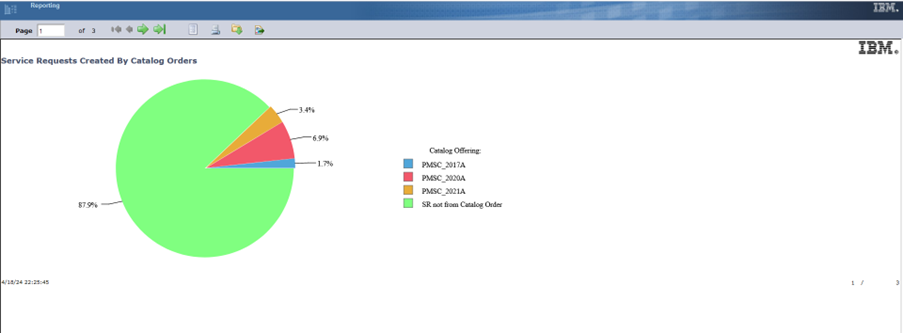
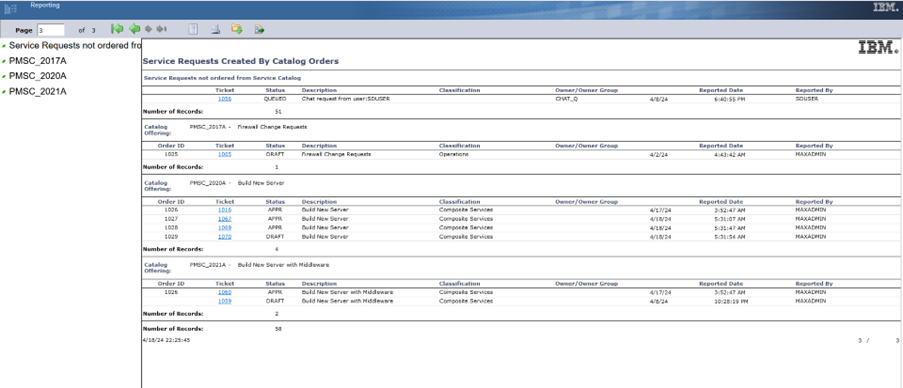
The result report will look like below:
[{"Type":"MASTER","Line of Business":{"code":"LOB59","label":"Sustainability Software"},"Business Unit":{"code":"BU059","label":"IBM Software w\/o TPS"},"Product":{"code":"SSQ914","label":"IBM Maximo IT"},"ARM Category":[{"code":"a8m3p000000F82dAAC","label":"Maximo Application Suite-\u003EMAS Applications-\u003EManage-\u003EAdd-ons"}],"Platform":[{"code":"PF025","label":"Platform Independent"}],"Version":"All Versions"}]
Was this topic helpful?
Document Information
Modified date:
25 April 2024
UID
ibm17149451