Release Notes
Abstract
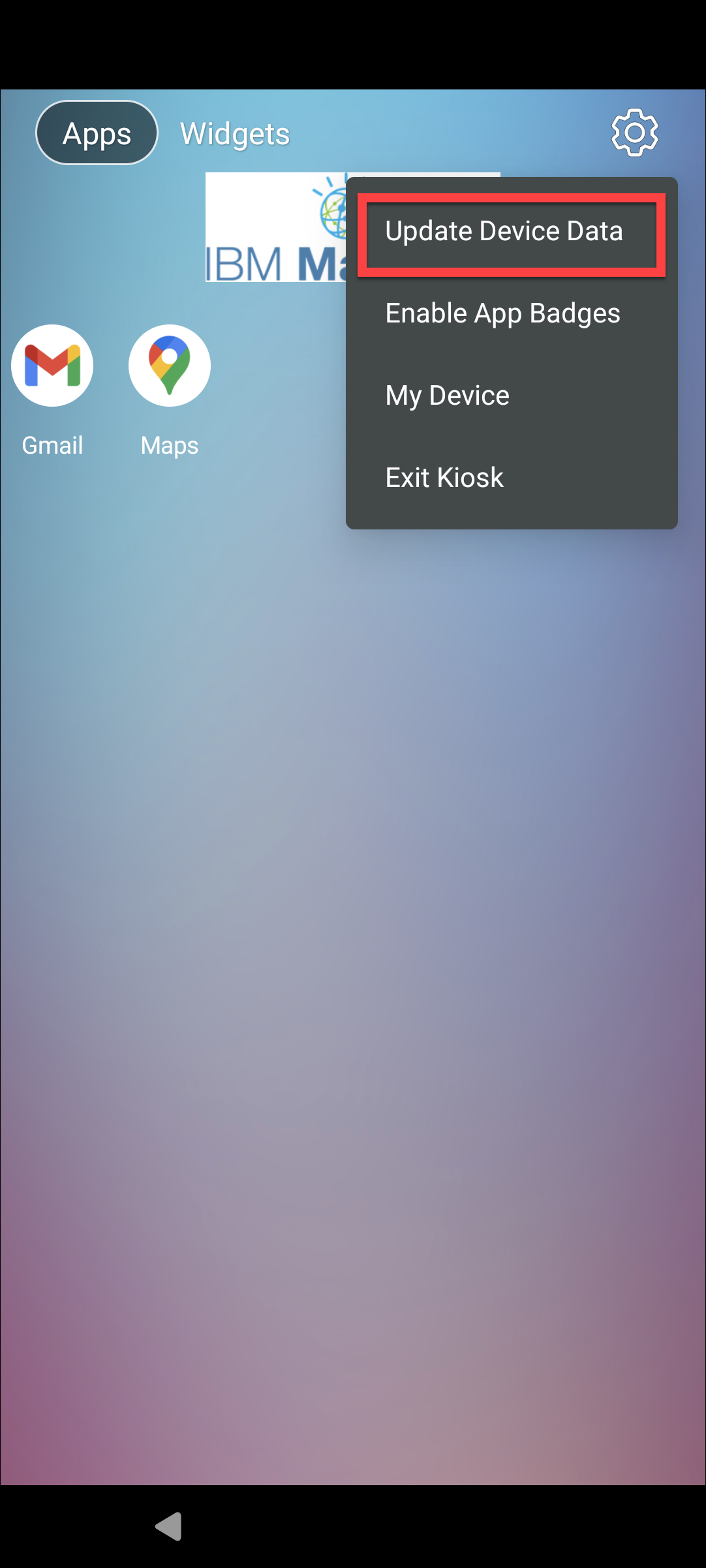
A new "Update Device Data" option is available in the Kiosk Launcher settings. This enables users to manually take control and trigger connecting from the Kiosk Launcher settings to update device data.
Content
Users are unable to get the automatic app updates and must wait until the client/server sync occurs successfully. These updates had to be done through the MaaS360 core app, which was not allowed in the Kiosk Launcher.
Previously, to update device data, the user must either exit the Kiosk app, allow the MaaS360 core app in the Kiosk, or request refresh data from the MaaS360 portal.
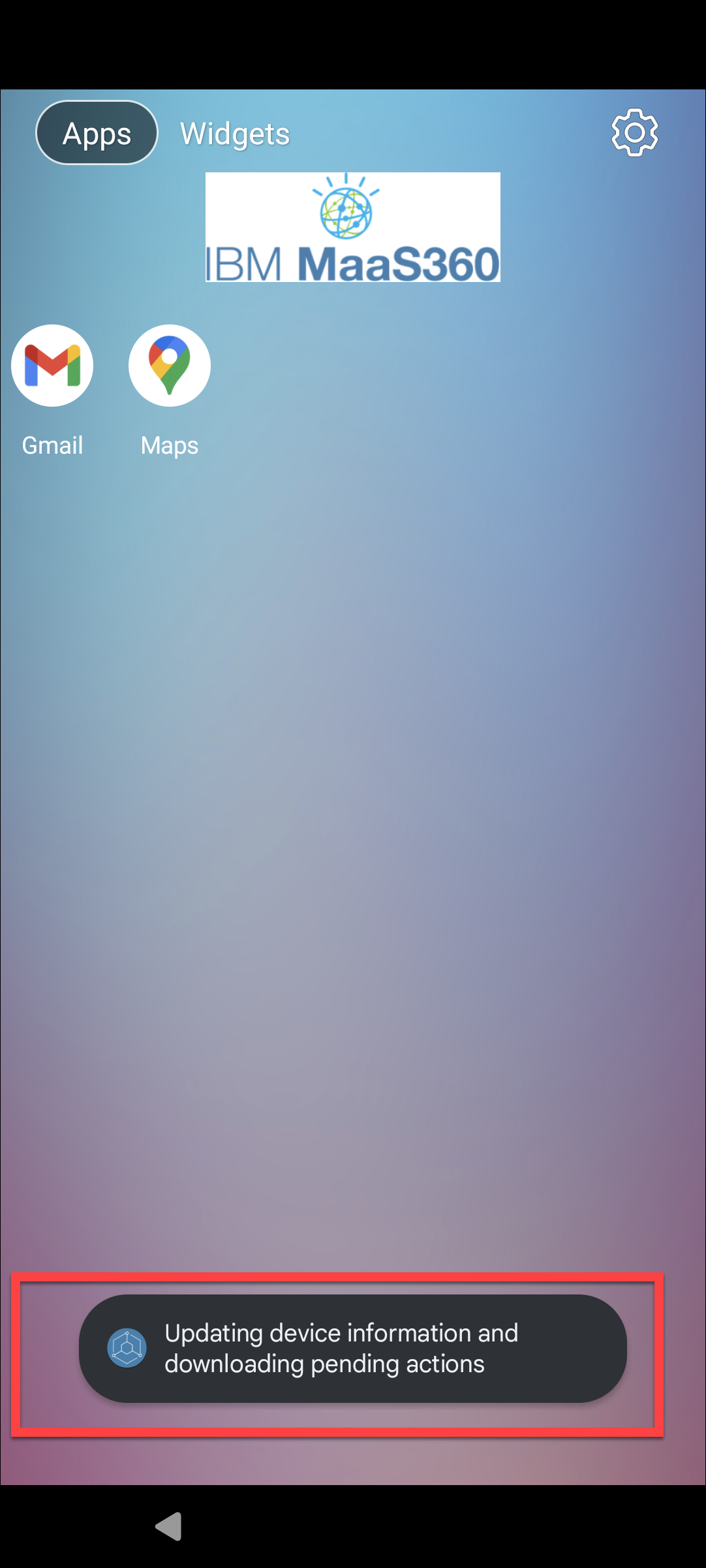
In this release, MaaS360 introduces a new Update Device Data option for updating device data without exiting Kiosk mode. It enables users to manually take control and trigger connecting from Kiosk Launcher settings to update device data.
The path to the new policy setting is Security > Policies > Android MDM policy > Android Enterprise Settings > COSU (Kiosk mode) > Kiosk Additional Settings.
Administrators can configure the showUpdateDeviceDataOptionInKiosk in the Kiosk Additional attributes field with its value true/false. When this policy is set to true, the Update Device Data option will be displayed in the Kiosk setting. By default, it is set to true. For more information, see Kiosk Additional Settings.

Users can click the Update Device Data option in the Kiosk settings to establish the connection and manually request device data updates from the Kiosk.
Was this topic helpful?
Document Information
Modified date:
14 March 2024
UID
ibm17137197