How To
Summary
This document explains the process to change the default admin name and password in the Instana Backend.
Steps
- You have to invite users in Instana backend UI>Settings>Users>Invite user, and the user has to confirm the invitation.
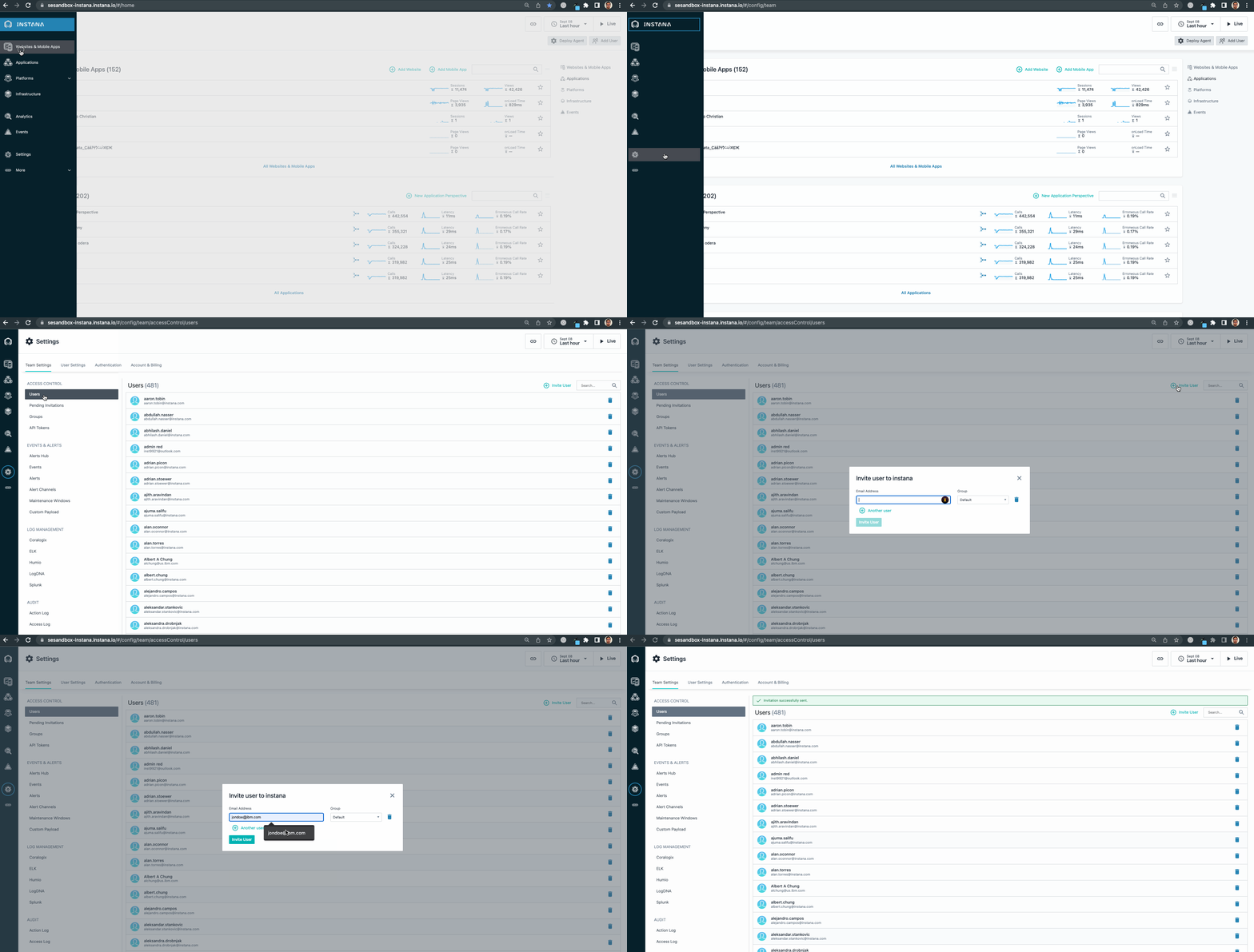
- When the user confirms the invitation, open the terminal and type the following:
instana configure admin -u new.user@company.com -p newpassword
This action doesn't rename the admin user (admin@instana.local), it only adds a new admin user new.user@company.com; At that particular moment, you have two users with 'admin' privileges.
But if you want to delete admin@instana.local, you can delete it from UI.
Document Location
Worldwide
[{"Type":"MASTER","Line of Business":{"code":"LOB45","label":"Automation"},"Business Unit":{"code":"BU059","label":"IBM Software w\/o TPS"},"Product":{"code":"SSE1JP5","label":"IBM Instana Observability"},"ARM Category":[{"code":"a8m3p000000UoUVAA0","label":"Backend On-Prem"}],"ARM Case Number":"","Platform":[{"code":"PF025","label":"Platform Independent"}],"Version":"All Versions"}]
Was this topic helpful?
Document Information
Modified date:
08 August 2023
UID
ibm17006747