Troubleshooting
Problem
You see an error dialog stating "Installer User Interface Not Supported" when you install the latest interim fix for IBM Case Manager on Windows.
Symptom
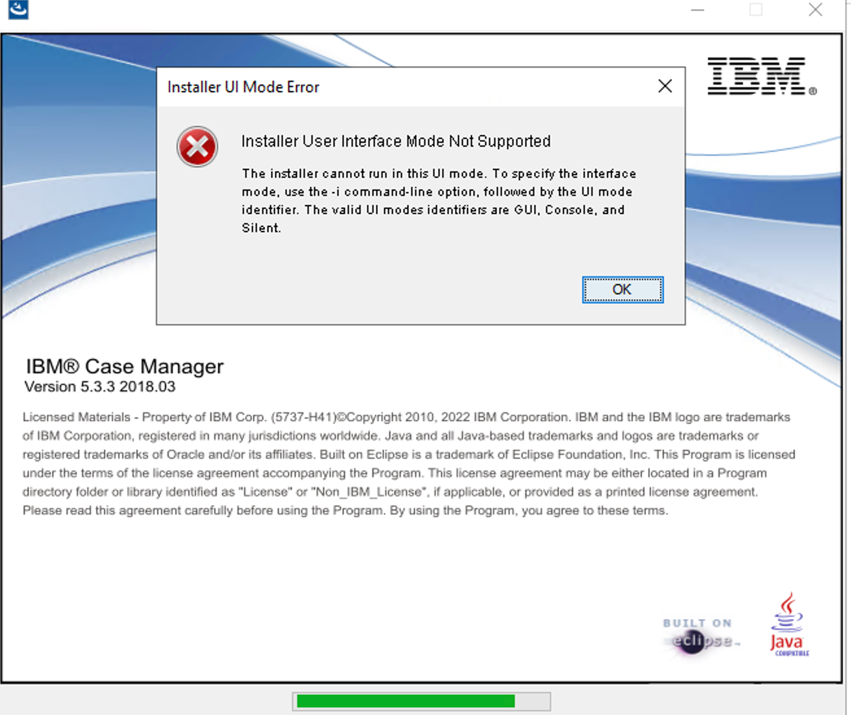
When the installer starts, you see a dialog with the header of 'Installer UI Mode Error'.
The message of the dialog states:
=====
Installer User Interface Mode Not Supported
The installer cannot run in this UI mode. To specify the interface mode, use the -i command line option, followed by the UI mode identifier. The valid UI modes identifiers are GUI, Console, and Silent.
=====
Document Location
Worldwide
[{"Type":"MASTER","Line of Business":{"code":"LOB76","label":"Data Platform"},"Business Unit":{"code":"BU048","label":"IBM Software"},"Product":{"code":"SSCTJ4","label":"IBM Case Manager"},"ARM Category":[{"code":"a8m0z000000cwFAAAY","label":"Case Management-\u003ECase Install\/Upgrade\/Setup"}],"ARM Case Number":"","Platform":[{"code":"PF033","label":"Windows"}],"Version":"5.3.3"}]
Log InLog in to view more of this document
This document has the abstract of a technical article that is available to authorized users once you have logged on. Please use Log in button above to access the full document. After log in, if you do not have the right authorization for this document, there will be instructions on what to do next.
Was this topic helpful?
Document Information
Modified date:
08 September 2022
UID
ibm16617565