Release Notes
Abstract
This firmware update (V7.1.0) provided by IBM updates QRadar® M6 appliances with updates for UEFI, XCC, RAID controllers, and HDD software fixes and enhancements. This firmware can be used on all QRadar M6 appliances, but requires that the administrator configures their XClarity Controller (XCC) for remote management.
Content
Important: Select a tab to read each step of the firmware procedure.
Part 1: About the M6 firmware V7.1.0 update
The M6 firmware v7.1.0 ISO is intended to remotely update software through the XClarity Controller (XCC) user interface. Administrators must extract the EXE file and apply the uxz file to update their XClarity Controller, then the ISO can be mounted to apply the remainder of the firmware updates. The installation instructions are provided on tab named 'Part 2. Installing Firmware Updates'. These instructions guide customers through a remote upgrade of their firmware. If you are local to your appliances or have issues with your XClarity configuration, you can use the USB installation instructions for on-prem updates. For more information, see: M6 7.1.0 USB on-prem updates.
Important: If your appliance is in a HA pair, there are configuration steps required to set the status properly for your primary and secondary high-availability appliances. For more information, see: http://www.ibm.com/support/docview.wss?uid=swg27047121#HA.
Supported appliances, types, and model information
This firmware update applies to the following IBM Security QRadar M6 (1U and 2U form factor) appliance types:
| Hardware | Details |
| Appliance and machine type model (MTM) | IBM QRadar Network Insights Appliance 1901 G2 (4563-F8Y) IBM QRadar Network Insights Appliance 1910 G2 (4563-F7Y) IBM QRadar Network Insights Appliance 1920 G2 (4563-F5F) IBM QRadar Core Appliance XX29 G2 (4563-Q4A) IBM QRadar Core Appliance XX48 G2 (4563-Q5B) IBM QRadar Core Appliance XX05 G4 (4563-Q3E) IBM QRadar Incident Forensics Appliance G4 (4563-F3A) IBM QRadar Event/QFlow Collector Appliance 1501/1201 G4 (4563-Q5D) IBM QRadar Network Packet Capture Appliance G2 (4563-F3C) |
| Server Type | M6 |
| Server Machine Type | SR630 / M6 1U SR650 / M6 2U |
Table 1: List of appliances the M6 appliance firmware V7.1.0 can update.
Important information and prerequisites in this firmware update
Administrators must ensure that their M6 appliance includes the minimum version outlined in the Prerequisite version column. If your M6 appliance does not meet the prerequisite versions outlined in the table, the administrator must contact IBM QRadar Support to discuss a custom upgrade path for your M6 appliance.
Update: Depending on your initial firmware version, you might be required to meet a new UEFI prerequisite. If your current firmware does not have UEFI 3.0.0 and XCC 5.40 installed, which is required to upgrade your appliance firmware to V7.1.0, you can install the M6 V5.0.0 firmware, then upgrade to V7.1.0.
| Component | Prerequisite version | Firmware version in this update | File name |
| UEFI/BIOS | UEFI ive172f-3.0.0 or later XCC cdi364m-5.40 or later Note: Installing M6 V5.0.0 or later meets both the UEFI and XCC requirements before you attempt to upgrade to M6 7.1.0 firmware. | ive178j-3.32 | lnvgy_fw_uefi_ive178j-3.32_anyos_32-64.uxz |
| XCC | None | cdo394p-8.42 | oem_fw_xcc_cdo394p-8.42_anyos_noarch.uxz |
| LXPM | None | pdl140e-2.07 | lnvgy_fw_lxpm_pdl140e-2.07_anyos_noarch.uxz |
| RAID controller | None | 530-51.20.0-4374-0 930-51.20.0-4374-0 | lnvgy_fw_raid_mr3.5.530-51.20.0-4374-0_linux_x86-64.bin lnvgy_fw_raid_mr3.5.930-51.20.0-4374-0_linux_x86-64.bin |
| HDD | None | 1.39.11-0 | lnvgy_fw_drives_all-1.39.11-0_linux_x86-64.bin |
| PCi and LOM adapters | None | 8.60-5.60-1.3141.0 | intc-lnvgy_fw_nic_net-8.60-5.60-1.3141.0-all-8_linux_x86-64.bin |
| Emulex | None | 14.0.376.10-4 | elx-lnvgy_fw_fc_lp.31-14.0.376.10-4_linux_x86-64.bin |
Table 2: Firmware versions and any prerequisite for each component are provided in this table.
- A number of hard disk drives can be installed in this appliance. The HDD update tool examines the hard disk drives that are present and selects the latest firmware version that is available for your drive.
- The base system pack might contain other firmware packages that are not present in QRadar appliances. Firmware updates from the base system pack can be listed when the tool compares available firmware to the hardware in the appliance and display a status of "undetected".
- For general firmware questions and information, see our FAQ page at http://ibm.biz/qradarfirmware.
Security issues resolved in this firmware update
The table lists the software versions and CVEs addressed in the firmware release.
| Component | File name | Updates |
| UEFI/BIOS | lnvgy_fw_uefi_ive178j-3.32_anyos_32-64.uxz | Resolved CVEs CVE-2022-21166, CVE-2021-0159, CVE-2021-33123, CVE-2021-33124, CVE-2021-0189, CVE-2022-21131, CVE-2022-21136 Enhancements
Fixes
|
| XCC | oem_fw_xcc_cdo394p-8.42_anyos_noarch.uxz | Resolved CVEs CVE-2015-3414, CVE-2015-3415, CVE-2015-3416, CVE-2016-6153, CVE-2017-3735, CVE-2017-3736, CVE-2017-3737, CVE-2017-3738, CVE-2017-5130, CVE-2017-6451, CVE-2017-6452, CVE-2017-6455, CVE-2017-6458, CVE-2017-6459, CVE-2017-6460, CVE-2017-6462, CVE-2017-6463, CVE-2017-6464, CVE-2017-7407, CVE-2017-8816, CVE-2017-8817, CVE-2017-10989, CVE-2017-12799, CVE-2017-12967, CVE-2017-13710, CVE-2017-14129, CVE-2017-14130, CVE-2017-14333, CVE-2017-14529, CVE-2017-14930, CVE-2017-14932, CVE-2017-14933, CVE-2017-14934, CVE-2017-14938, CVE-2017-14939, CVE-2017-14940, CVE-2017-14974, CVE-2017-15020, CVE-2017-15021, CVE-2017-15022, CVE-2017-15023, CVE-2017-15024, CVE-2017-15025, CVE-2017-15225, CVE-2017-15938, CVE-2017-15939, CVE-2017-15996, CVE-2017-16544, CVE-2017-16931, CVE-2017-16932, CVE-2017-17484, CVE-2017-1000100, CVE-2017-1000101, CVE-2017-1000254, CVE-2017-1000257, CVE-2017-1000494, CVE-2018-6872, CVE-2018-1000005, CVE-2018-1000007, CVE-2018-1000120, CVE-2018-1000121, CVE-2018-1000122 |
| LXPM | lnvgy_fw_lxpm_pdl140e-2.07_anyos_noarch.uxz | None |
| RAID controller | lnvgy_fw_raid_mr3.5.530-51.20.0-4374-0_linux_x86-64.bin lnvgy_fw_raid_mr3.5.930-51.20.0-4374-0_linux_x86-64.bin | None |
| HDD | lnvgy_fw_drives_all-1.39.11-0_linux_x86-64.bin | None |
| PCi and LOM adapters | intc-lnvgy_fw_nic_net-8.60-5.60-1.3141.0-all-8_linux_x86-64.bin | None |
| Emulex | elx-lnvgy_fw_fc_lp.31-14.0.376.10-4_linux_x86-64.bin | None |
Table 3: Security issues resolved in the M6 firmware update 7.1.0.
A. Before you begin
- This installation method uses the hardware's integrated XCC interface to remotely update firmware.
- If your appliances are in a HA pair, you must prepare your high-availability appliances by using the instructions found here: http://www.ibm.com/support/docview.wss?uid=swg27047121#HA .
- A number of hard disk drives can be installed in this appliance. The HDD update tool examines the hard disk drives that are present and selects the most current firmware level that is available.
B. Downloading and extracting the firmware update
- Download the QRadar M6 appliance firmware from IBM Fix Central.
Note: Administrators can select either download link as the firmware download is identical for all QRadar versions.- For QRadar 7.4.x: IBM Fix Central M6 firmware 7.1.0 EXE download
- For QRadar 7.5.x: IBM Fix Central M6 firmware 7.1.0 EXE download
- Copy the M6 appliance firmware EXE to a directory on the Windows host.
- Double-click the file Qradar_EXE_M6_1U_SR630_7X02_2U_SR650_7X06_7_1_0.exe.
- Select or type a directory path for the firmware update and click Extract.

- The following files are extracted:

C. Updating the XCC firmware
- Log in to the XClarity interface on your QRadar M6 appliance.
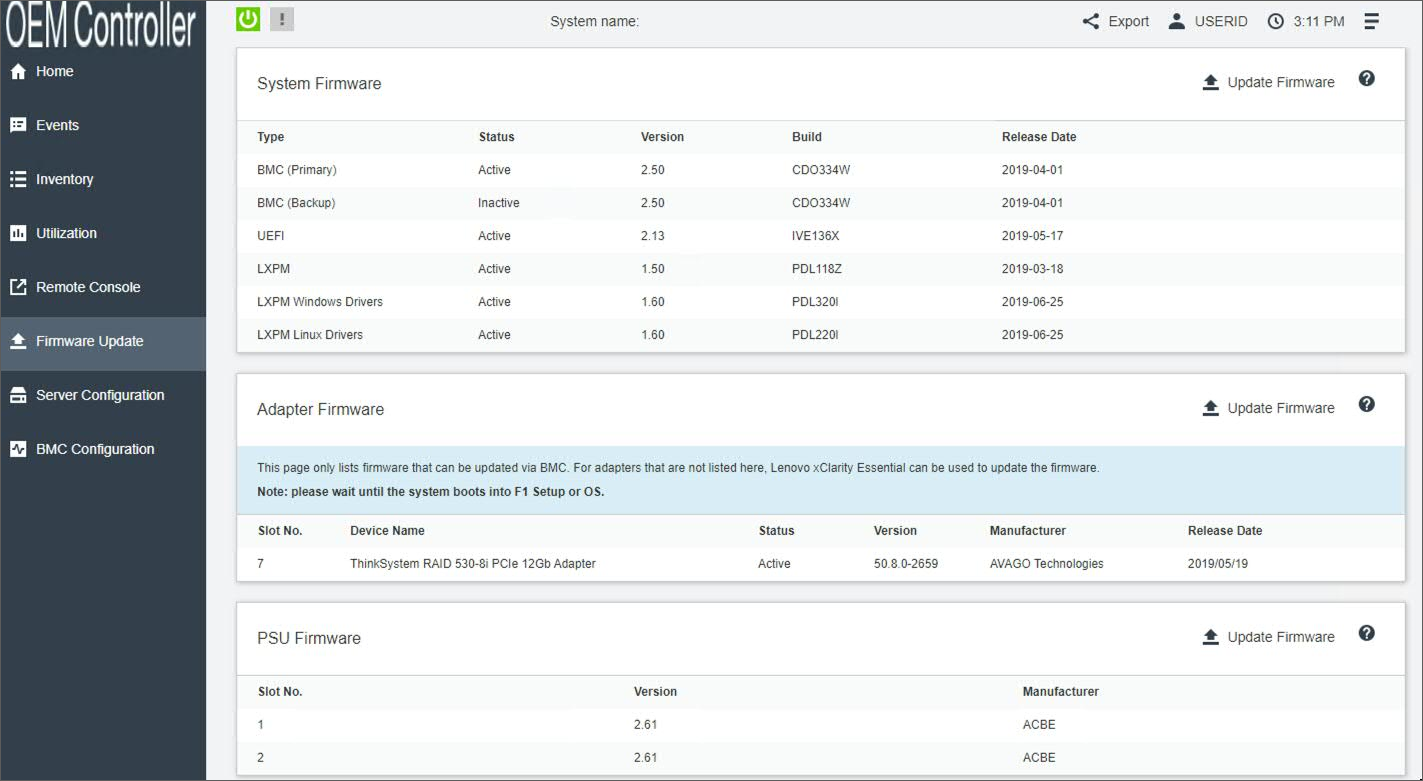
- From the navigation sidebar, click Firmware Update.
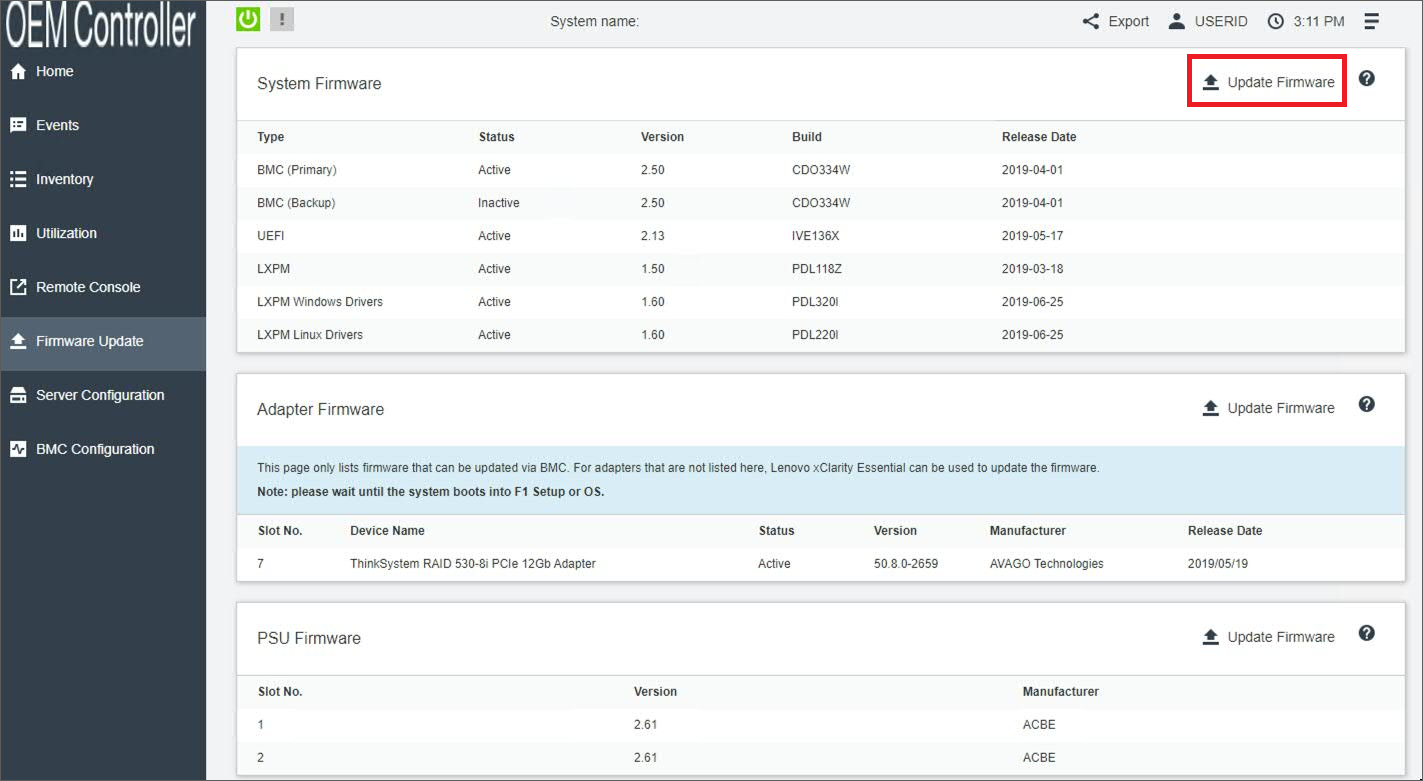
- Click Update Firmware.
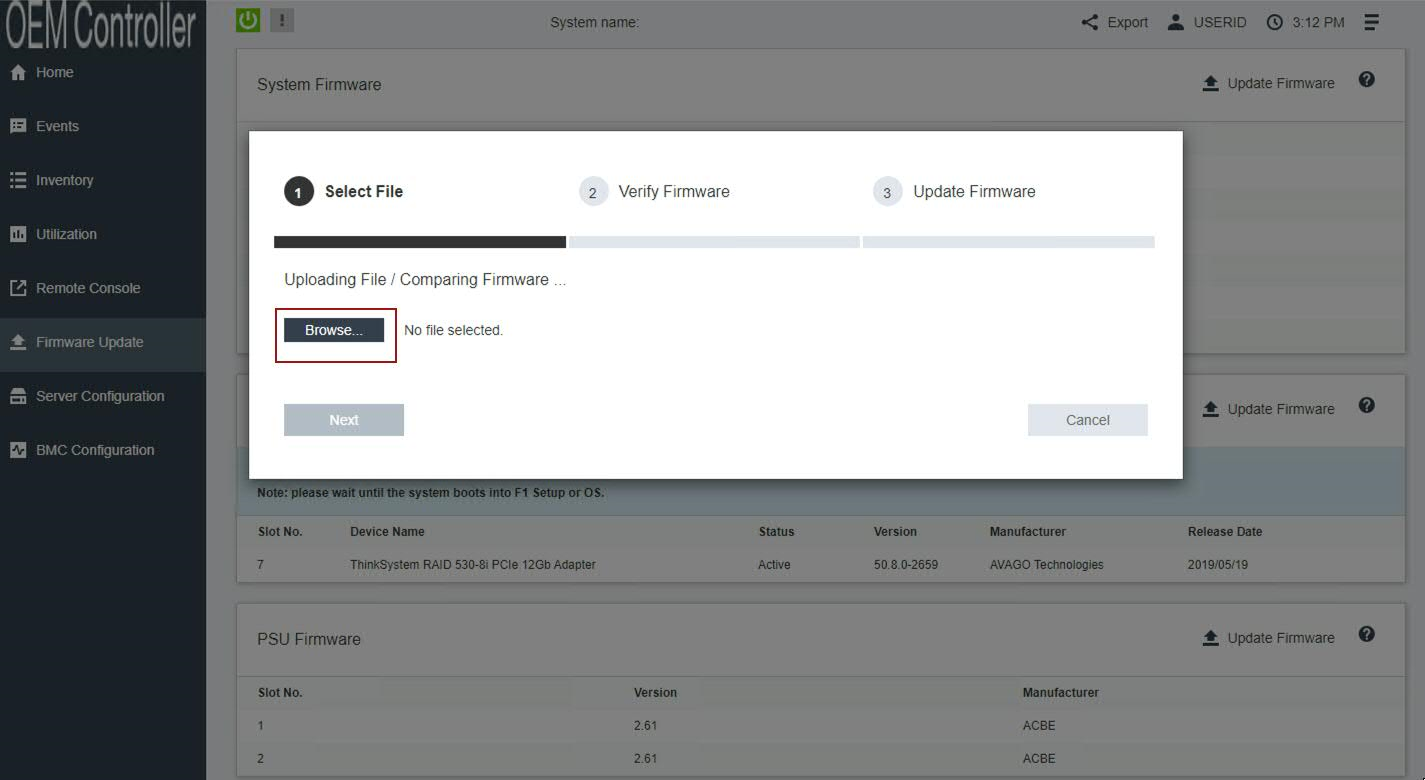
- Click Select File and choose the XClarity (XCC) firmware update oem_fw_xcc_cdo394p-8.42_anyos_noarch.uxz.
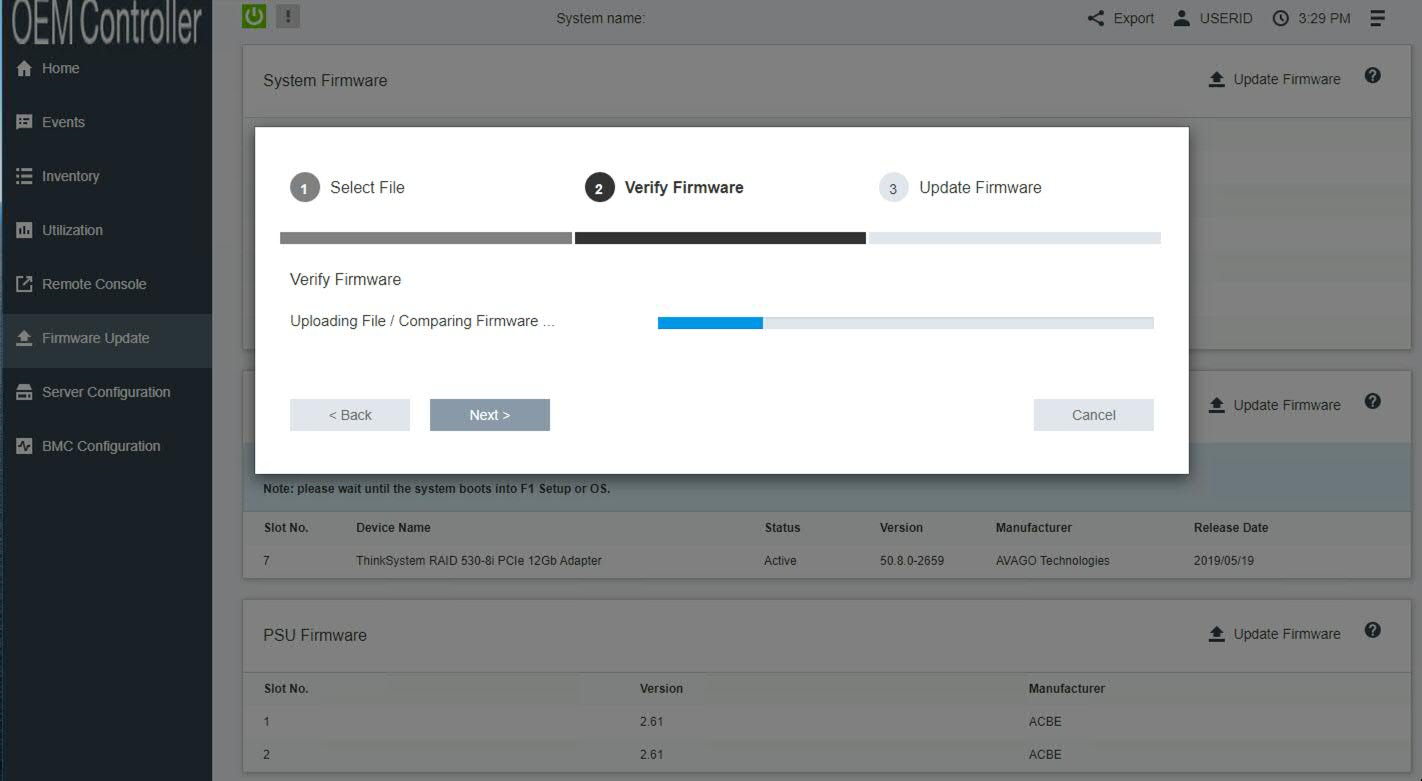
- Click Next to upload and verify the XCC firmware file.
- Select the BMC (Primary) check box and click Next.
Important: The backup firmware bank is automatically updated. Administrators must ensure the BMC (Backup) check box is cleared (not selected). Administrators who select both check boxes must reinstall their firmware to ensure the primary bank updates properly.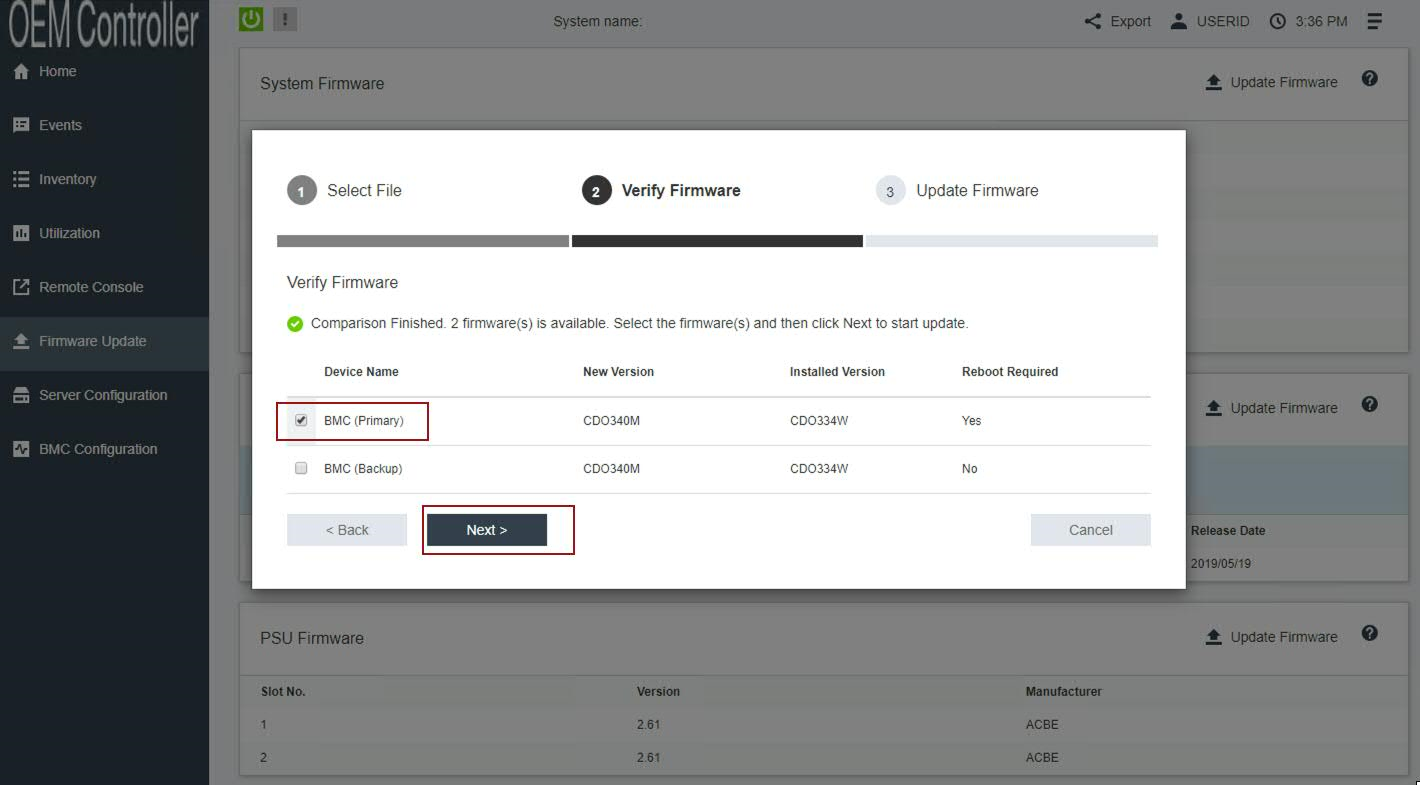
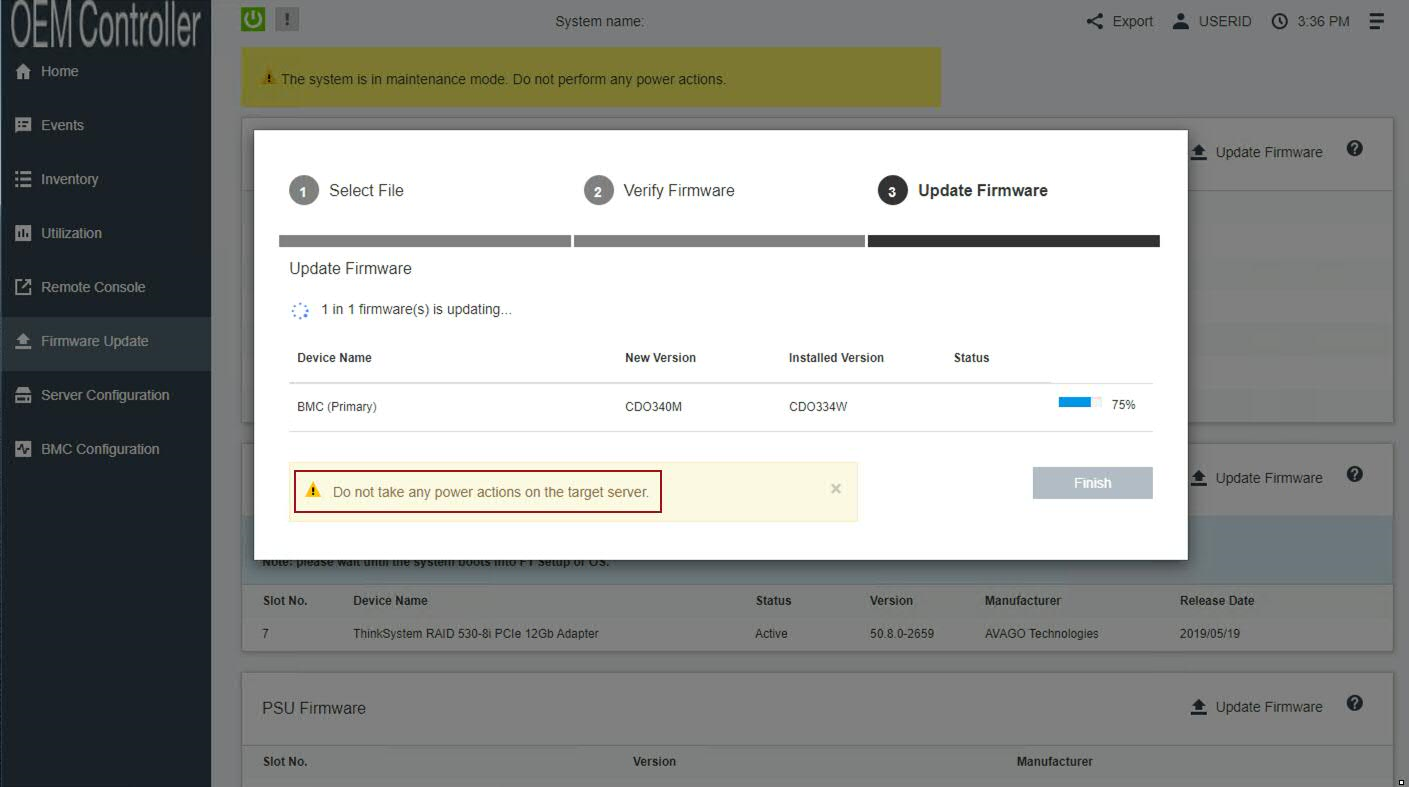
- Wait for the update the primary firmware banks to complete.
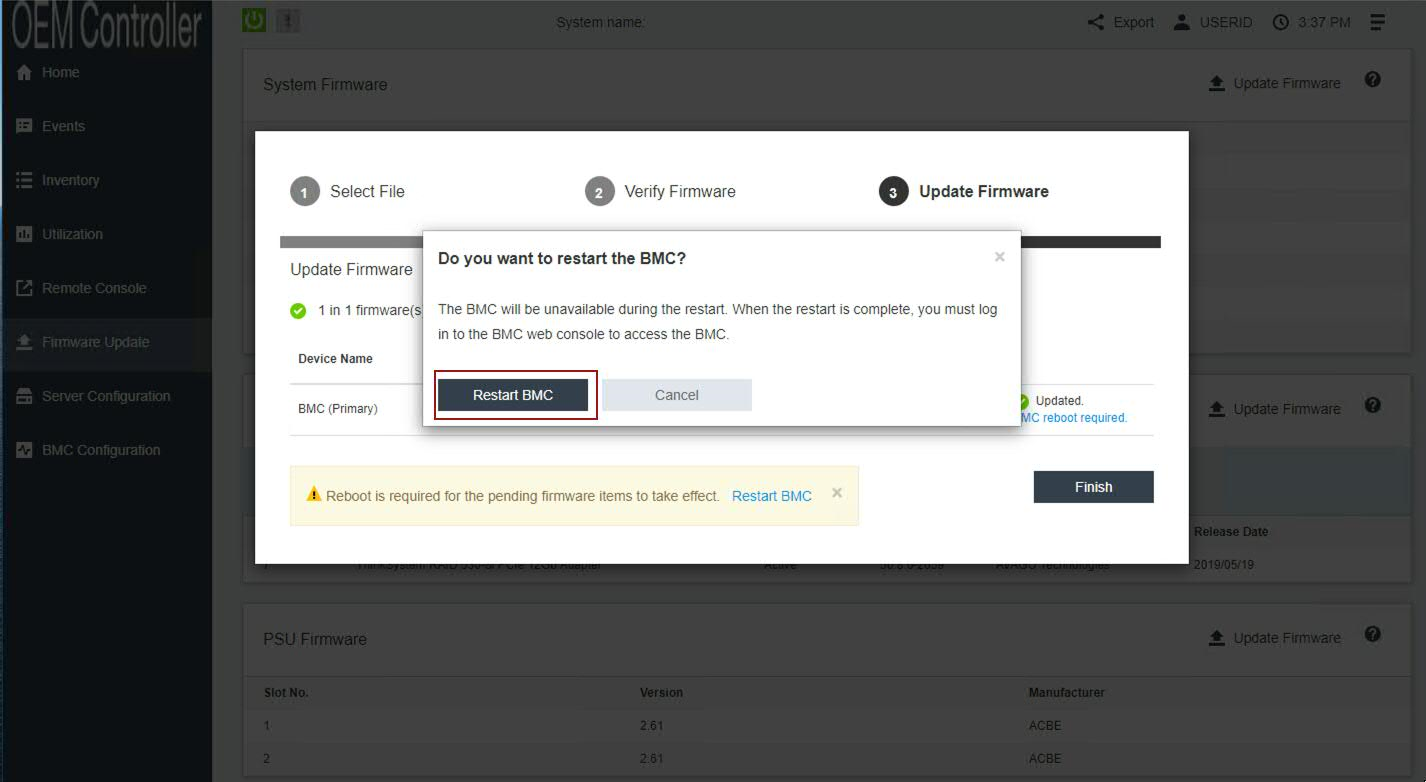
- Click Restart BMC and clear your browser cache.
Results
Wait for 5 minutes for the XCC interface to restart and log in. Continue to the next section to mount the firmware ISO and configure the boot options.
D. Mounting the M6 Firmware ISO
- From the OEM Controller menu, click Remote Console.
- Click Remote Console Preview.
IMPORTANT: Confirm the following parameters:
2a. Launch the session in Single User Mode.
2b. Clear the Allow others to request my remote session disconnect check box.
2c. Click Launch Remote Console to connect to the appliance.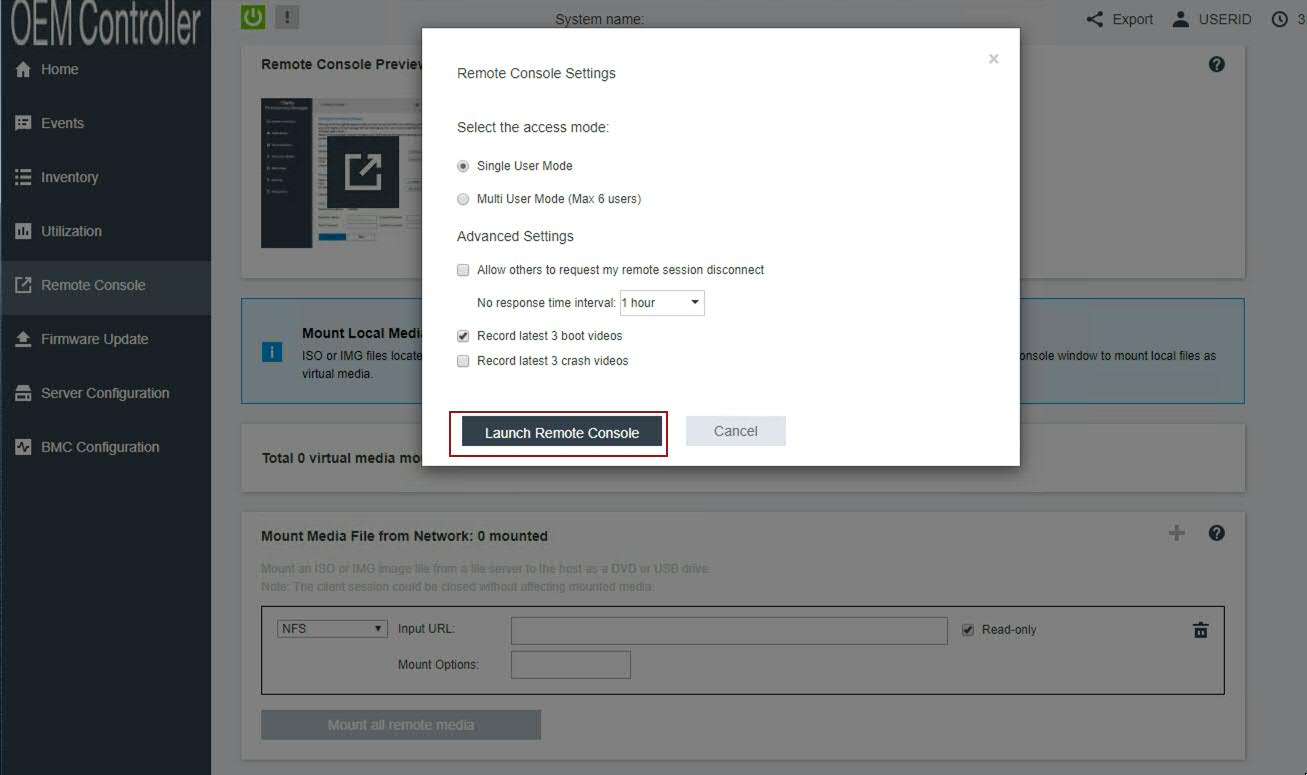
- To open the file mount options, click Media.
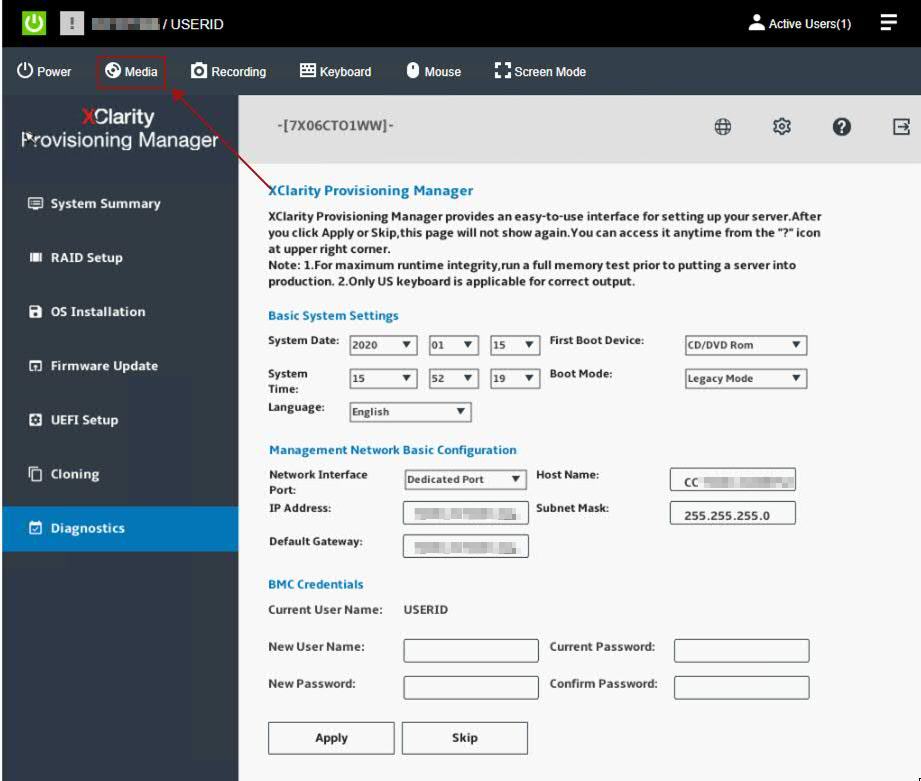
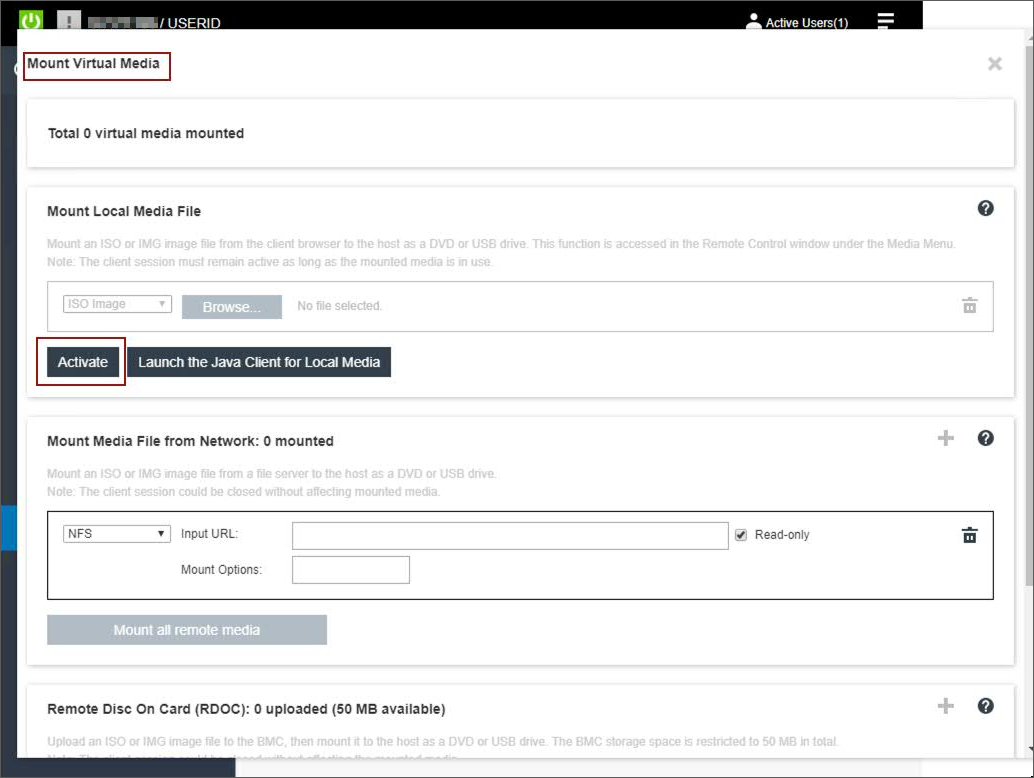
- Click Mount Local Media, and click Activate.
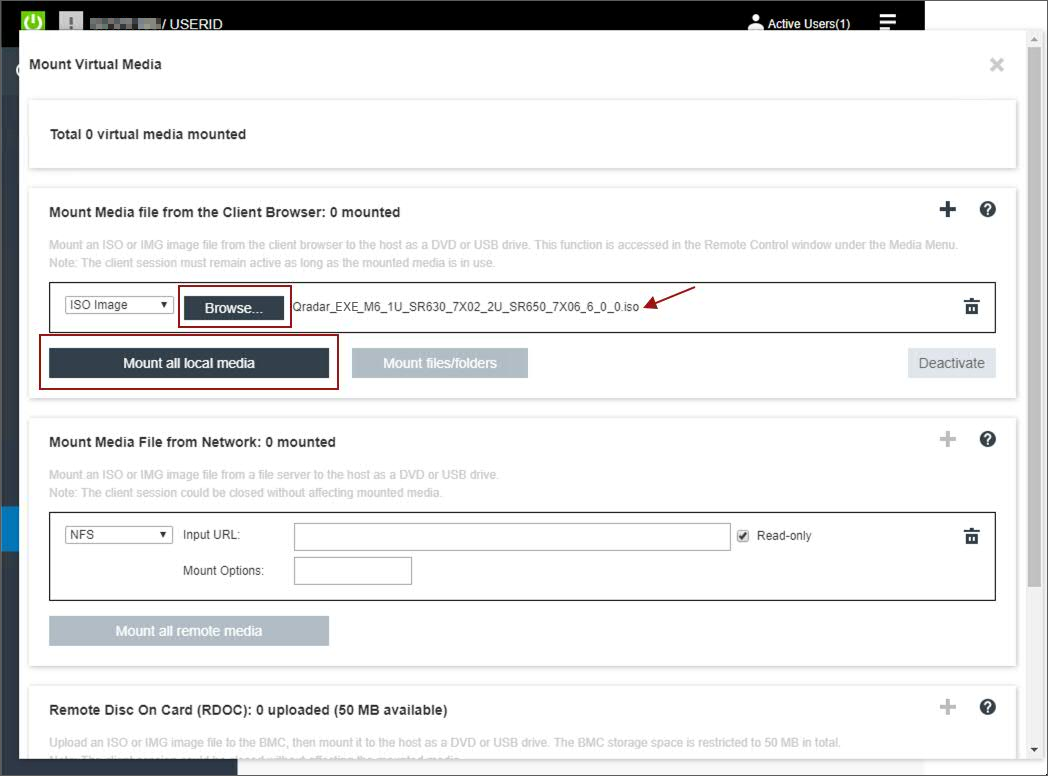
- Click Browse and select Qradar_ISO_M6_1U_SR630_7X02_2U_SR650_7X06_7_0_0.iso.
- Click Mount all local media. If successful, a checkmark appears next to the uploaded ISO file.
- Select Power > Boot Server to System Startup.
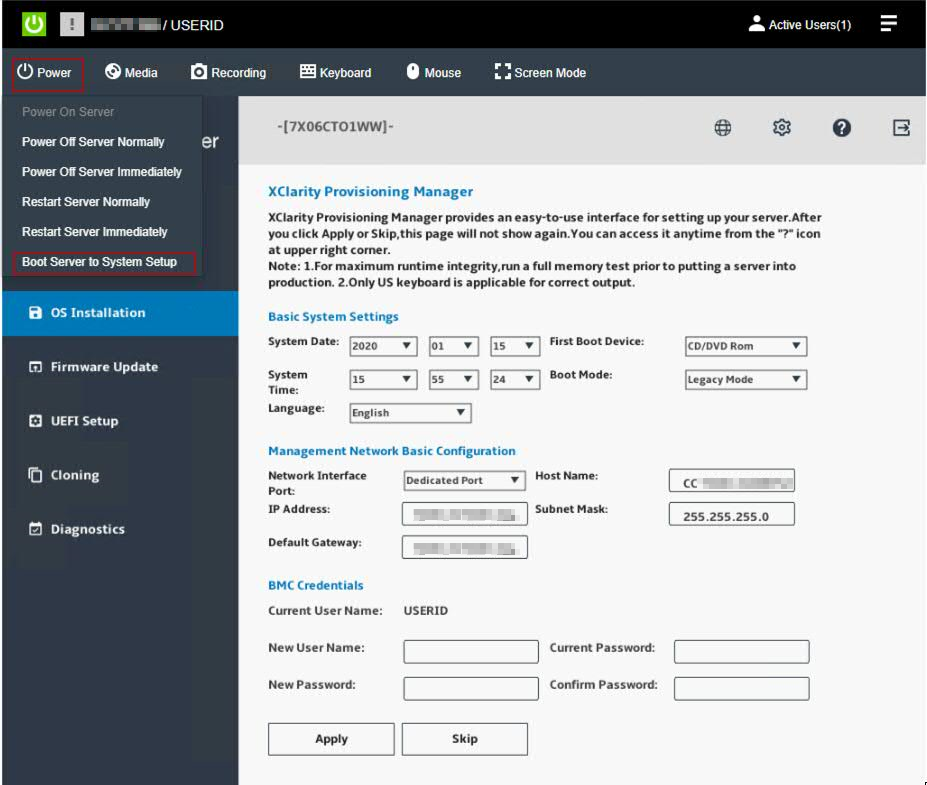
- Wait for the setup menu to display.
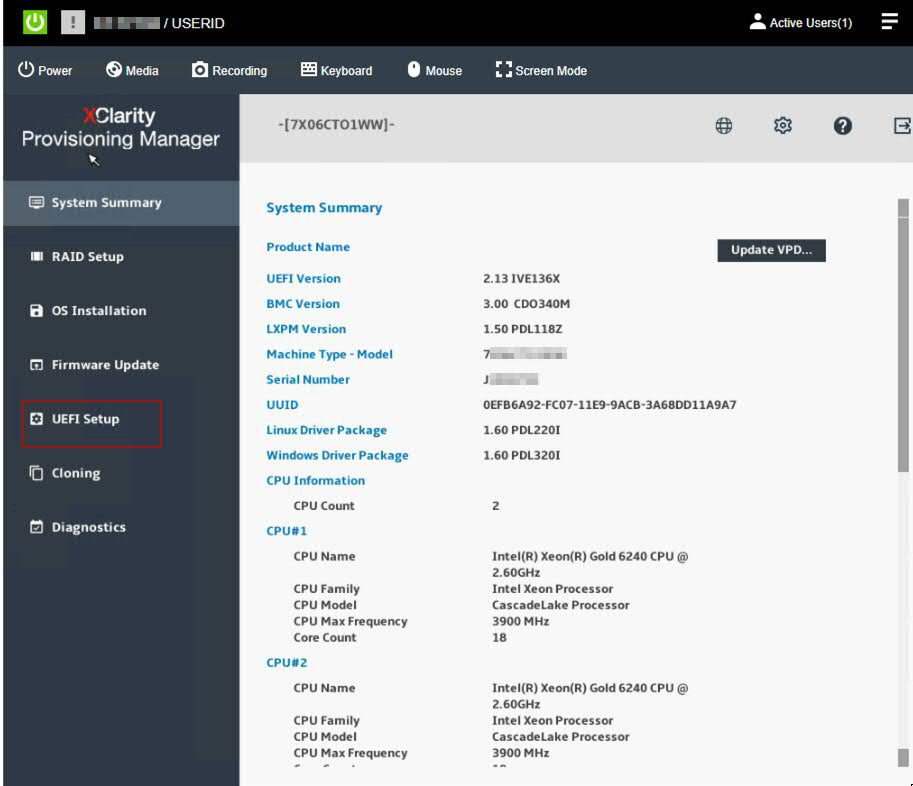
- From the navigation menu, click UEFI Setup.
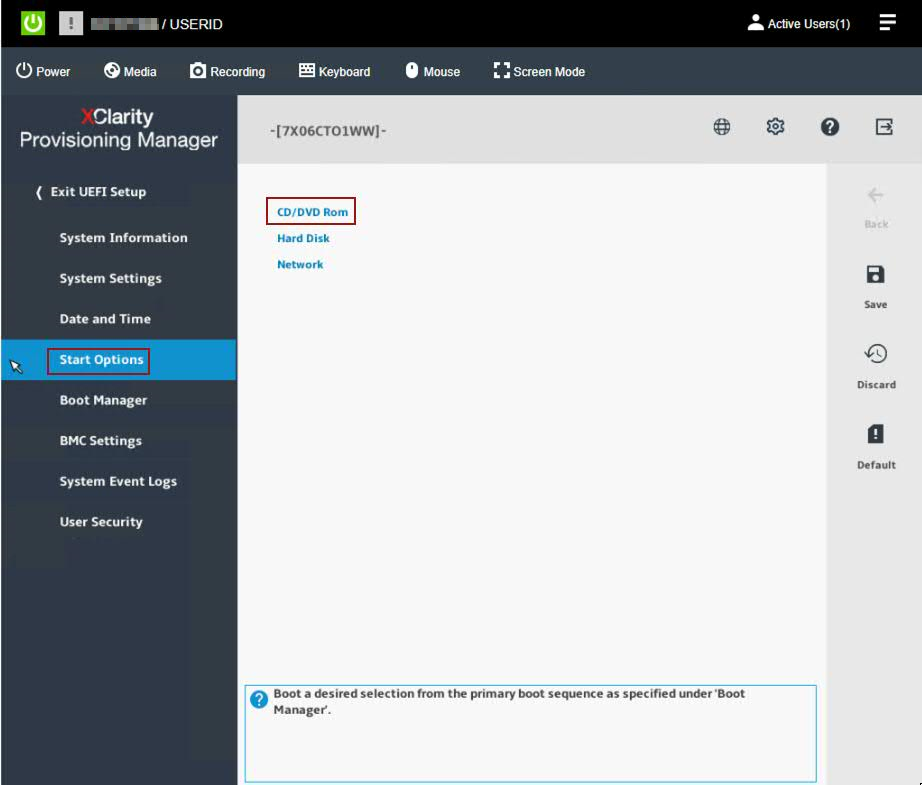
- Click Start Options, then CD/DVD Rom.
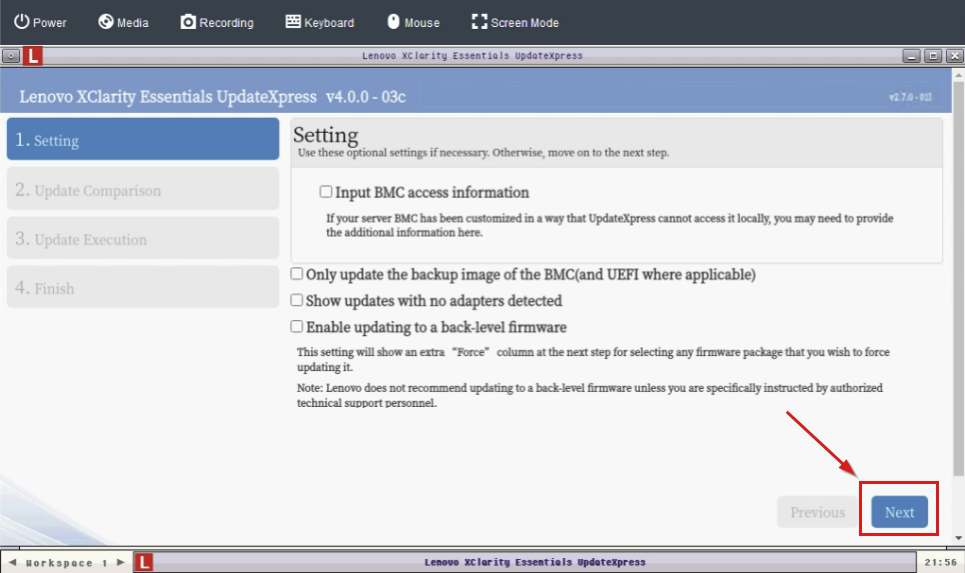
- In the Update Settings menu, verify all check boxes are clear (not selected) and click Next.
- From the Update Comparison menu, click Begin.
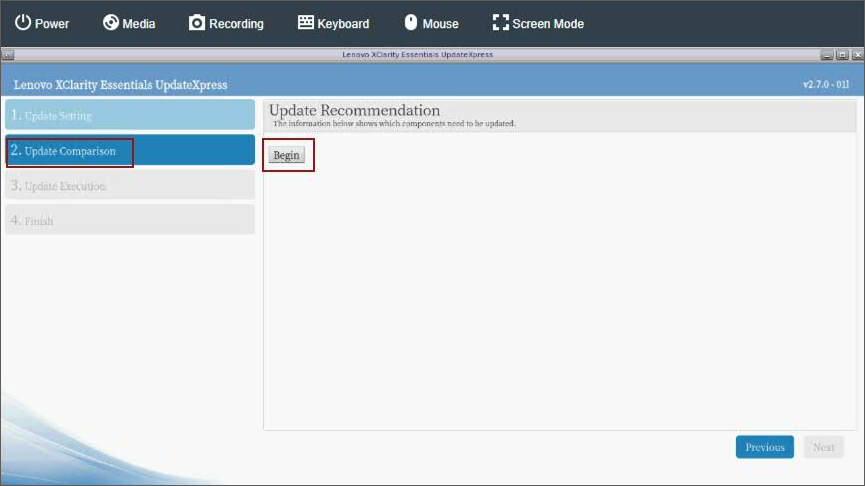
- The IBM UpdateXpress System Pack Installer compares the current package with the installed firmware.
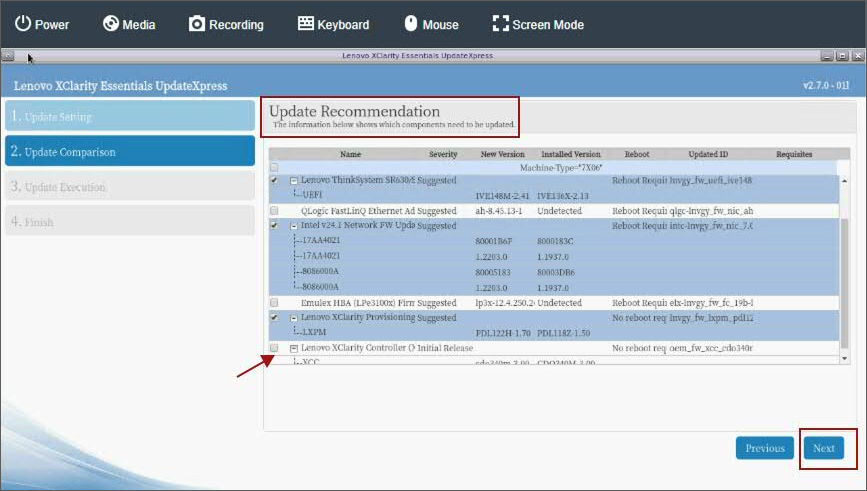
- Review the list of updates.
Important: In the next step, administrators must confirm that all recommended updates are CHECKED, except for Lenovo/XClarify Controller XCC as this firmware was updated manually by the administrator in previous steps. - Verify the check box for Lenovo/XClarity Controller (XCC) is clear (not selected) and click Next.
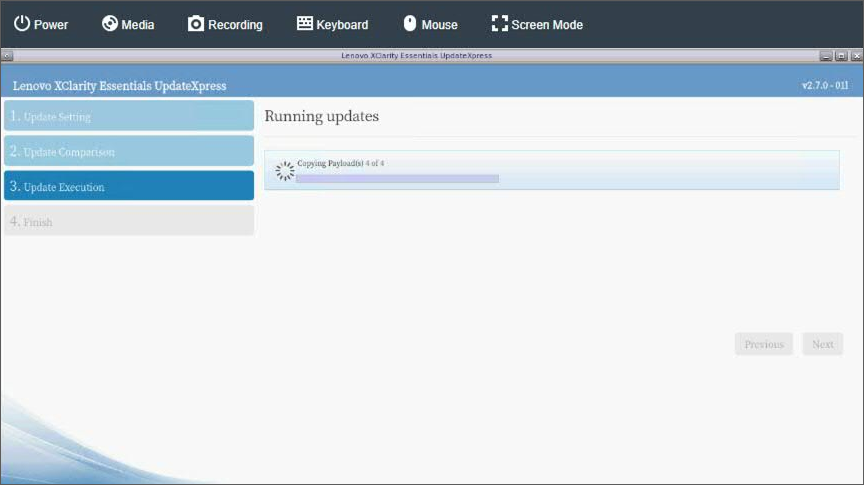
- Wait for the firmware updates to load.
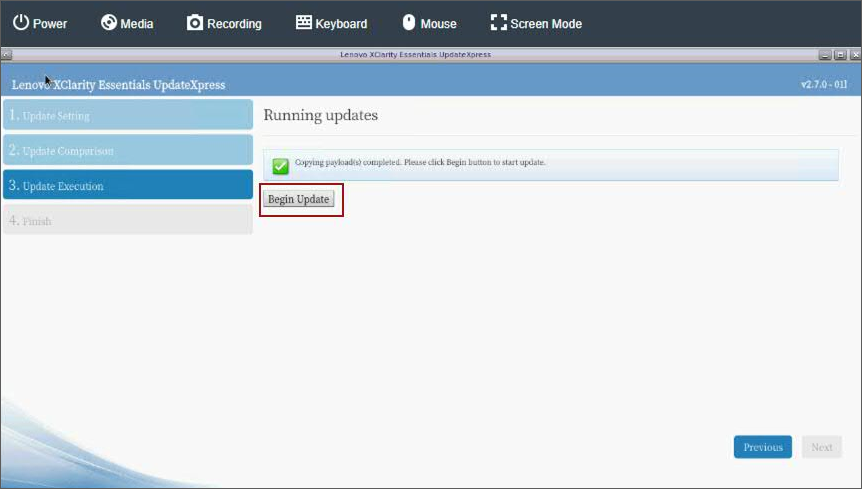
- Click Begin Update to install the firmware.
NOTE: Administrators might be prompted with a confirmation dialogue and need to click Yes to continue.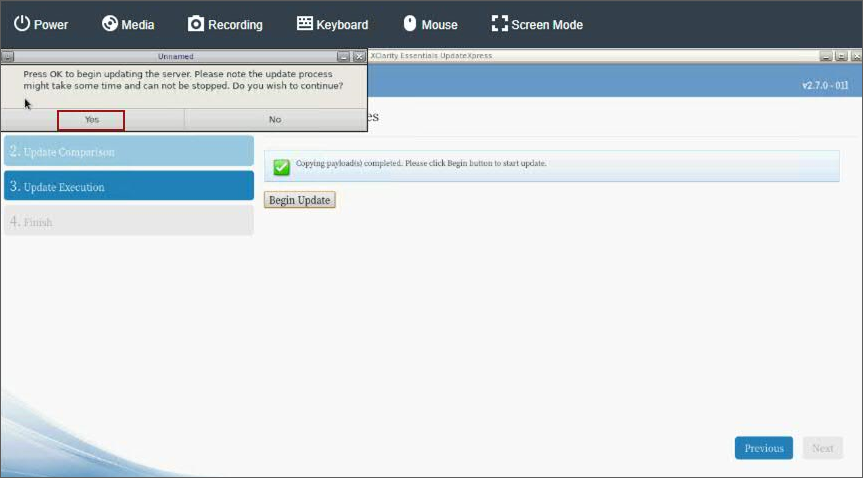
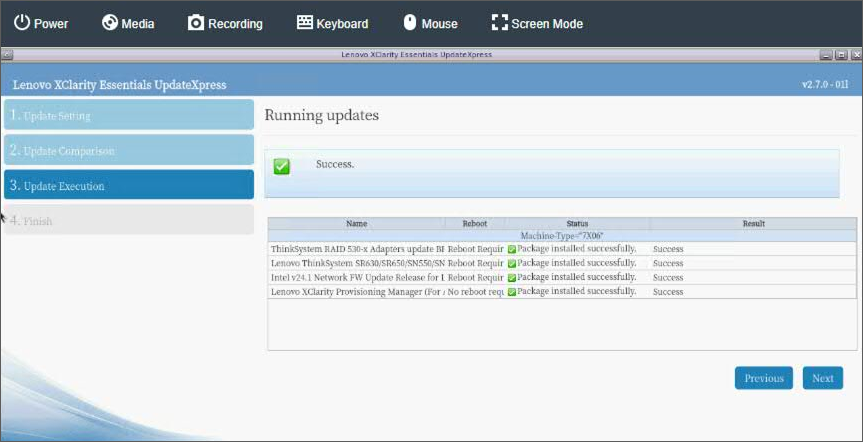
- Verify that all updates complete successfully and click Next.
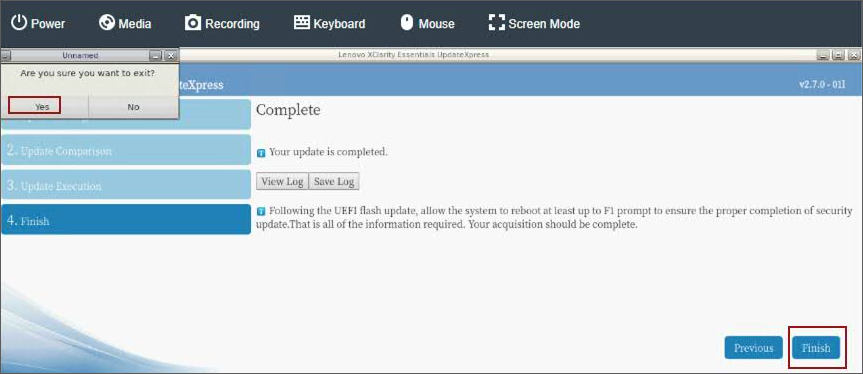
- Click Finish to exit.
- The appliance must reboot to complete the firmware installation.
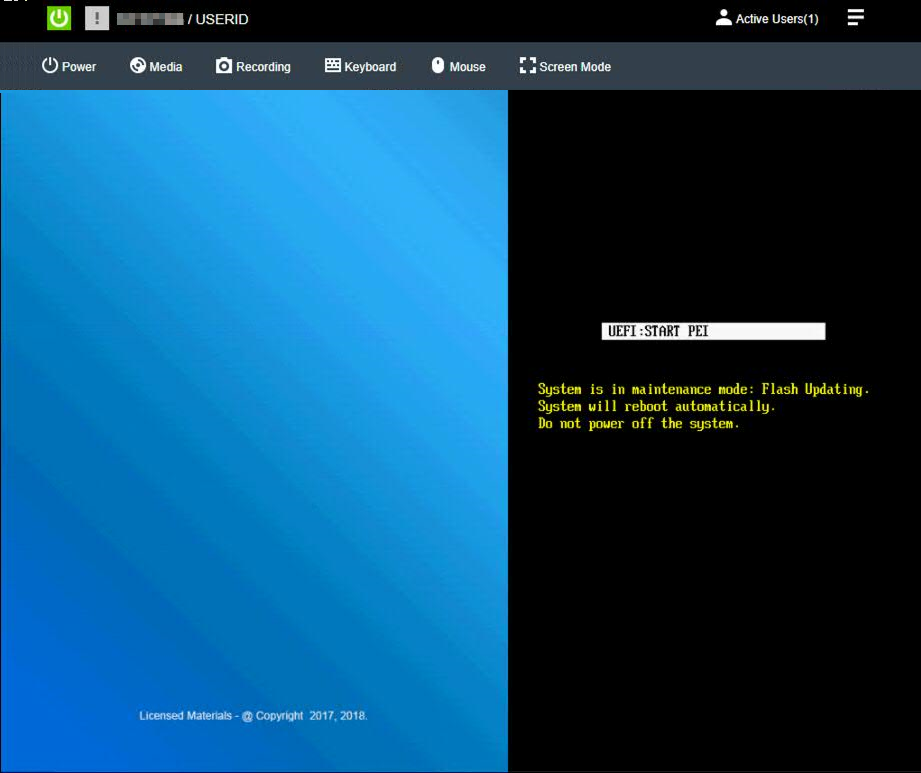
- Log in to the XClarity interface and connect to the appliance with the Remote Console.
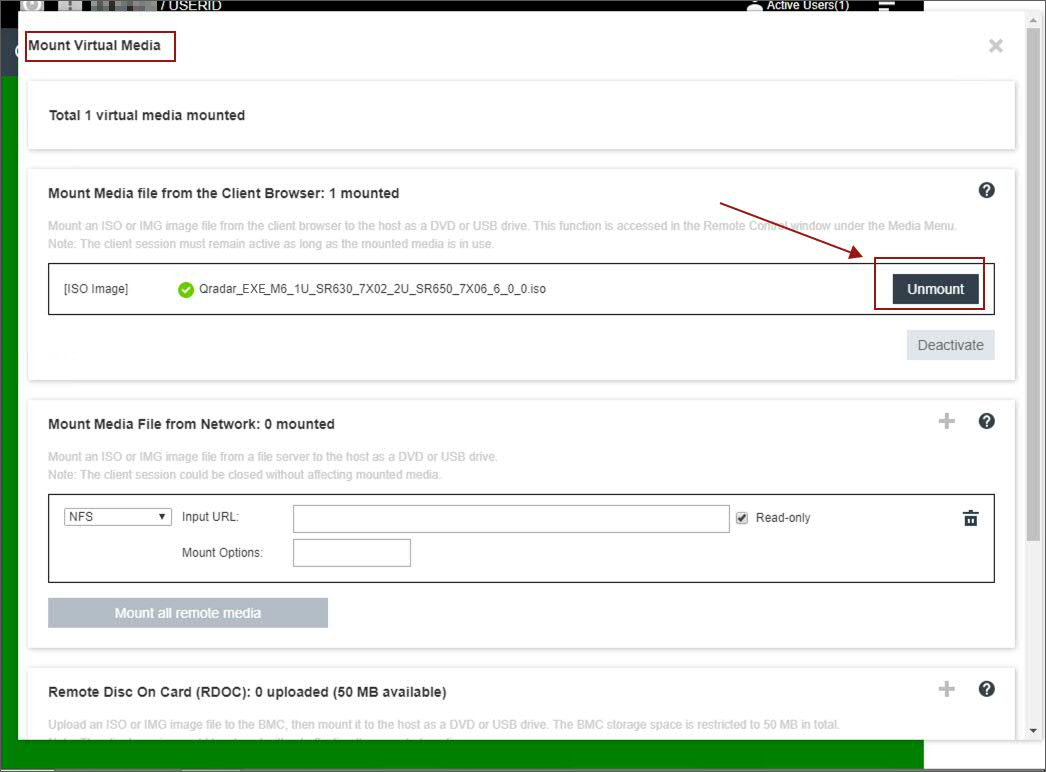
- Click Diagnostic > Media and unmount the ISO file.
Results
After the ISO file is unmounted, the administrator can log out and complete this procedure on other QRadar appliances. If you experience any installation issues, you can contact QRadar Support for assistance and open a software support case for your appliance. The support representative can request the firmware logs for review to determine the root cause of the issue or if replacement hardware is required. If the issue is hardware-related, the support representative can change the case type and involve the proper teams to schedule replacement parts.
Was this topic helpful?
Document Information
Modified date:
31 March 2023
UID
ibm16616915