Troubleshooting
Problem
An issue is reported in QRadar 7.4.3 versions where the locale set in the User Preference can cause errors in the QRadar API, Dashboard, or Log Source Management app. This error is caused by the pg_collate table in the database where the locale does not have a utf8 encoding. When the problem occurs, the Log Source Management app does not display log source information and the log_sources API endpoint can return 500 errors.
Symptom
There are several symptoms administrators can review to identify this issue:
- When you attempt to start the Log Source Management app, the following message is displayed in the user interface. "An unexpected API error has occurred"
- Administrators who attempt to update or get information from the log_source endpoint in the QRadar API can receive error code 500 responses.
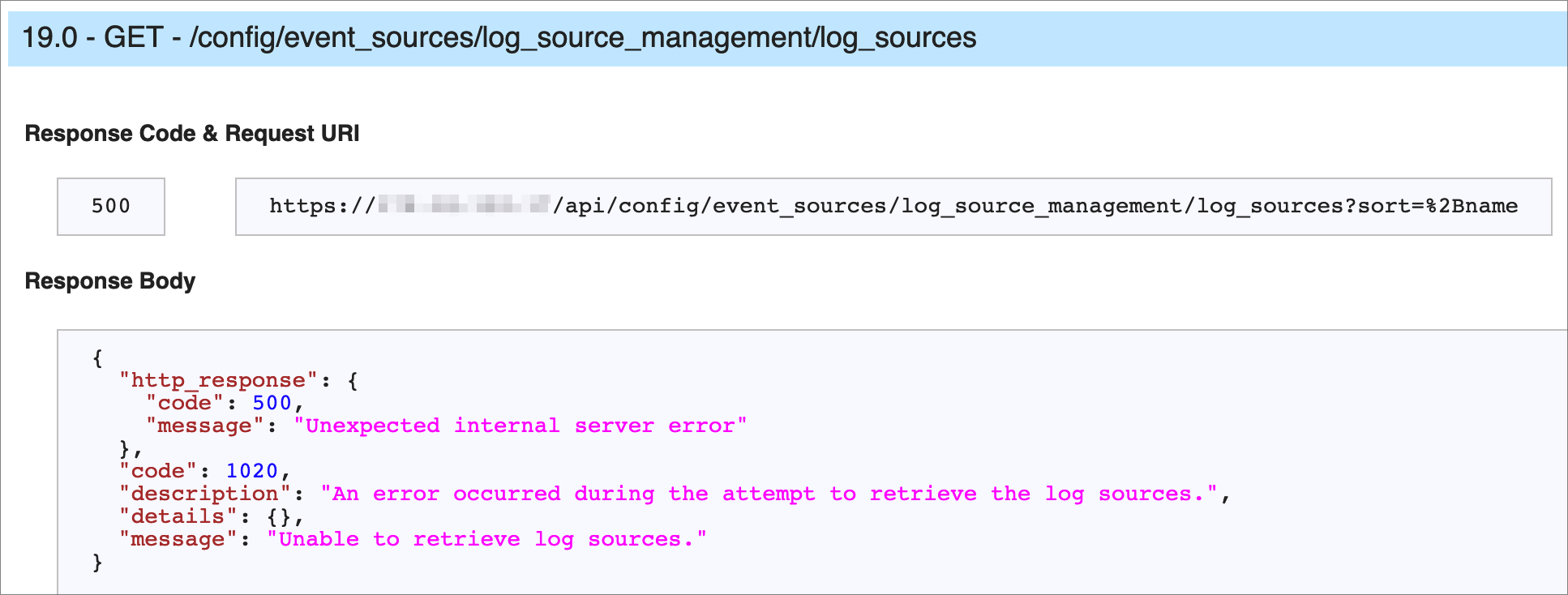
- If you review /var/log//var/log/qradar-sql.log, the following error might be displayed:
hostname postgres[26685]: [182-1] ERROR:
collation "pl" for encoding "UTF8" does not exist at character 11
hostname postgres[26685]: [182-2] STATEMENT: SELECT '' COLLATE "pl"
[{"Type":"MASTER","Line of Business":{"code":"LOB77","label":"Automation Platform"},"Business Unit":{"code":"BU048","label":"IBM Software"},"Product":{"code":"SSBQAC","label":"IBM Security QRadar SIEM"},"ARM Category":[{"code":"a8m0z000000cwt3AAA","label":"QRadar Apps"}],"ARM Case Number":"TS009666721","Platform":[{"code":"PF016","label":"Linux"}],"Version":"7.4.3;7.5.0"}]
Log InLog in to view more of this document
This document has the abstract of a technical article that is available to authorized users once you have logged on. Please use Log in button above to access the full document. After log in, if you do not have the right authorization for this document, there will be instructions on what to do next.
Was this topic helpful?
Document Information
Modified date:
22 May 2025
UID
ibm16596983