How To
Summary
What is the IBM Ideas portal and how do I submit feature requests for Cloud Pak for Security?
Objective
Quick Links
Steps
1. About ideas and feature requests
The IBM Security Ideas Portal is a place where you can collaborate with development teams users to feature requests. Requests for Enhancements are suggestions for features and capabilities not already offered in the Cloud Pak for Security product family. These include new application features and suggestions for products associated to Cloud Pak for Security. As the owner of the request, you can share your idea with your team or have them vote up your request. As a member of the Ideas portal, you are entitled to search the submissions, look for features already submitted and vote on them to increase their visibility.
Links to Ideas by product:
- Cloud Pak for Security: Platform & connectors
- Cloud Pak for Security: QRadar
- Data Explorer
- Data Risk Manager
- Threat Investigator
2. How long does it take for an idea to receive a response
The request submitter is automatically notified by email when the request is submitted. IBM provides an update within 30 days of submission. A decision on the idea or request for more information is provided within 90 days.
3. What is a valid idea topic
A valid idea or request for enhancement would be features such as a new connector for data collection, user-interface enhancements, or functionality not currently featured in Cloud Pak for Security. The criteria for acceptance is based on whether the idea aligns with CP4S future roadmap direction, the impact of accepting this request to the business, customer, and software deliverables. Requests deemed as defects are not accepted as ideas or features.
4. How to submit an idea
If you have an idea of a feature or enhancement for a CP4S product, you can submit an idea for review.
- Navigate to the IBM Security Ideas Portal.
- Sign in with your IBMid.
Note: An authentication code might be provided to the email associated with your IBMid. - Click Add a new idea.

- Type the name of your product in the workspace field.
- Type your idea.
Note: If your idea matches an existing feature request, it is displayed to you so you can vote on an existing feature.

- Provide details to describe your feature request and include any business justification.
- Enter your company name in the Company field.
- Select the Idea Priority.
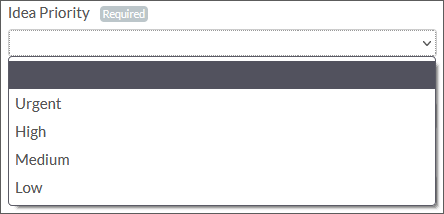
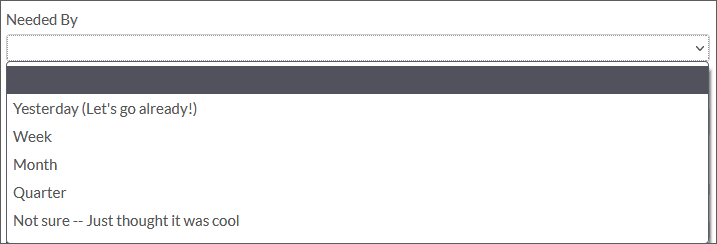
- Optional. Select a value for the Needed By field.
- Optional. Provide a Contact ID. If IBM needs to request information from a user who is not the originator of the idea.
- Optional. Type a Support case ID. If your idea is based on a discussion with a support representative, include the case number, such as TN0000xxxxx.
- Click Share Idea.
Results
The idea is submitted for a review. If you experience issues with the IBM Security Ideas Portal, contact the Ideas team for assistance.
5. How to search for feature requests
To search for requests by other submitters.
- Sign in to the IBM Security Ideas Portal.
- Search for users submissions based on keywords.
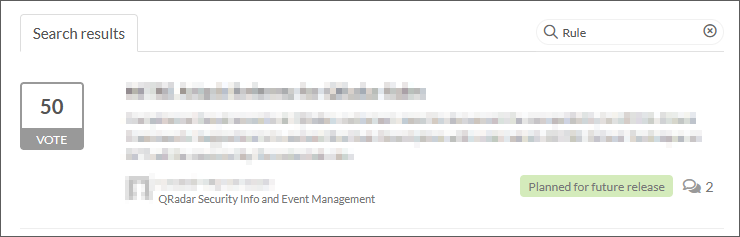
- Optional. Add further filtering by status or product.
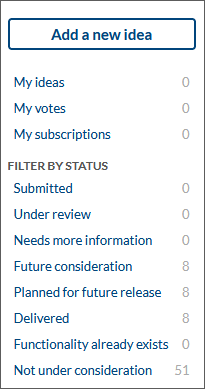
- Click the feature request to view the full details.
Results
The feature request is displayed. If comments are available, they are displayed in the detailed view. If you
6. How to vote on an idea
Voting is an important part of the feature request process. IBM Security teams review all enhancement requests and the more users who vote on an issue typically adds priority to the stories and features in the development team queue.
- Sign in to the IBM Security Ideas Portal.
- Search for users submissions based on keywords.
- Click the Vote button.
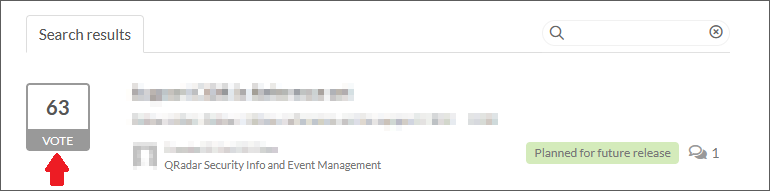
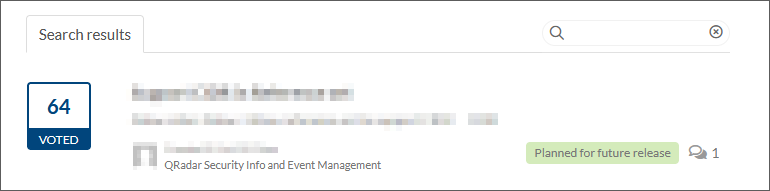
- The vote button updates to indicate you voted for the feature.
Results
You voted on an issue. If you clicked the Vote button on accident, you can click the Vote button again to remove a vote on a feature request.
Document Location
Worldwide
Was this topic helpful?
Document Information
Modified date:
01 March 2024
UID
ibm16579105