Troubleshooting
Problem
Bulk Edit from File shows Warning "Invalid or Read Only Columns will be ignored"
Example:

Resolving The Problem
It is not possible to update Read-only columns.
The Warning has a color indicating which one is the Read-Only Column.
Check the properties of the column in the Item Grid and confirm the column is read only. Remove the values from the file for Bulk Edit.
Example:
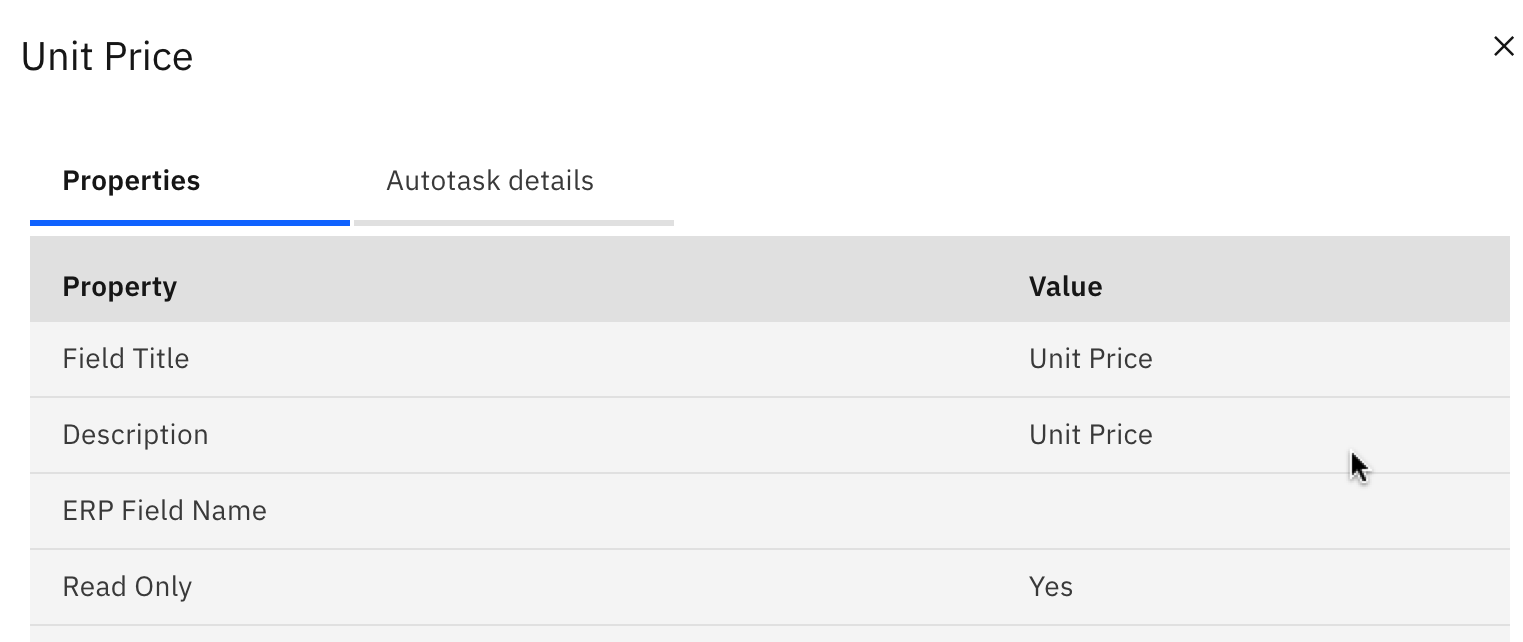
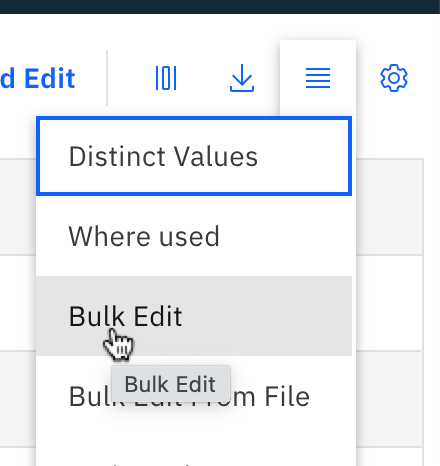
Can also check that the column is available to select for update in the Bulk Edit menu. Only those columns that can be updated show available to select and update.
Example:
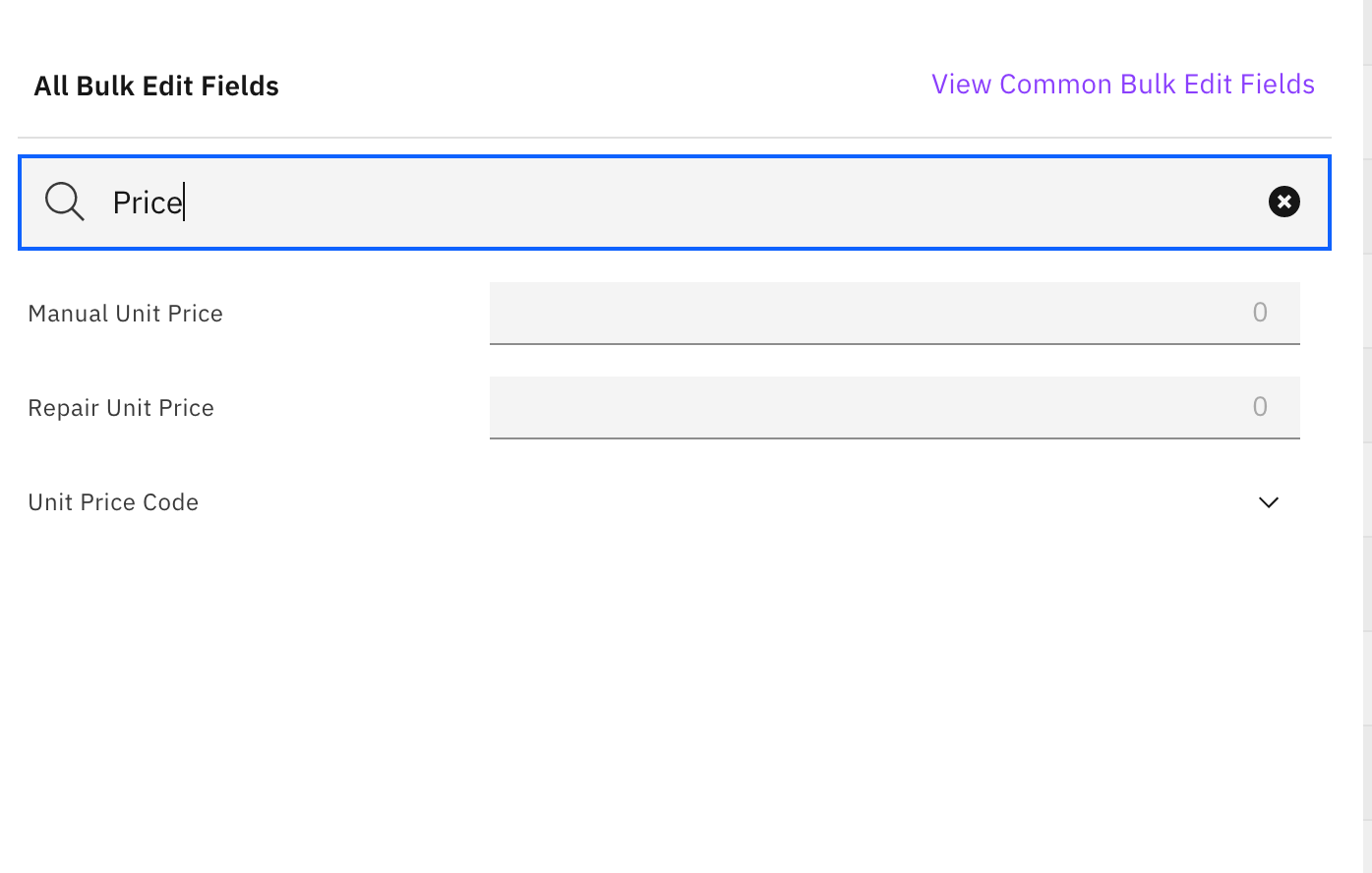
The warning shows Unit Price.
In the Bulk Edit from File menu, search for Unit Price, this column does not show as it is Read Only
Document Location
Worldwide
[{"Type":"MASTER","Line of Business":{"code":"LOB59","label":"Sustainability Software"},"Business Unit":{"code":"BU059","label":"IBM Software w\/o TPS"},"Product":{"code":"SS3KH6","label":"IBM Maximo MRO Inventory Optimization"},"ARM Category":[{"code":"a8m0z000000GnpdAAC","label":"Troubleshooting"}],"ARM Case Number":"","Platform":[{"code":"PF025","label":"Platform Independent"}],"Version":"All Versions"}]
Was this topic helpful?
Document Information
Modified date:
10 August 2023
UID
ibm16479645