Troubleshooting
Problem
You changed the attribute class in the charting scheme to change the chart behavior of Analyst's Notebook Premium, and then deployed the new schema. However, after the new schema is deployed, it does not change the chart behavior in Analyst's Notebook Premium.
We will illustrated this problem by using an example. The attribute is called "Party_Name", and the feature is "Show on Chart".
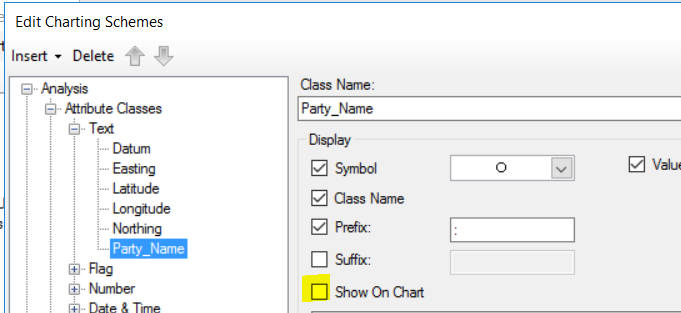
In the i2 Schema Designer software, we unchecked the "show on chart" feature for an attribute class called "Party_Name". But in i2 Analyst's Notebook Premium, a record on the chart still displays the content of Party_Name:
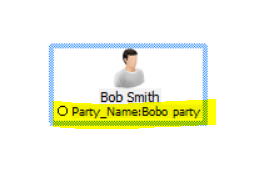
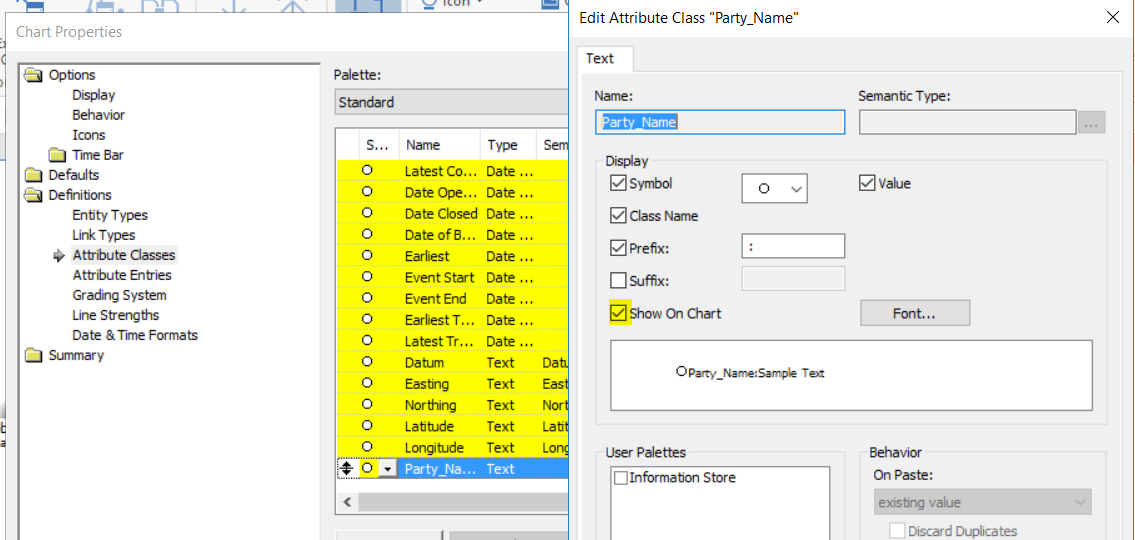
Furthermore, in i2 Analyst's Notebook Premium, we right click on the chart and then open the chart properties dialog, then select "property" for your attribute (Party_Name in this example). The "Show on Chart" box is still checked, despite the fact that we already disabled/unchecked it in the charting scheme.
Cause
This phenomenon is not a software defect. The software is working as intended.
IBM i2 Analyst's Notebook Premium caches the schema settings when it establishes a connection to i2 Analyze. These schema settings include the attribute class, entity, link types, so on and so forth. If the schema is updated and deployed to i2 Analyze, then i2 Analyst's Notebook Premium gets the new schema settings after it establishes a connection to i2 Analyze. However, some schema settings do not refresh immediately in i2 Analyst's Notebook Premium upon the first connection between i2 Analyst's Notebook Premium and i2 Analyze. The attribute class is one of those settings that do not refresh immediately upon the first connection between i2 Analyst's Notebook Premium and i2 Analyze, after the schema update. Therefore, i2 Analyst's Notebook Premium is still using the old schema settings from the caches.
Resolving The Problem
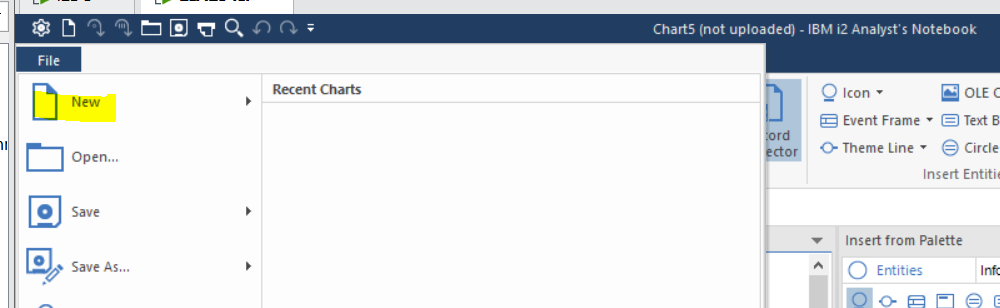
This phenomenon can be addressed by simply creating a new chart in i2 Analyst's Notebook Premium, after you logged on to i2 Analyze. Afterwards, the new schema settings are applied in i2 Analyst's Notebook Premium.
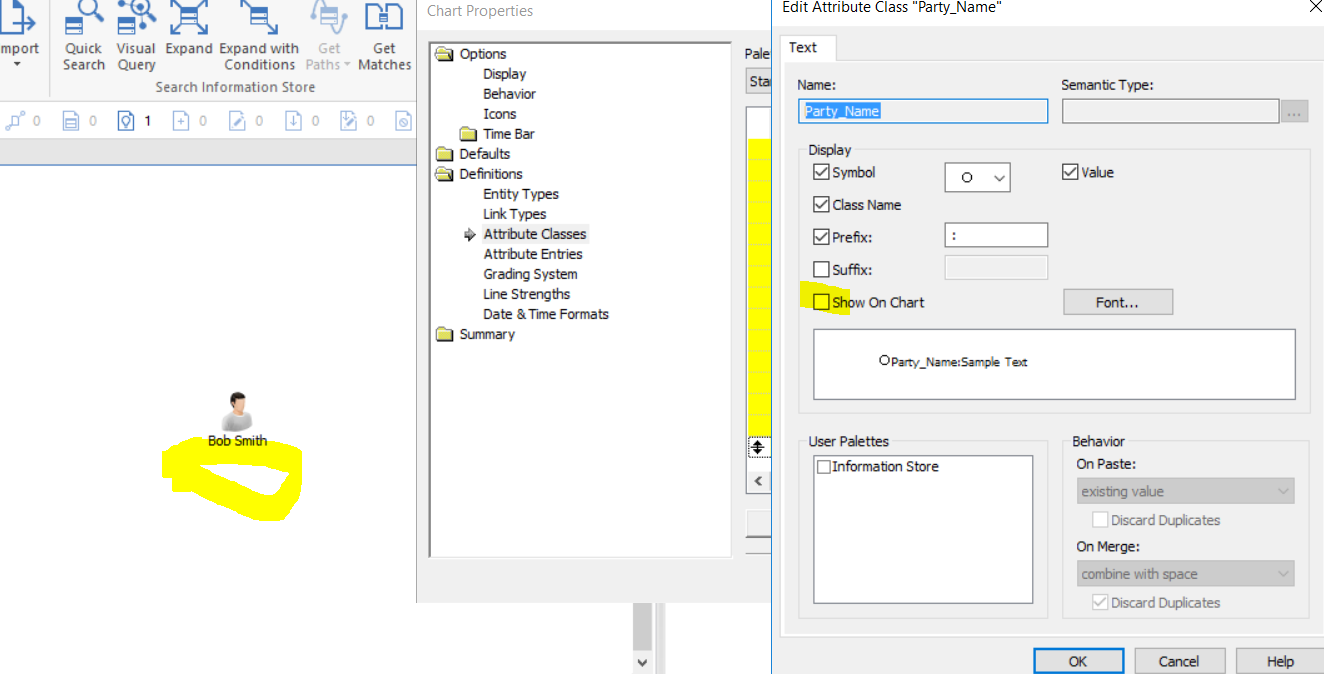
Side note:
If you edit an attribute class in the charting scheme, but that attribute class already exists in i2 Analyst's Notebook Premium. Then after you deploy the schema, your new schema settings are trumped by the existing settings in i2 Analyst's Notebook Premium. As a result, you will not see the changes in the attribute class settings. This behavior is also an intended software design. The reason being, it is not plausible to have two attribute classes of the same name. Otherwise the end user cannot distinguish the differences between the two attribute classes. For example, if you modify the attribute class "Date" in the charting scheme, the change will not be reflected in the chart behavior because i2 Analyst's Notebook already has the "Date" attribute class. In that instance, the attribute class settings can be modified directly from the chart properties dialog in i2 Analyst's Notebook Premium.
Document Location
Worldwide
[{"Type":"SW","Line of Business":{"code":"LOB24","label":"Security Software"},"Business Unit":{"code":"BU059","label":"IBM Software w\/o TPS"},"Product":{"code":"SSXVXZ","label":"IBM i2 Enterprise Insight Analysis"},"ARM Category":[{"code":"a8m500000008iE7AAI","label":"i2 Enterprise Insight Analysis->Configuration"}],"ARM Case Number":"TS005616141","Platform":[{"code":"PF025","label":"Platform Independent"}],"Version":"All Version(s)"}]
Was this topic helpful?
Document Information
Modified date:
20 May 2021
UID
ibm16454773