Question & Answer
Question
What logs could be collected when you experience issues with the Host Connection Emulator in IBM Developer for z/OS?
Cause
The most common problem is failure to connect to the host when the Host Connection Emulator uses encrypted communication configuration like TLS.
Answer
- Add the following line to your eclipse.ini file:
-Djavax.net.debug=all
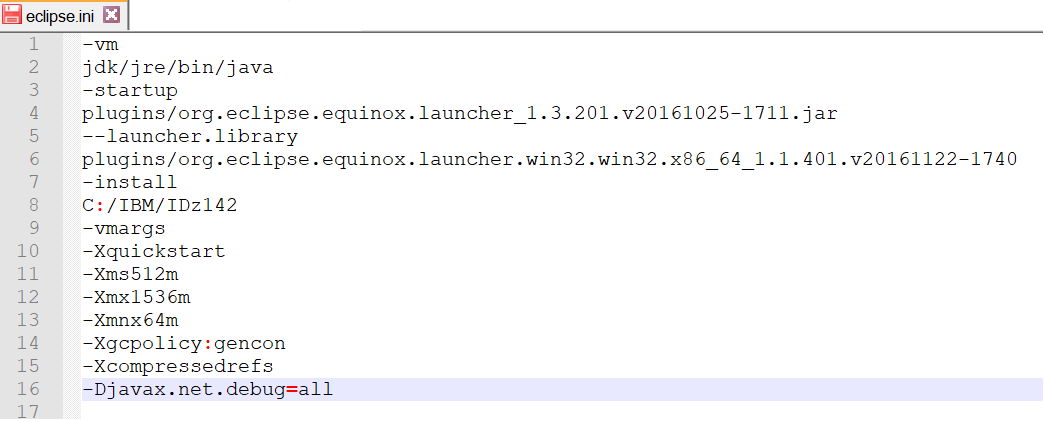
- Run IDz client with the following command line:
c:\IBM\IDz142>eclipsec -consoleLog > c:\temp\hce.log

- Reproduce the problem and send us file hce.log
Related Information
[{"Line of Business":{"code":"LOB35","label":"Mainframe SW"},"Business Unit":{"code":"BU058","label":"IBM Infrastructure w\/TPS"},"Product":{"code":"SSJK49","label":"IBM Developer for z Systems"},"ARM Category":[{"code":"a8m0z00000009P1AAI","label":"IDz Family->Host Connect"}],"ARM Case Number":"","Platform":[{"code":"PF033","label":"Windows"}],"Version":"All Version(s)"}]
Product Synonym
IDz, RDz
Was this topic helpful?
Document Information
Modified date:
08 November 2021
UID
ibm16353409