Troubleshooting
Problem
Controller on Cloud is powered by Citrix. Therefore all users require the Citrix client installed on their device (for example laptop).
User wants to install the Citrix Workspace client on their laptop/PC. They download the relevant file ("CitrixWorkspaceApp.exe") from the Citrix website. They double-click on the file. An error appears suggesting that it is already installed.
- However, when they look at their PC (for example in Control Panel) they cannot see any evidence of it being installed.
Symptom

You already have this version of Citrix Workspace installed, so the installer will exit
However, there is no 'Citrix Workspace' entry in either Control Panel "Apps"...
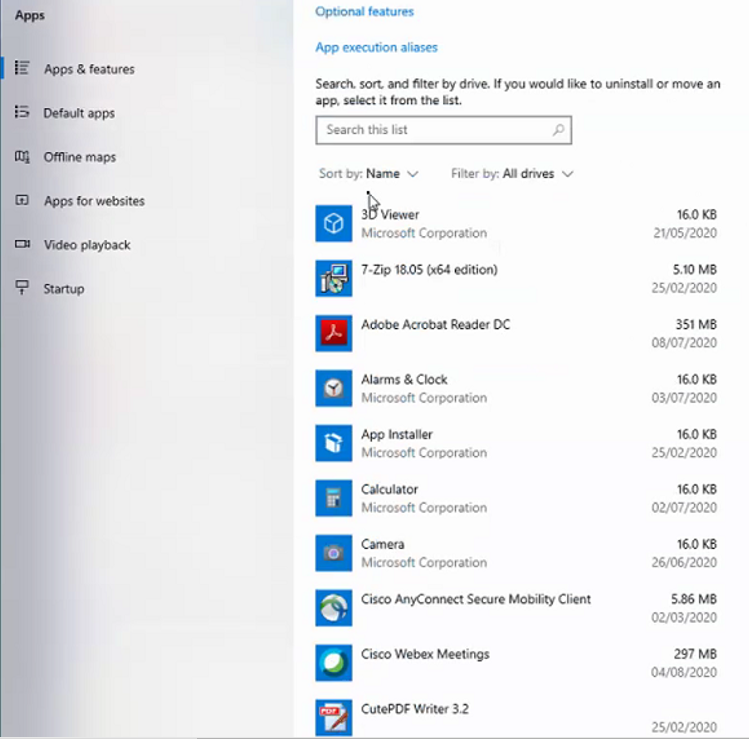
...or the Start menu. In other words, there is not an entry similar to:

Document Location
Worldwide
[{"Business Unit":{"code":"BU048","label":"IBM Software"},"Product":{"code":"SSMRTZ","label":"IBM Cognos Controller on Cloud"},"ARM Category":[{"code":"a8m0z000000brHTAAY","label":"Citrix"}],"ARM Case Number":"TS004009010","Platform":[{"code":"PF025","label":"Platform Independent"}],"Version":"All Version(s)","Line of Business":{"code":"LOB76","label":"Data Platform"}}]
Log InLog in to view more of this document
This document has the abstract of a technical article that is available to authorized users once you have logged on. Please use Log in button above to access the full document. After log in, if you do not have the right authorization for this document, there will be instructions on what to do next.
Was this topic helpful?
Document Information
Modified date:
12 October 2021
UID
ibm16257473