Troubleshooting
Problem
User clicks "Group - Group Status". User chooses parameters, and clicks 'Open'.
- The names of the companies/groups appear OK (success).
User now clicks on the 'print' button. When the report has printed, user cannot see the names of the companies/groups (failure).
Problem may only affect some 'bad' users.
Symptom
Imagine a scenario where user chooses these parameters, and presses the 'open' button.
- The names of the companies/groups successfully appears on the screen:
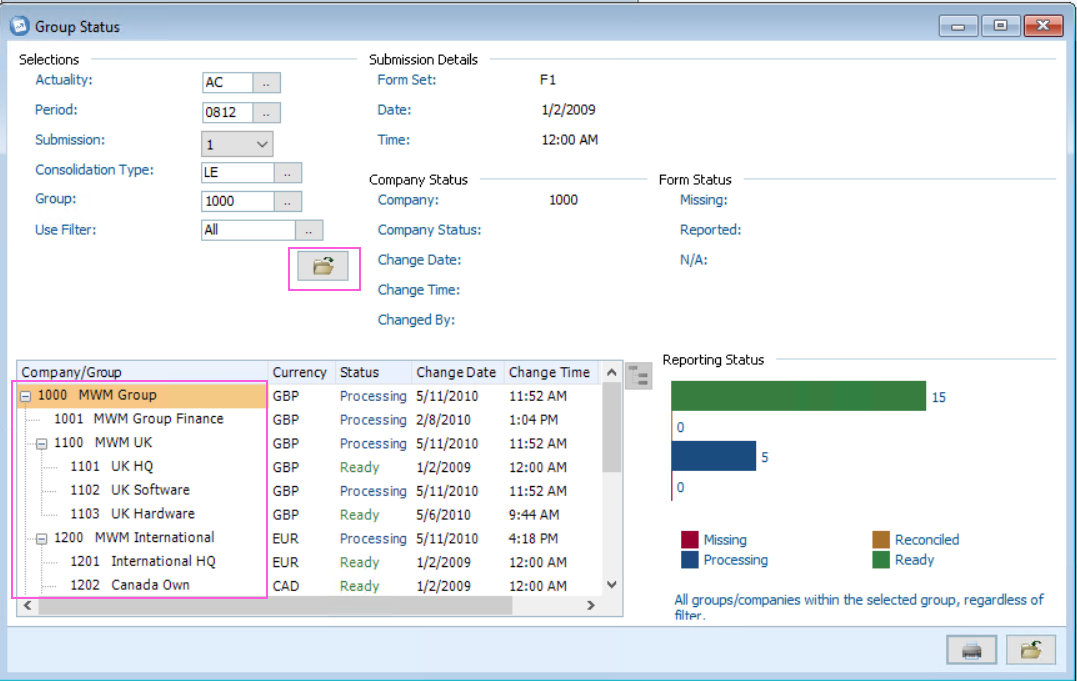
User then clicks the 'Print' button. When the user looks at the report, the company/group information is missing/blank/empty, for example:

Document Location
Worldwide
[{"Business Unit":{"code":"BU048","label":"IBM Software"},"Product":{"code":"SS9S6B","label":"IBM Cognos Controller"},"ARM Category":[{"code":"a8m0z000000GoxxAAC","label":"Status"}],"ARM Case Number":"TS003813923","Platform":[{"code":"PF025","label":"Platform Independent"}],"Version":"All Version(s)","Line of Business":{"code":"LOB76","label":"Data Platform"}},{"Product":{"code":"SSMRTZ","label":"IBM Cognos Controller on Cloud"},"Business Unit":{"code":"BU048","label":"IBM Software"},"Component":" ","Platform":[{"code":"","label":""}],"Version":"","Edition":"","Line of Business":{"code":"LOB76","label":"Data Platform"}}]
Log InLog in to view more of this document
This document has the abstract of a technical article that is available to authorized users once you have logged on. Please use Log in button above to access the full document. After log in, if you do not have the right authorization for this document, there will be instructions on what to do next.
Was this topic helpful?
Document Information
Modified date:
09 May 2025
UID
ibm16232504