Troubleshooting
Problem
Dynamic Report in PA for MS-Excel shows #NAME? instead of values.
Excel throws an error on the top stating Product Activation Failed
Symptom
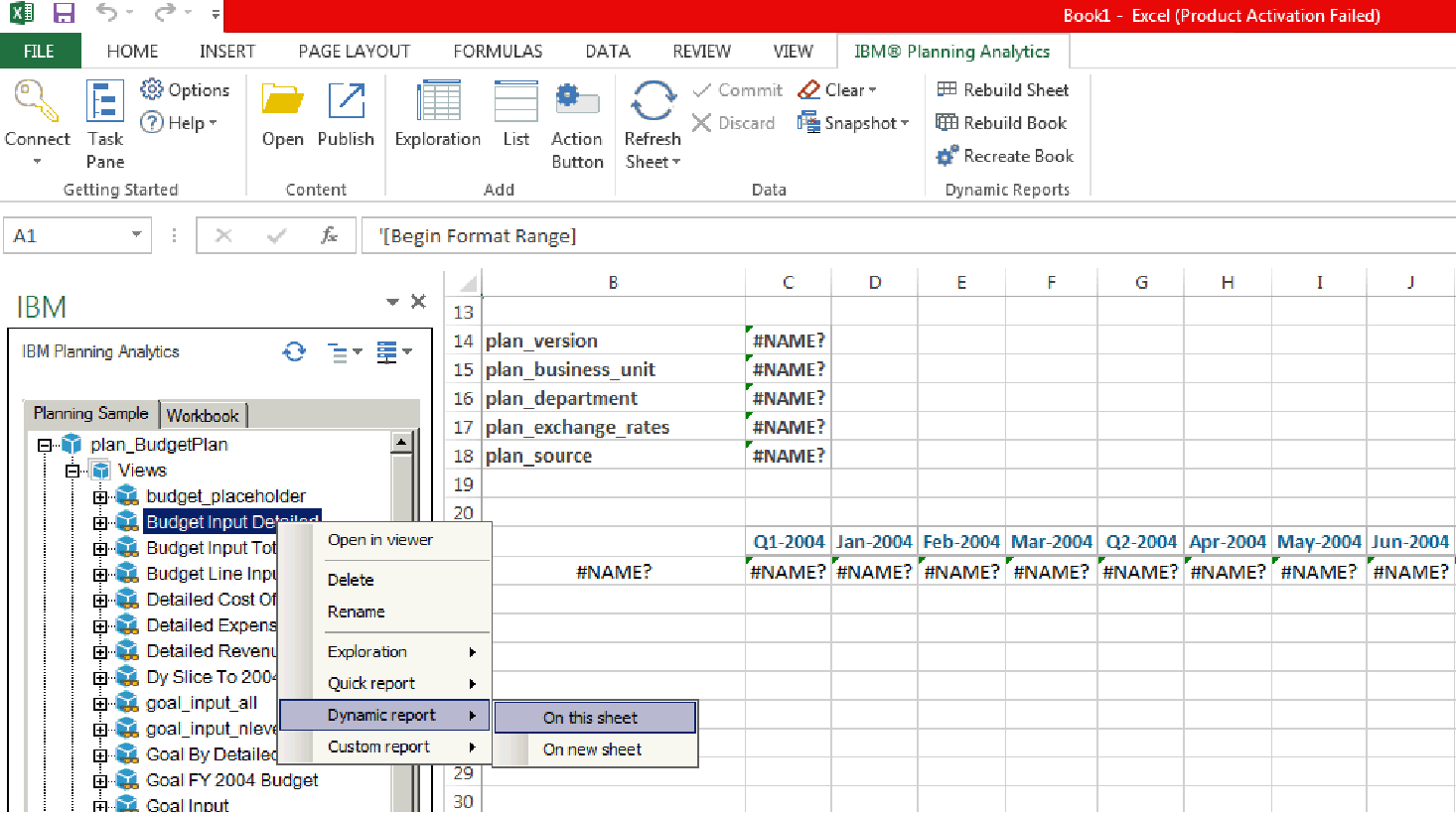
[{"Product":{"code":"SSCTEW","label":"IBM Planning Analytics Local"},"Business Unit":{"code":"BU048","label":"IBM Software"},"Component":"Planning Analytics v2.0 for Microsoft Excel","Platform":[{"code":"PF033","label":"Windows"}],"Version":"2.0.2;2.0.1;2.0","Edition":"","Line of Business":{"code":"LOB76","label":"Data Platform"}},{"Product":{"code":"SSKVSF","label":"Planning Analytics on Cloud"},"Business Unit":{"code":"BU048","label":"IBM Software"},"Component":" ","Platform":[{"code":"","label":""}],"Version":"","Edition":"","Line of Business":{"code":"LOB76","label":"Data Platform"}}]
Log InLog in to view more of this document
This document has the abstract of a technical article that is available to authorized users once you have logged on. Please use Log in button above to access the full document. After log in, if you do not have the right authorization for this document, there will be instructions on what to do next.
Was this topic helpful?
Document Information
Modified date:
09 May 2025
UID
swg22004391