Troubleshooting
Problem
SSL Handshake failed in ISIG Governance console
Symptom
Log on in IBM Security Identity Governance console.
A message similar to web browser screenshot in Fig. 1 appears and it is not possible to access the Governance console.
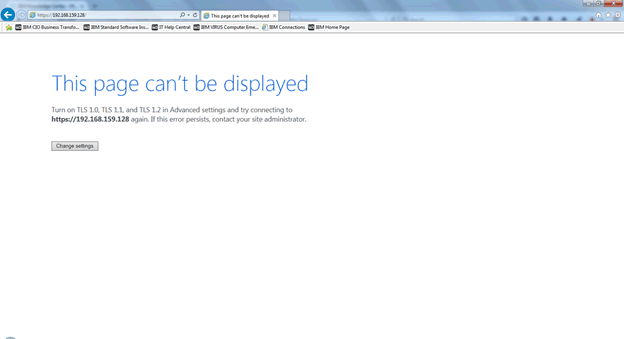
Verify the messages in the error log file of the appliance, and a message similar to the following appears:
[Mon Jan 18 14:43:19 2016] [error] [client 192.168.159.1] [7f66c8004050] [1473] SSL0221E: SSL Handshake Failed, Either the certificate has expired or the system clock is incorrect.
This means that something is wrong with the SSL connection between client and virtual appliance.
[{"Product":{"code":"SSGHJR","label":"IBM Security Identity Governance and Intelligence"},"Business Unit":{"code":"BU048","label":"IBM Software"},"Component":"Not Applicable","Platform":[{"code":"PF004","label":"Appliance"}],"Version":"5.1","Edition":"","Line of Business":{"code":"LOB77","label":"Automation Platform"}}]
Log InLog in to view more of this document
This document has the abstract of a technical article that is available to authorized users once you have logged on. Please use Log in button above to access the full document. After log in, if you do not have the right authorization for this document, there will be instructions on what to do next.
Was this topic helpful?
Document Information
Modified date:
16 June 2018
UID
swg21975095