How To
Summary
Instructions for creating the MDM Server from which the token will be generated for use in MaaS360
Steps
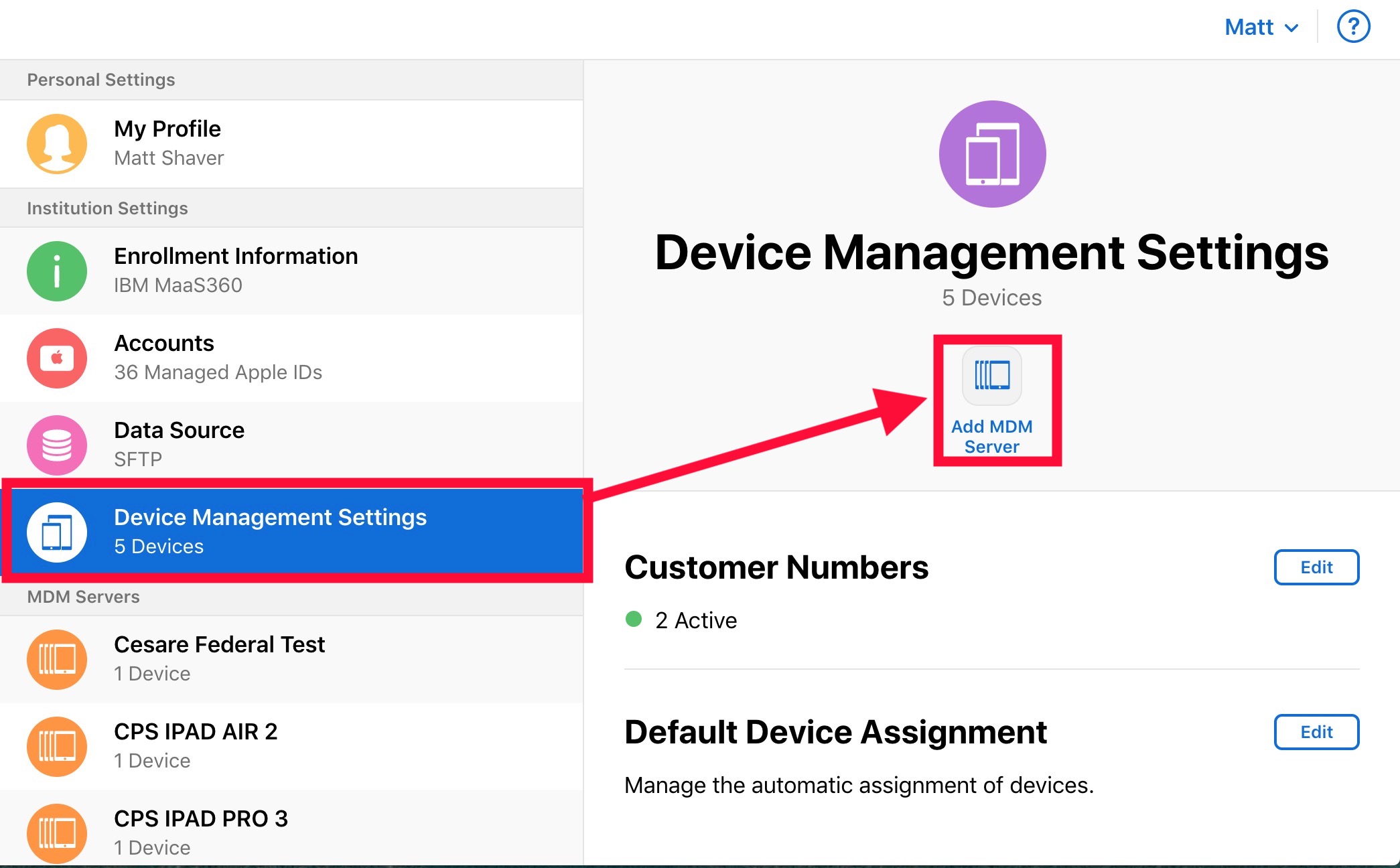
Login to the ABM/ASM portal. On the left hand side, navigate to "Settings"

In the "Settings" pane, navigate to "Device Management Settings" and select "Add MDM Server"
Give the server a unique name and upload the public key obtained from MaaS360. Select save once completed.

The server is now created and the token is available for download. For instructions on downloading the server token, please see the article here.
Document Location
Worldwide
[{"Business Unit":{"code":"BU059","label":"IBM Software w\/o TPS"},"Product":{"code":"SSYSXX","label":"IBM MaaS360"},"Component":"","Platform":[{"code":"PF025","label":"Platform Independent"}],"Version":"All Versions","Edition":"","Line of Business":{"code":"LOB24","label":"Security Software"}}]
Was this topic helpful?
Document Information
Modified date:
04 October 2019
UID
ibm11078509