Troubleshooting
Problem
User unable to download file in Chrome
Resolving The Problem
Step 1: Open Chrome on your computer.
Step 2: Go to the three-dot menu at the upper-right corner.
Step 3: Among the menu options, go to Settings, and then go to Privacy and security settings.
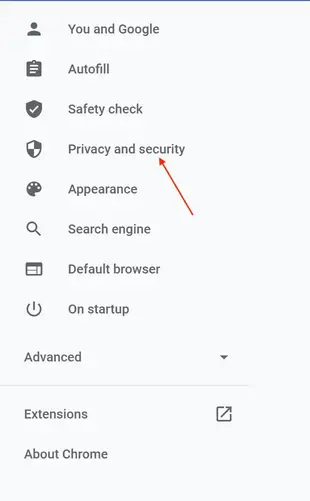
Step 4: Select Cookies and other site data.
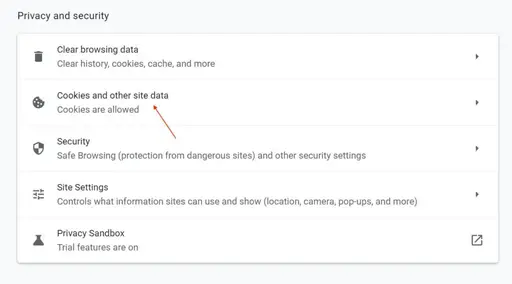
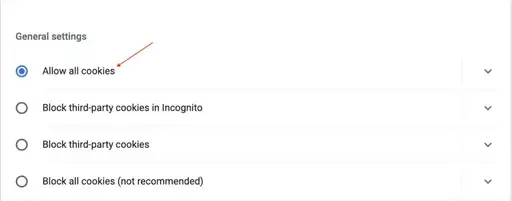
Step 5: In the Cookies and other site data, go to General settings. Select Allow all cookies.
Document Location
Worldwide
[{"Type":"MASTER","Line of Business":{"code":"LOB59","label":"Sustainability Software"},"Business Unit":{"code":"BU059","label":"IBM Software w\/o TPS"},"Product":{"code":"SS3KH6","label":"IBM Maximo MRO Inventory Optimization"},"ARM Category":[{"code":"a8m0z000000GnpdAAC","label":"Troubleshooting"}],"ARM Case Number":"","Platform":[{"code":"PF025","label":"Platform Independent"}],"Version":"All Versions"}]
Was this topic helpful?
Document Information
Modified date:
18 April 2022
UID
ibm16573175