Technical Blog Post
Abstract
How to use soupui xml to delete a doclink in Maximo?
Body
You may want to use external application to delete the doclink from Maximo applications. Today I will give an example how to achieve this function by soupui xml via Maximo Integration. Please refer the steps below:
- In Maximo Object Structures application, create a new Object Structure called DOCLINK, set Consumed By as Integration, and click New Row in Source Object of DOCLINK and add object DOCLINKS
 In Web Service Library application, click Create Web Service > Create Web Service from Object Structure and select DOCLINK created from step 1
- Click Deploy to Product Web Service Container > Deploy Web Service to deploy DOCLINK web service
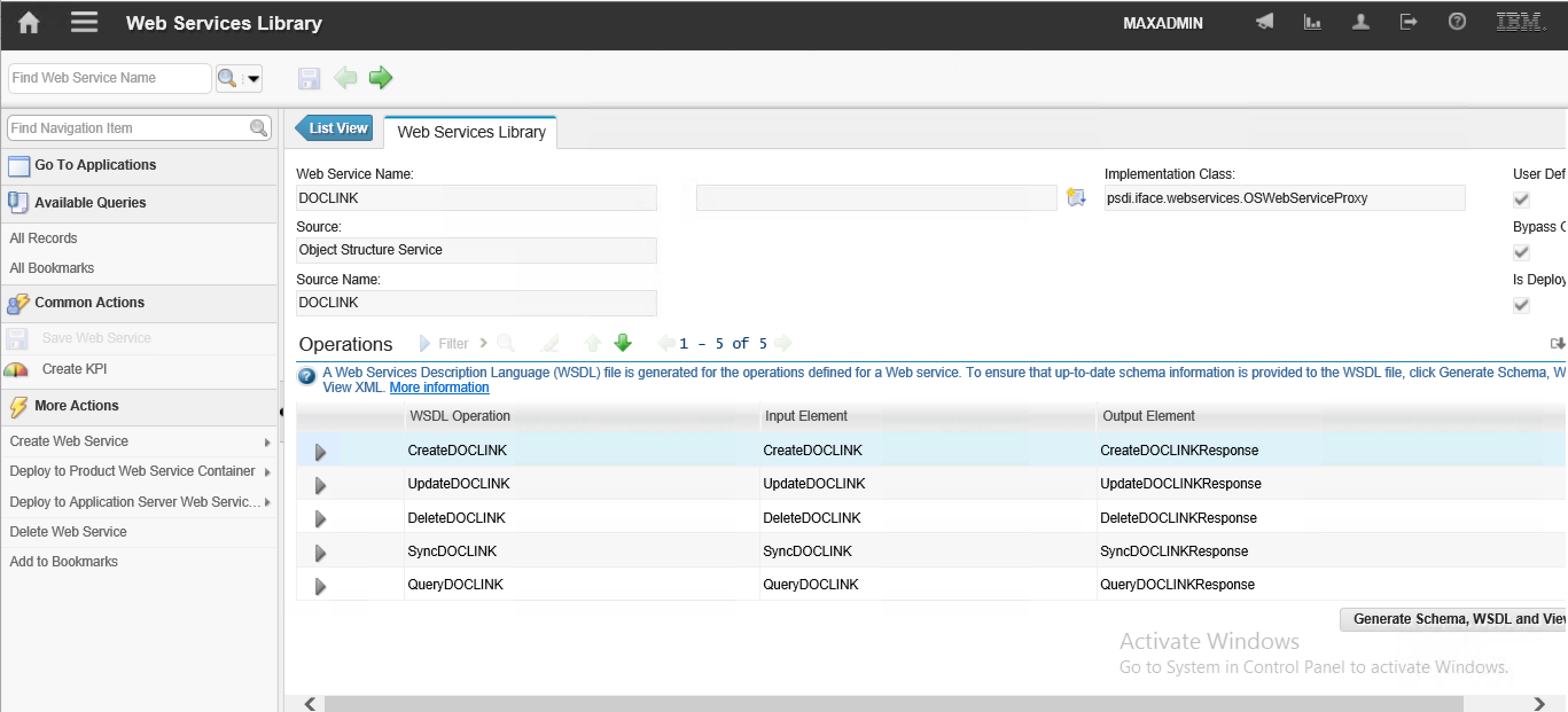
- Open soupui tool and create a new project by using wsdl link, by default it is:
http://hostname:port/meaweb/wsdl/WSNAME.wsdl
for example: http://maximo/meaweb/wsdl/DOCLINK.wsdl
- Now we need sort out which record to be deleted. In this example, we will delete one attachment from the Work Order Tracking application
- Open Work Order and check Attachment ID (ownerid)
- Run below statement from database SQL client
select ownerid, docinfoid, ownertable, doctype from doclinks where ownderid="123"
- Set the value of the keys in soupui xml file
<soapenv:Envelope xmlns:soapenv="http://schemas.xmlsoap.org/soap/envelope/" xmlns:max="http://www.ibm.com/maximo">
<soapenv:Header/>
<soapenv:Body>
<max:DeleteDOCLINK>
<max:DOCLINKSet>
<max:DOCLINKS action="DELETE">
<max:DOCINFOID changed="true">55</max:DOCINFOID>
<max:DOCTYPE changed="true">Attachments</max:DOCTYPE>
<max:OWNERID changed="true">123</max:OWNERID>
<max:OWNERTABLE changed="true">WORKORDER</max:OWNERTABLE>
</max:DOCLINKS>
</max:DOCLINKSet>
</max:DeleteDOCLINK>
</soapenv:Body>
</soapenv:Envelope>
- After refresh the work order, you will find the doclink has been removed.
UID
ibm11129347