Question & Answer
Question
How do you remove an installed Adobe PDF iFilter, once it has been installed for Microsoft SQL Server?
Cause
When using IBM i2 iBase Search 360 functionality, iFilters must be installed to enable the indexing of certain document types. You may need to uninstall an iFilter for troubleshooting purposes.
Answer
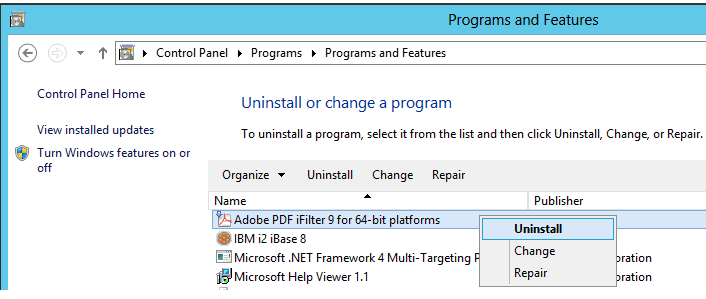
1. Uninstall the current iFilter using the 'Programs and Features' menu in Windows Control Panel
2. Run the following query in SQL to update the list of installed iFilters:
Exec sp_fulltext_service 'load_os_resources', 1
Exec sp_fulltext_service 'verify_signature', 0
3. Restart the SQL Server & Full Text Search services
4. Run the following query to display installed PDF iFilters in SQL:
SELECT document_type, path from sys.fulltext_document_types where document_type = '.pdf'
If the iFilter has been successfully uninstalled, the SQL query in step 4 should return no results. For example:

Was this topic helpful?
Document Information
Modified date:
16 June 2018
UID
swg21883549