How To
Summary
Provide instruction on how to list IBM i Commands that had their defaults changed.
Steps
Method 1: Using IBM i Access Client Solutions run SQL Script
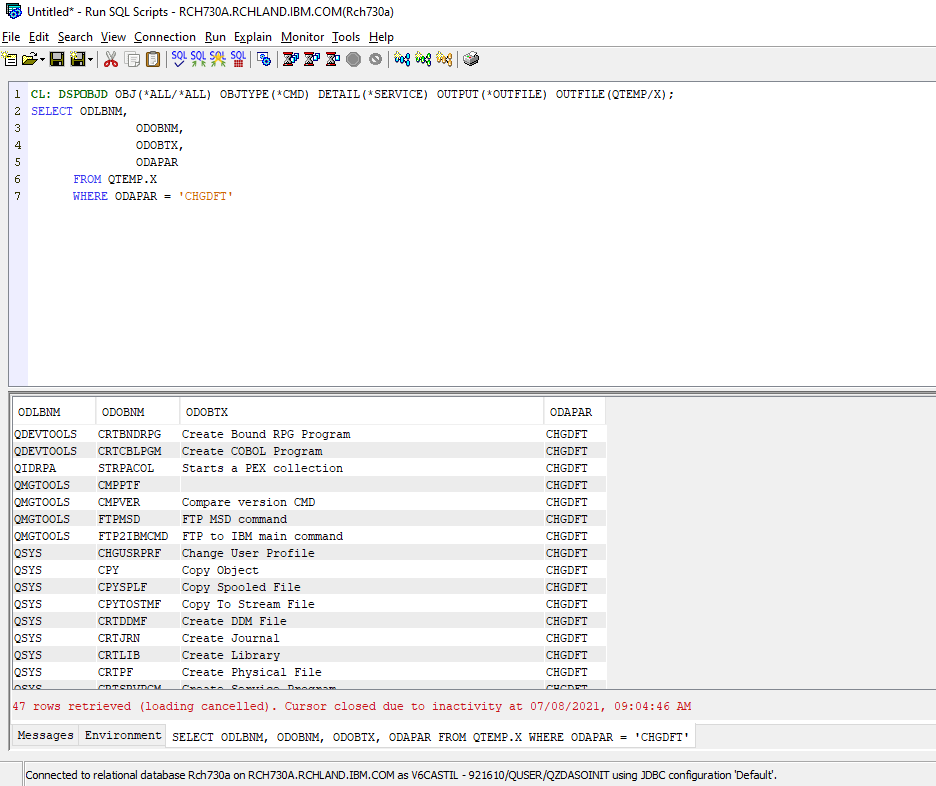
Open IBM i run SQL Scripts and run the following:
CL: DSPOBJD OBJ(*ALL/*ALL) OBJTYPE(*CMD) DETAIL(*SERVICE) OUTPUT(*OUTFILE) OUTFILE(QTEMP/X);
SELECT ODLBNM,
               ODOBNM,
               ODOBTX,
               ODAPAR
      FROM QTEMP.X
      WHERE ODAPAR = 'CHGDFT'
Method 2: From the IBM i command line, execute the following:
> DSPOBJD OBJ(*ALL/*ALL) OBJTYPE(*CMD) DETAIL(*SERVICE) OUTPUT(*OUTFILE) OUTFILE(QTEMP/X)
> STRSQL
SELECT ODLBNM, ODOBNM, ODOBTX, ODAPAR FROM qtemp/x where ODAPAR = 'CHGDFT'
Method 3: For current releases please refer to the following link:
Additional Information
To find the default you can use command GENCMDDOC, it generates an html file in IFS:
> The file is created in the path '/home/user/QSYS_xxxxxxx.html'
For example: GENCMDDOC CMD(CPYTOIMPF)
Review the html file where the default value is displayed as underlined.
Document Location
Worldwide
[{"Type":"MASTER","Line of Business":{"code":"LOB57","label":"Power"},"Business Unit":{"code":"BU058","label":"IBM Infrastructure w\/TPS"},"Product":{"code":"SWG60","label":"IBM i"},"Platform":[{"code":"PF012","label":"IBM i"}],"Version":"7.1.0"}]
Was this topic helpful?
Document Information
Modified date:
24 June 2022
UID
ibm16470209