Question & Answer
Question
How do you create a report of Inquiry Messages and their Replies.
Cause
With the introduction of the IBM i SQL Service HISTORY_LOG_INFO table function, you can create an SQL report containing Inquiry messages and their Replies from the history log.
The HISTORY_LOG_INFO table function returns one row for each message in the history log based on the timestamp range specified. It returns information similar to what is returned by the Display Log (DSPLOG) CL command and the Open List of History Log Messages (QMHOLHST) API.
Authorization: No authorization needed.
To get a listing of selected messages from the history log, follow the steps:
1) Open the ACS Run SQL Scripts tool
2) Run the following SQL:
SELECT A.MESSAGE_ID,
       A.MESSAGE_TYPE,
       A.MESSAGE_SUBTYPE,
       A.SEVERITY,
       A.FROM_USER,
       A.FROM_JOB,
       A.FROM_PROGRAM,
       A.MESSAGE_TEXT,
       A.MESSAGE_TIMESTAMP
    FROM TABLE (
            QSYS2.HISTORY_LOG_INFO('2020-12-22-20.38.00.000000', '2020-12-23-13.50.00.000000')
        ) A
    WHERE MESSAGE_TYPE = 'INQUIRY'
          OR MESSAGE_SUBTYPE = 'VALIDITY CHECKED'  -- Message Replied by User
          OR MESSAGE_SUBTYPE = 'FROM EXIT PROGRAM' -- Message Replied by Exit Program
          OR MESSAGE_SUBTYPE = 'FROM SYSTEM REPLY LIST' -- Message Replied by System Reply List
          OR MESSAGE_SUBTYPE = 'MESSAGE DEFAULT USED' -- Message Replied by default on message
          OR MESSAGE_SUBTYPE = 'SYSTEM DEFAULT USED' -- Message Replied by System default
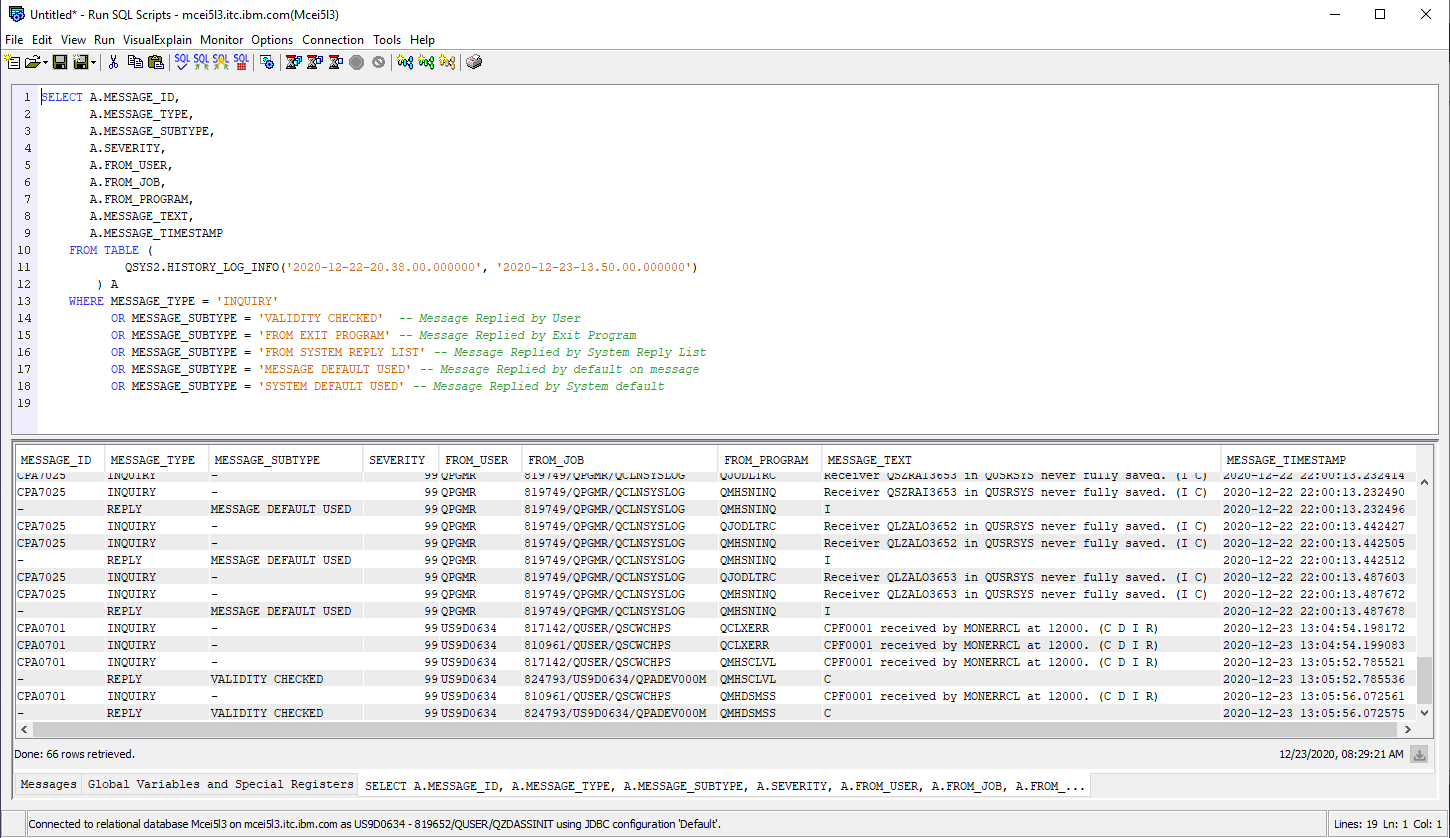
NOTE: The CURRENT TIMESTAMP can be adjusted to reflect the wanted timeframe.
More information about the HISTORY_LOG_INFO table function can be found on the link:
[{"Line of Business":{"code":"LOB57","label":"Power"},"Business Unit":{"code":"BU058","label":"IBM Infrastructure w\/TPS"},"Product":{"code":"SWG60","label":"IBM i"},"ARM Category":[{"code":"a8m0z0000000CHAAA2","label":"Operating System"}],"ARM Case Number":"TS004673892","Platform":[{"code":"PF012","label":"IBM i"}],"Version":"7.2.0;7.3.0;7.4.0"}]
Was this topic helpful?
Document Information
Modified date:
23 December 2020
UID
ibm16393550