Troubleshooting
Problem
In an IBM Business Automation Workflow environment that has Case features enabled, if the environment is configured with an external IBM Content Navigator, then an error might be displayed to the user. Clicking the 'link' that is provided in the dialog and accepting a certificate warning allows the error to go away.
The error is:
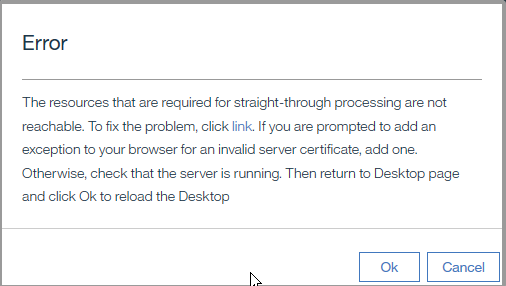
The resources that are required for straight-through processing are not reachable. To fix the problem, click link. If you are prompted to add an exception to your browser for an invalid server certificate, add one. Otherwise, check that the server is running. Then return to Desktop page and click Ok to reload the Desktop
It looks like the following:
Document Location
Worldwide
[{"Business Unit":{"code":"BU048","label":"IBM Software"},"Product":{"code":"SS8JB4","label":"IBM Business Automation Workflow"},"Component":"","Platform":[{"code":"PF002","label":"AIX"},{"code":"PF016","label":"Linux"},{"code":"PF033","label":"Windows"}],"Version":"19.0.0.1 or later","Edition":"","Line of Business":{"code":"LOB76","label":"Data Platform"}}]
Log InLog in to view more of this document
This document has the abstract of a technical article that is available to authorized users once you have logged on. Please use Log in button above to access the full document. After log in, if you do not have the right authorization for this document, there will be instructions on what to do next.
Was this topic helpful?
Document Information
Modified date:
10 August 2021
UID
ibm11167952