Question & Answer
Question
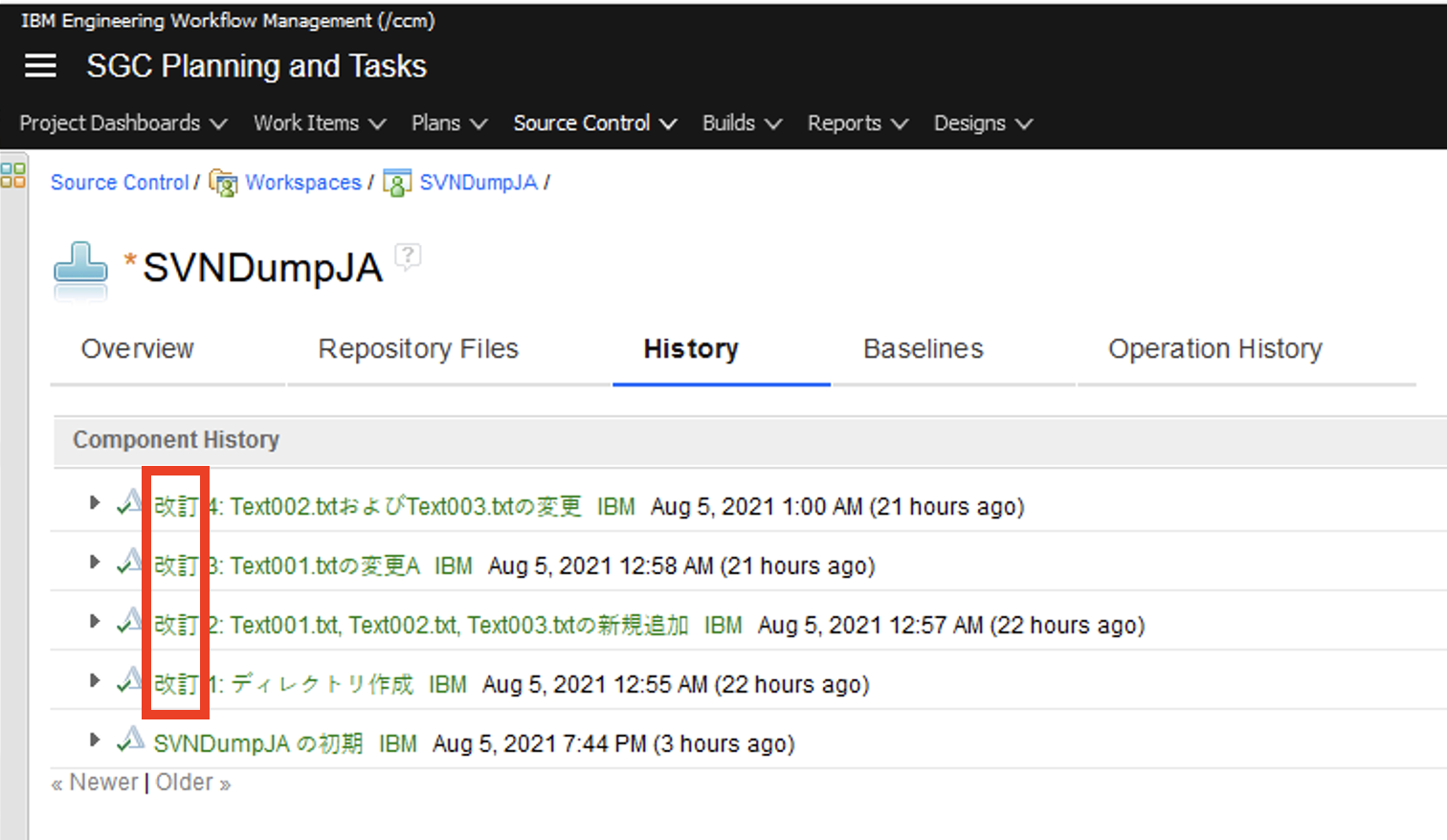
When you import an SVN dump file into Engineering Workflow Management (EWM), the language of the word "Revision" at the beginning of change set comments is not in the wanted language. The contents do not change if you change the display language of the Web UI or in Eclipse afterward.
In this example, the word displays in Japanese as "改訂".
[{"Type":"MASTER","Line of Business":{"code":"LOB77","label":"Automation Platform"},"Business Unit":{"code":"BU048","label":"IBM Software"},"Product":{"code":"SSUC3U","label":"IBM Engineering Workflow Management"},"ARM Category":[{"code":"a8m50000000Cje9AAC","label":"Workflow Management-\u003ESCM-\u003EEclipse Client"}],"ARM Case Number":"TS006404910","Platform":[{"code":"PF025","label":"Platform Independent"}],"Version":"All Versions"}]
Log InLog in to view more of this document
This document has the abstract of a technical article that is available to authorized users once you have logged on. Please use Log in button above to access the full document. After log in, if you do not have the right authorization for this document, there will be instructions on what to do next.
Product Synonym
EWM
Was this topic helpful?
Document Information
Modified date:
06 August 2021
UID
ibm16479337