Troubleshooting
Problem
After upgrading the IBM Rational RequisitePro to version 7.1.1 the client is unable to reach the Rational license server and the licensing error is generated: Failed to check out key for RequisitePro
Symptom
These messages appear:
Failed to checkout license for RequisitePro:
FLEXlm Error -10, Feature has expired.
FLEXlm Error -15, Cannot connect to license server.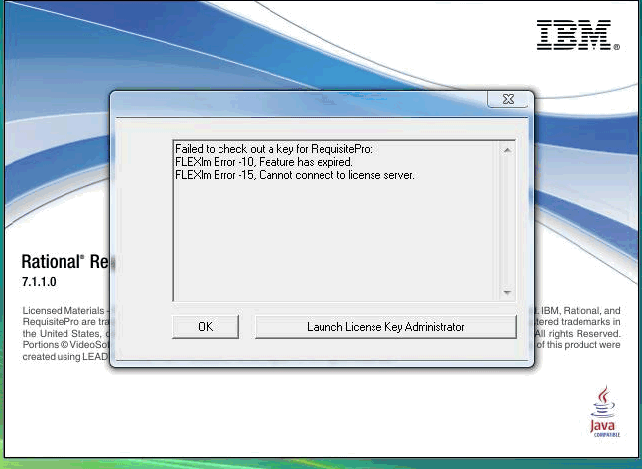
Cause
This may be due to a network issue or firewall.
Resolving The Problem
To resolve this issue:
- Make sure that the license file include the port number.
Example:
SERVER <hostname> DISK_SERIAL_NUM=1234abcd 27000

DAEMON rational "C:\Program Files\IBM\RationalSDLC\common\rational.exe" port=27001

DAEMON ibmratl "C:\Program Files\IBM\RationalSDLC\common\ibmratl.exe" port=27002
See technote 1257370: How to serve a license key to client machines through a firewall - Use the IP address of the server as a server name to point to the server instead of using hostname.
- Check the network connection between the license server and the client system.
Refer to technote 1134727: Checking the network connection between the license server and the client system
[{"Product":{"code":"SSSHCT","label":"Rational RequisitePro"},"Business Unit":{"code":"BU053","label":"Cloud & Data Platform"},"Component":"Licensing","Platform":[{"code":"PF033","label":"Windows"}],"Version":"7.1.2;7.1.1.3;7.1.1.2;7.1.1.1;7.1.1;7.1.0.2;7.1.0.1","Edition":"","Line of Business":{"code":"LOB45","label":"Automation"}}]
Was this topic helpful?
Document Information
Modified date:
27 December 2019
UID
swg21448156